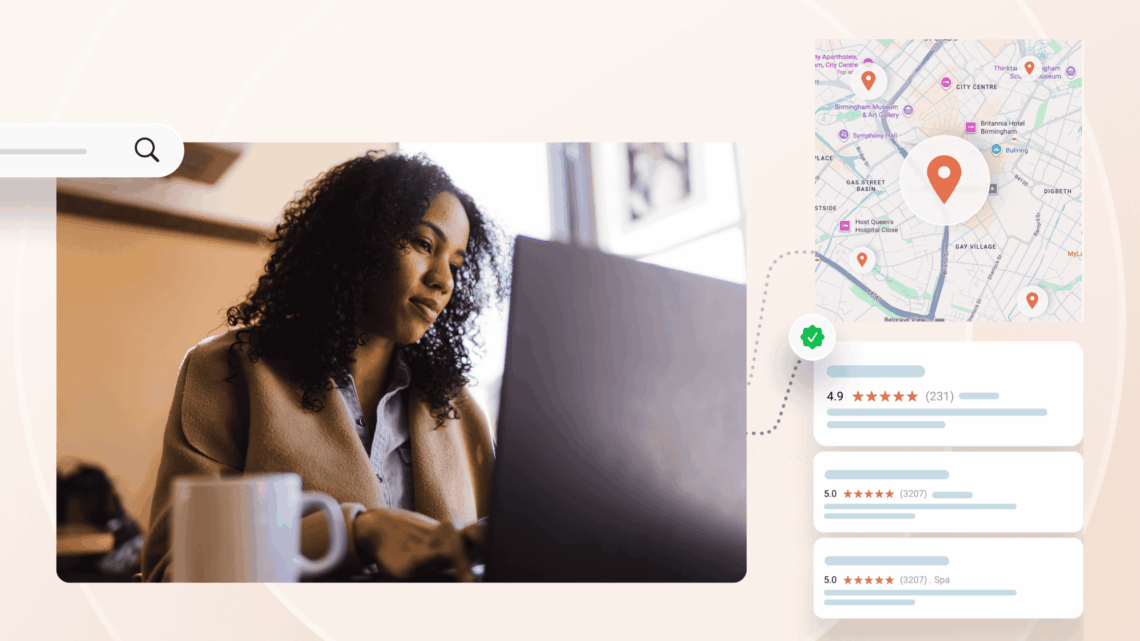
ChatGPT local map knowledge panels are a new local search experience that combines AI-generated recommendations with maps and business knowledge panels, helping users discover and evaluate local businesses directly within ChatGPT.
Summary
ChatGPT has evolved from being a conversational assistant into a local discovery platform. For local-intent searches, users can now see nearby businesses plotted on a map and access knowledge panel–style business profiles containing photos, descriptions, ratings, and key business information. This shift means businesses need to think beyond traditional SEO and optimize their visibility across search engines, directories, reviews, and AI-driven discovery experiences.
This blog explains how ChatGPT’s local map and knowledge panel experience works.
It explores where ChatGPT gets business information and what influences visibility. It also covers practical steps businesses can take to improve their presence in AI-powered local search.
What’s actually new
When users ask local questions—“coffee near me,” “pediatric dentist in Austin,” “yoga studio in Brooklyn”—ChatGPT doesn’t just show a text list anymore.
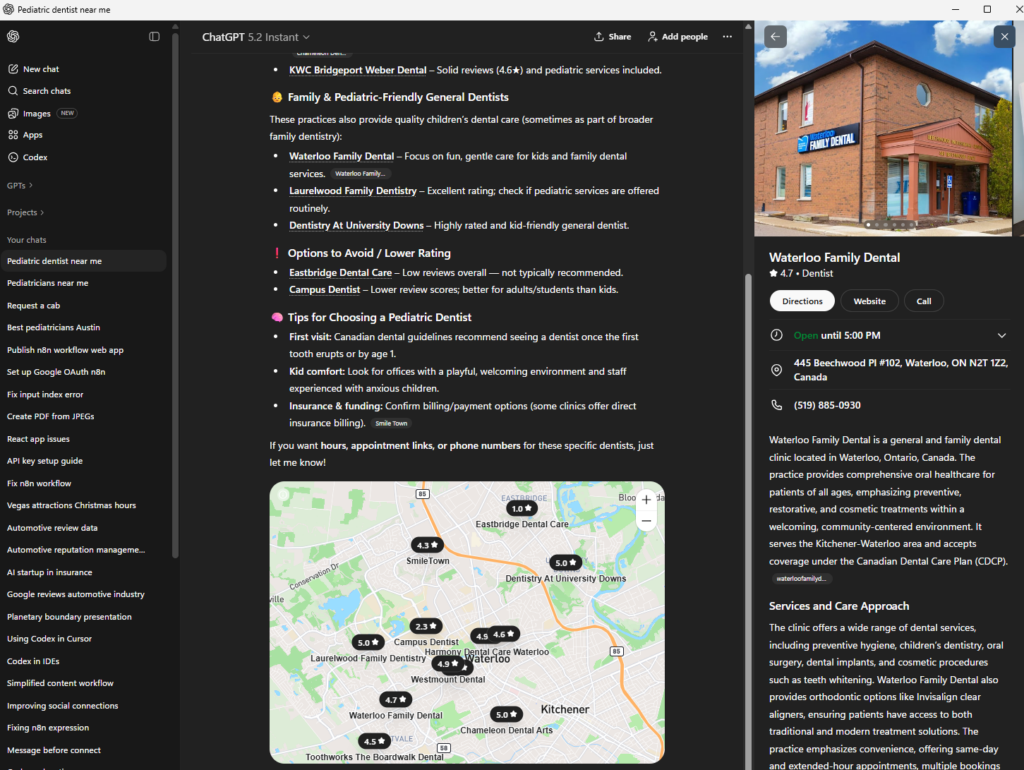
- It displays a map view with pins for relevant locations, alongside a list of those same options.
- When someone clicks on a pin or a listing, a knowledge panel–style card opens, showing images of the establishment, a brief description, and other key information like address, hours, and links.
This makes the experience feel much closer to a blend of Google Maps and a Knowledge Panel, but inside ChatGPT’s interface.
Why this change matters
This shift makes ChatGPT a more complete local discovery experience instead of a simple recommendation engine.
- People can scan the map to see which locations are actually nearby, then click into the places that look most relevant or convenient.
- The knowledge-style panel gives a richer sense of each location—visuals, context, and core details—without requiring the user to leave ChatGPT or open a separate map app.
For any organization that depends on local presence, this is a new surface where your listing, images, and basic information can either look polished and helpful—or incomplete and easy to skip.
How ChatGPT’s local view likely works
While there’s no public spec, the behavior suggests ChatGPT is aggregating familiar local data and presenting it in a map-plus-panel format.
- The map and list are built from underlying local data sources, including standard business details like name, address, category, and coordinates.
- The panel appears to pull in images, descriptions, and key facts from those same sources and from well-established profiles, then packages them in a Google Knowledge Panel–style layout.
- If your profiles are inconsistent, sparse, or missing photos and descriptions, the panel that opens when someone clicks your location will feel thin and less compelling.
What this means for your local presence
Your visibility is no longer just about “being on the list.” It’s about how you look when someone clicks on your location in ChatGPT’s map.
- A place with clear photos, a strong description, and accurate details will stand out more when its panel opens side by side with other options.
- If your data is incomplete or out of date, the panel that represents you can look bare or confusing—even if you are technically present on the map.
In other words, ChatGPT is turning your local data and imagery into a visual product experience. That makes the quality of that information more important.
What you can do now
You don’t need a separate “ChatGPT strategy.” You need to make sure the data and visuals that feed into this new experience are clean, complete, and compelling.
- Audit how you appear in ChatGPT’s local view
- Run real local-intent searches that your audiences might use.
- Look at the map, the list, and then click your location to review the panel: images, description, and details.
- Fix the basics everywhere your data lives
- Ensure your core listings (including Bing and other major directories) have accurate name, address, phone, hours, categories, and URLs.
- Clean up duplicates and old locations that might still be showing up and confusing the picture.
- Improve how your panel looks when opened
- Add and maintain high-quality, up-to-date photos that reflect what people will see when they arrive.
- Make sure your description clearly explains who you are, what you offer, and who you serve—short, specific, and jargon-free.
- Monitor periodically as the feature evolves
- Revisit key queries over time to see how the map and panels change.
- Note whether new images, updated descriptions, or cleaned-up data are reflected in how your establishment is presented.
Birdeye’s take on this development
How Birdeye helps brands stay discoverable in the age of AI-powered search
This new map-plus-knowledge-panel view is still early, but it’s a clear signal: ChatGPT is moving from “here are some names” to “here is a visual, interactive way to explore local options.” The organizations that keep their data and visuals in great shape will simply look better when a user clicks on their pin.
ChatGPT’s local map and knowledge panel experience marks the next evolution of local search. Visibility is no longer just about ranking in search results. It is about how accurately and compellingly your business is presented when AI recommends it. Businesses with complete listings, strong reviews, high-quality images, and consistent information will be better positioned to earn trust and attract customers across AI-powered discovery experiences.
Birdeye Search AI helps businesses understand how they appear across AI search platforms and what factors influence AI-generated recommendations. It provides visibility into rankings, citations, sentiment, and data quality signals across locations, helping teams identify opportunities to improve discoverability. AI-powered recommendations then help prioritize the actions that can strengthen visibility across emerging AI search experiences.
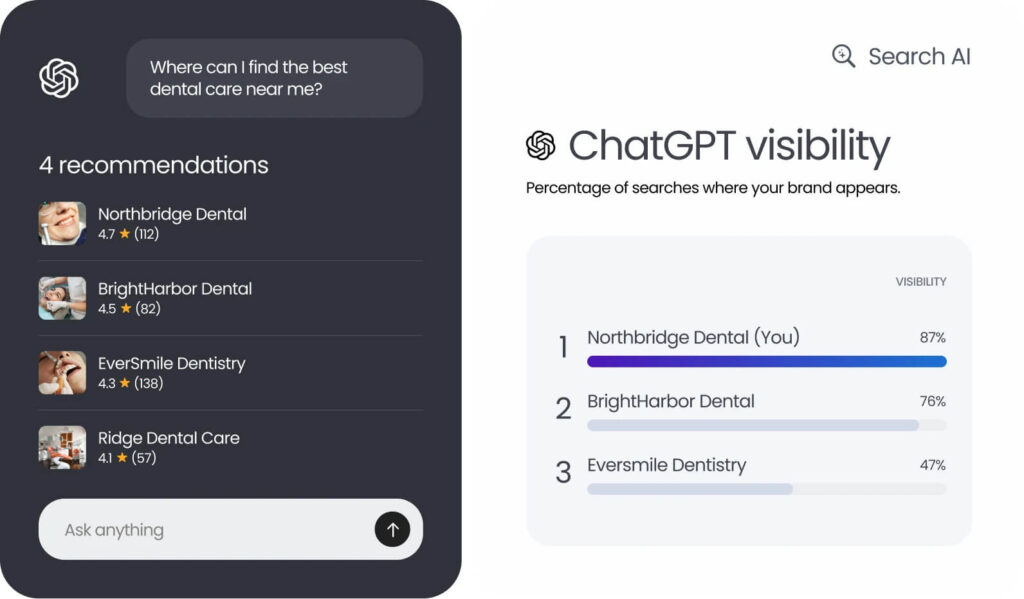
Birdeye helps businesses stay ahead with a platform built around the Consolidate, Think, and Act approach:
- Consolidate: Bring listings, reviews, photos, customer interactions, and location data into a single source of truth across every location.
- Think: Use AI-powered insights to identify visibility gaps, monitor reputation, analyze competitor performance, and understand how your business appears across AI search platforms.
- Act: Automate listing updates, reputation management, and optimization workflows with AI agents that help improve discoverability while maintaining brand consistency and governance.
With Birdeye Agentic AI agents working together, Birdeye helps businesses strengthen their presence across traditional search, maps, and emerging AI-driven discovery experiences.
To see how your brand appears across ChatGPT, Gemini, Perplexity, and other AI platforms, explore Birdeye’s AI-powered visibility and reputation management solutions. Watch a free demo now.

About the Author

Ruchika Batra
Originally published