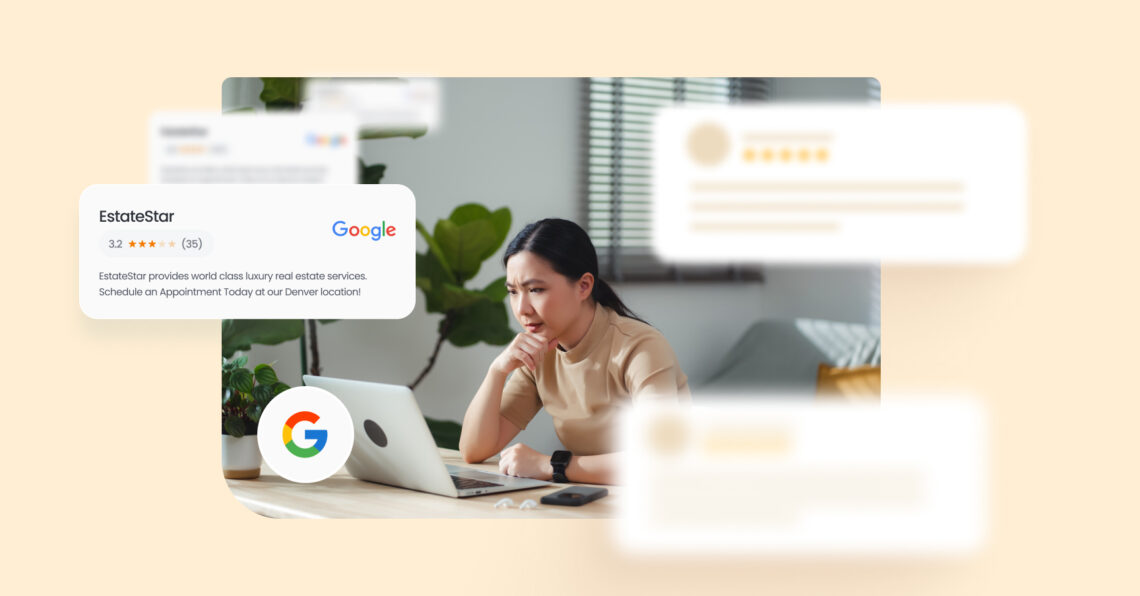
If Google reviews disappeared from your Google Business Profile in late January or February 2026, you’re not alone. Public forums are full of businesses reporting sudden drops, missing reviews, and totals that don’t match what shows up in the review list.
Summary
Various businesses in public forums are reporting two common patterns: (1) reviews that still exist but don’t show in the public review list or don’t match the displayed count, and (2) reviews that appear to be filtered or removed, often with no clear explanation. While this is frustrating for any business, it gets even harder for multi-location brands, where one region may drop while others look fine. The goal of this blog post is to help you diagnose what’s most likely happening, then take steps that reduce risk and protect your review program.
Table of contents
What’s happening with Google reviews in February 2026?
Across public forums and industry roundups, businesses reported reviews going missing, sometimes “overnight,” starting around the end of January and continuing into February.
One of the clearest “incident-style” patterns described by observers is that a major spike in complaints started around February 16, 2026, with reports of larger-than-usual drops and broader impact across many profiles.
Here are the experiences that show up again and again in community threads:
1. Review count and visible reviews don’t match
Some owners report that the count dropped by 1 or more reviews, and they can’t find which review is missing. Others say the count stayed the same, yet certain reviews stop showing publicly.
2. Reviews still show through links, but not on the profile
A common pattern is: the owner clicks the email notification link for a new review, the review appears in Maps, but it does not show on the public review list.
3. Sudden drops across many businesses
Industry watchers also point to an “uptick in complaints,” with many threads across Google’s forum and the Local Search Forum. Local SEO expert Joy Hawkins also flagged the spike in complaints, noting that while it isn’t hitting every business, an unusually large number appear to be affected. That lines up with what businesses are posting in public forums.
Anyone lose a bunch of Google reviews over the weekend? Chime in here ⬇️https://t.co/G4N7dSrBeB pic.twitter.com/SeOzHJVQNg
— Joy Hawkins (@JoyanneHawkins) February 17, 2026
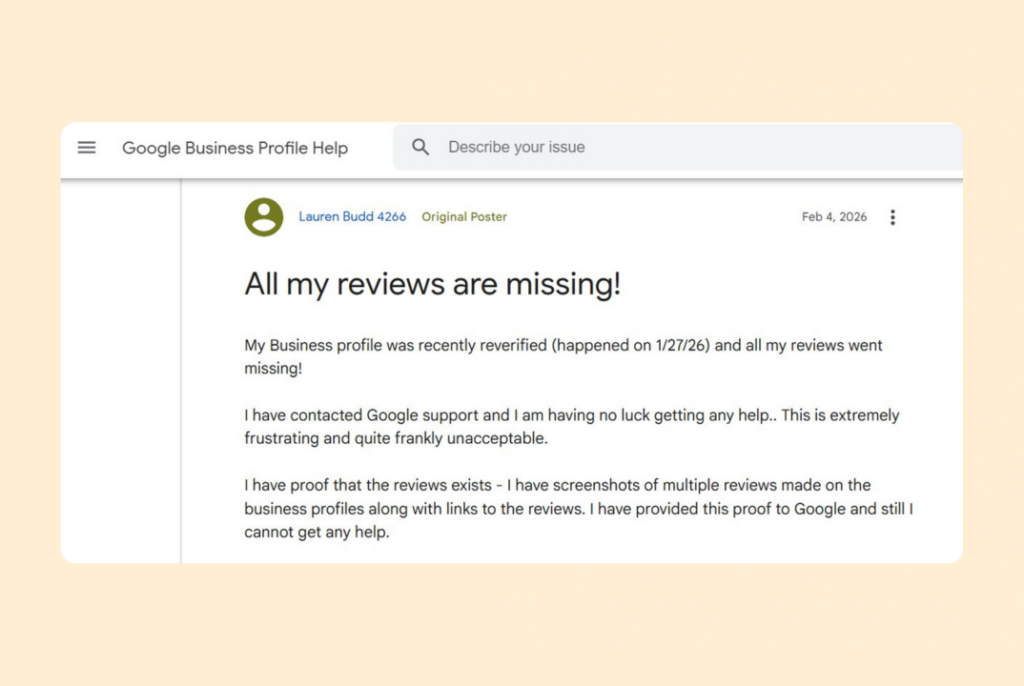
4. Missing reviews after profile changes
Multiple forum posts link missing reviews to events such as reverification, reinstatement, or other profile changes. Google’s own help page even calls out that reviews can sometimes be removed after reinstatement and recommends contacting support.
Why do Google reviews go missing?
There isn’t one cause. Google lists several reasons reviews may be delayed or missing, and those reasons line up with what business owners report in forums.
1. Google’s review checks can delay visibility
Google says reviews are checked for policy compliance and that this process can take a few days. That can delay when a review appears.
2. Profile events can trigger temporary review issues
Google notes that if you recently merged profiles, it may take a few days for reviews to display. Google also warns that reviews may be removed after a Business Profile is reinstated.
3. Temporary restrictions can happen for certain profiles or categories
Google says it may temporarily disable user-created content, including reviews, for certain profiles or categories to protect business owners.
4. Policy violations can cause removals
Google states that reviews are usually removed for policy violations, such as spam or inappropriate content. Google also says reviews removed for policy violations won’t be restored.
Experts believe stricter policy enforcement may be part of what businesses are seeing. In a LinkedIn post, local search expert Hiroko Imai pointed to a new Google Business Profile review policy update on “unusual volumes or patterns” of reviews that can indicate attempts to manipulate ratings, and to clearer restrictions on incentives and on selectively soliciting positive reviews.
For multi-location brands, that’s a reminder to keep review requests steady, neutral, and consistent across locations.
Glitch or removal? How to tell what you’re dealing with
This is the part most businesses skip. They assume “reviews were deleted” and rush to “fix it.” Before you take action, try to place your situation into one bucket. Your next steps depend on it.
Signs it may be a Google display or sync issue
The following signals point toward a platform incident rather than targeted removals:
- Many businesses report the issue around the same time.
- Reviews show through direct links (like the email notification), but not in the public review list.
- Count and visible reviews don’t match.
- A few reviews disappear, then one reappears without you changing anything.
If these signs match your experience, the issue is likely a temporary visibility glitch, not a permanent removal. Your best course of action is to document the situation, monitor for changes, and avoid any actions that could increase instability or volatility.
Signs it may be filtering or true removals by Google
The following signals point toward Google’s enforcement systems and policy filters:
- Specific reviews disappear and do not return after a reasonable watch window has elapsed.
- Your locations have inconsistent request methods and uneven review velocity.
- You recently ran a large review push that created a sudden spike.
- You used tactics that violate policy (incentives, gating, coached content).
Google’s policy language is broad, so the safest approach is to assume that inconsistent solicitation increases risk.
If this is your current situation, you should focus on streamlining your processes, achieving stable velocity, and maintaining proof and records for any necessary escalations.
What should you do if you’re affected?
What to do if it looks like a Google display issue
1. Capture proof immediately (before anything changes again): Take screenshots of:
- Your total review count and star rating
- A few scroll points in your review list (top, middle, bottom, if feasible)
- Dates when you noticed the change
This will help you speak clearly if you escalate through the GBP community or support channels.
2. Don’t try to “replace” missing reviews with a sudden review blast: It’s tempting to launch a campaign: “We lost reviews—please post again!” But if this is a platform incident, creating an unnatural spike can make your profile look suspicious, increasing the chance of filtering. The policy/enforcement lens on this issue consistently warns against suspicious patterns and incentivized or gated activity.
3. Escalate with a clear, factual post if it persists: If the issue continues after a week, post a concise report with screenshots and dates in the GBP community thread, or go through support channels where available.
What to do if it looks like filtering or removals by Google
1. Audit your review request process from the last 60 days: Look specifically for —
- Incentives (discounts, gift cards, freebies for reviews)
- Gating (sending the review link only to “happy” customers)
- Coaching (telling customers what to mention or how to rate)
- In-store pressure (asking customers to review on shared devices or Wi-Fi)
- Big spikes (a campaign that moved volume far above normal)
2. Stabilize review velocity: If you asked 300 customers last week and usually ask 30, that’s a spike. Move back to a steady cadence, especially for multi-location brands where one location can accidentally create unusual patterns.
3. Fix templates and training: Keep your ask short, neutral, and consistent. Provide one simple link or instruction. No scripting. No pressure.
4. Keep proof of service (and keep it easy to retrieve): Invoices, appointments, job tickets, reservation logs — keep them accessible. It helps if you need to explain legitimacy during an escalation.
What Birdeye can help you monitor
The disappearance of Google reviews is stressful because it creates uncertainty for multi-location brands. You need to figure out where it’s happening, how fast it’s changing, and whether it’s isolated to one location or widespread.
Birdeye Reviews AI helps you keep a closer watch on review activity across locations so you can spot changes early, respond faster, and keep review requests consistent.
Review trends by location (drops, spikes, anomalies)
For multi-location brands, Google review volatility usually isn’t uniform. One region may drop sharply, a few locations may spike, and others may look normal. With Birdeye Reviews AI, you can monitor Google review trends by location from a central view, so it’s easier to compare sites, spot sudden changes early, and document what changed (and when).
Alerts and workflows for sudden changes
When a new review arrives, or when you’re watching for changes during a volatile period, speed matters. Birdeye supports Review Alerts so teams can get notified of new reviews quickly and respond from desktop or mobile.
Consistent, compliant review request templates
Filtering risk often starts with inconsistency across locations. Birdeye’s Review Generation Agent is built to detect new customers, choose channels, and send requests automatically, using controlled templates. That helps teams keep review asks consistent and policy-safe across locations.
If you need a simple in-person flow, Birdeye also supports QR codes that route customers directly to Google to leave a review.
Final thoughts
When Google reviews disappear, the instinct is to fix it fast. Move fast, but don’t guess.
Start by capturing proof of what changed. Then check whether the issue is showing up across many locations at once (more likely a visibility/display problem) or only in a few places (more likely filtering or a local process issue). Follow the playbook that matches what you’re seeing.
If you manage multiple locations, treat this like any other operational risk: monitor trends by location, reduce process variability, and maintain a clear record of what changed and when.
FAQs about the disappearance of Google reviews in 2026
Google reviews can suddenly drop or disappear for several reasons. Reviews may be delayed by Google’s policy checks, filtered or removed for policy violations, temporarily affected by profile changes such as mergers or reinstatement, or hidden because of a display or synchronization issue.
If the drop affects many locations at once, it may point to a broader Google visibility issue. If only specific reviews or locations are affected, review filtering, unusual review patterns, or recent profile changes may be more likely causes.
Forum posts describe cases where the count and the public review list don’t align, or where a review is visible through an email link but not on the profile.
Not always. Google says some issues involve delays that can take a few days to resolve. Reviews removed for policy violations won’t be restored.
Yes. Forum threads report missing reviews after reverification. Google also notes reviews may be removed after reinstatement and recommends contacting support.
Google points to policy violations like spam or inappropriate content. In practice, risky solicitation patterns include incentives, gating, coached asks, and sudden bursts.
You cannot delete a Google review yourself, but you can report a fake review to Google if it violates its review policies.
1. Open the affected location’s Google Business Profile
2. Find the review, select the option to report it
3. Choose the reason that best matches the violation
If Google does not remove the review after its initial review, you may be able to appeal the decision through Google’s review management process.

About the Author

Kukil Bora
Birdeye
Originally published