In 2026, online visibility is essential for attracting customers and driving revenue. While Google dominates search, platforms like Yahoo still reach millions of active users each month. An incomplete or outdated Yahoo Business Listing can limit your reach, reduce engagement, and let competitors capture potential customers.
Summary
A Yahoo Business Listing helps businesses ensure their information is accurate, discoverable, and engaging. This guide explains how creating a free Yahoo listing can boost your online presence, showcase customer reviews, improve local SEO, and provide measurable results. You’ll learn why listing on Yahoo still matters in 2026 and how to manage and optimize your profile to reach more customers efficiently.
Table of contents
About Yahoo!
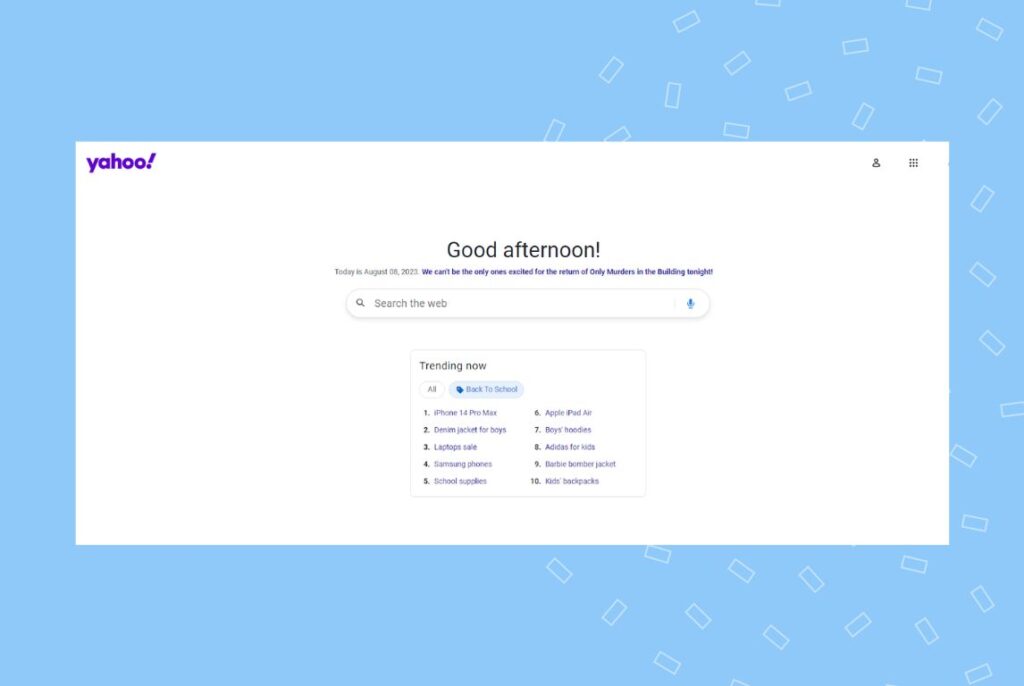
Yahoo.com is an internet portal that includes a search engine, email service (Yahoo! Mail), a news branch, and a directory of websites organized by topic categories. The company, Yahoo! Inc., was founded in 1994 and is headquartered in Sunnyvale, California. Yahoo’s name is an acronym for “Yet Another Hierarchical Officious Oracle.”
Today, Yahoo operates as one company under Verizon Communications’ holding corporation, Oath Inc. Verizon acquired Yahoo in 2017 and merged it with AOL. However, Yahoo.com continues as a distinct brand.
Yahoo users
Yahoo is the third largest search engine in the world with a 1.3% market share, after Google (92.4%) and Bing (3.6%). It may not have the same market share as Google, but it does have over 700 million monthly active users and 2.7 billion monthly visits.
Yahoo.com’s audience is 59% male and 41% female, with the largest age group of visitors between the ages of 25 and 34.
Yahoo Business Listing
A Yahoo Business Listing is an online directory that helps customers find your business based on location and category. When you create a listing for your business, you provide basic information like your business name, address, phone number, and website URL. You can also add categories, hours of operation, photos, and other details.
Creating a Yahoo Local Listing is a great way to make sure prospective customers can find your business when they search online.
Why should you create a Yahoo business listing for free?
Creating a Yahoo business listing for free is a great way to make sure prospective customers can find your business when they search online. It boosts your brand awareness, improves visibility for your brand, and helps local customers find your business in their time of need. Constantly showing up in Yahoo searches can help you grow your revenue.
Let’s take a look at the several reasons why you should create a Yahoo Business Listing for free.
Free marketing for your business
When you create a Yahoo Business Listing for free, you are claiming your business on one of the most popular search engines. It’s a free marketing tool that lets you provide information about your business, such as hours of operation, services, and contact details. Plus, a Yahoo free Business Listing improves your credibility as a business and shows that you’re willing to invest the time and effort into creating an online presence.
Increases visibility for your business online
A Yahoo Business Listing is a valuable tool for increasing your visibility online. By creating and optimizing an accurate and detailed listing, you can expose your business to potential customers searching for the products or services you offer.
Not only does this increase your chances of making sales or new connections, but it also helps to establish your brand as a reliable and trustworthy source of information.
Improves search engine optimization (SEO)
Business listings on reputable online directories like Yahoo can help improve your overall SEO ranking, which means more people will see your business when they search for relevant keywords online.
Setting up a business listing usually involves basic website optimization strategies because a listing includes your business name, address, phone number, and website URL. When people search online for businesses like yours, a Yahoo Business Listing can help make sure that your business shows up — making it more likely they’ll visit your website or call you.
Pro Tip: The more accurate and detailed your local business listings are, the higher you might rank in relevant searches.
Provides a better experience for prospective customers
Having an up-to-date Yahoo local business listing makes it easy for people to find you when they search on Yahoo. It provides potential customers with important information about your business, like your hours of operation, products and services offered, and more. You’ll start their customer experience off on the right foot.
Showcases your customer reviews
Your Yahoo Business Listing will show your customer reviews. This display is important because many businesses rely on online reviews to determine whether potential customers will choose them over their competitors. These reviews provide valuable insight into what it’s like to do business with a specific company. Reviews help customers make informed decisions about where to spend their money.
As you can see, there are many reasons why you should create a Yahoo Business Listing. Doing so can help increase your visibility online and improve your ranking on other search engines.
Tracking the performance of your Yahoo Local Listings
After setting up your Yahoo Local Listings, it’s important to track how well they’re performing. Metrics like website traffic, engagement with your listing, content quality, and the popularity of relevant search terms all affect how prominently your business appears. Yahoo’s algorithms, like other search engines, determine rankings based on these factors, so monitoring performance is essential to identify areas for improvement.
With Birdeye Listings AI, you can manage and analyze your listings across Yahoo, Google, and other major directories from a single dashboard. The platform provides real-time reports on visibility, accuracy, and engagement, helping you quickly address inconsistencies or outdated information.
In addition, Birdeye Search AI takes performance tracking further by analyzing how your business appears on AI-driven search platforms like ChatGPT, Gemini, and Perplexity. It measures your brand’s visibility, identifies how AI interprets your business, and highlights actions to improve presence and accuracy. By combining traditional listing analytics with AI-powered insights, you can ensure your business is consistently discoverable and accurately represented, both on Yahoo and across the evolving AI-driven search landscape.
For more information on listings management, check out our complete guide on business listings management. There is even a video guide included for listening on the go.
Frequently asked questions about Yahoo Business Listings
Yes, a basic Yahoo Business Listing is free.
Go to Yahoo.com and search for your business name. If your business appears on the right-hand rail of the search results, you’ll see “Is this your business?” Click on the ”Verify your listing” link, and you’ll be directed to a third-party website. Follow the instructions from there.
Yahoo has outsourced its Yahoo Local Listings to a third party. You can update your business listing through them.
Make business listing management a breeze with Birdeye
Your business will stand out online with Birdeye Listings. You’ll get comprehensive, accurate listings across major directories like Google, Facebook, and Bing, and on leading review sites. Customers will easily find your business wherever they search.
With Birdeye Listings, you can scan major online directories across the web for errors, build complete, accurate listings from one dashboard, and so much more.
About the Author

Birdeye Staff Writer
Originally published

![[Feature image] X Business directory UK you must be listed on](https://birdeye.com/blog/wp-content/uploads/Feature-image-X-Business-directory-UK-you-must-be-listed-on-375x195.jpg)



![[Feature image] The Best Marketing Platforms for Multi-Location Brands](https://birdeye.com/blog/wp-content/uploads/Feature-image-The-Best-Marketing-Platforms-for-Multi-Location-Brands-375x195.png)