Yelp presence in 2026 determines how potential customers discover and trust your business. Active reviews, accurate listings, and timely responses directly influence visibility and credibility. Brands that manage their Yelp profiles strategically are better positioned to attract and retain customers.
Summary
Yelp remains a critical platform for local discovery, where customers evaluate brands based on reviews, ratings, and profile completeness. Strong engagement, consistent responses, and accurate listings help improve credibility and influence customer decisions.

With an average of 2.5 million people visiting Yelp daily, businesses can reach a massive audience actively researching services. Beyond managing reviews, understanding engagement trends, responding to customer concerns, and tracking local visibility, Yelp also serves as a growth channel.

As discovery expands across platforms and AI-driven search, maintaining a well-managed Yelp presence is essential for visibility and trust. In this blog, we cover practical strategies to manage reviews, optimize listings, and improve performance on Yelp.
This blog will highlight practical strategies to improve your Yelp presence, manage reviews efficiently, and use Birdeye to simplify multi-location oversight while enhancing trust and reach.
Table of contents
Before we dive into setting up your Yelp profile, let’s understand how Birdeye helps you streamline your Yelp strategy.
Why Birdeye is your Yelp solution
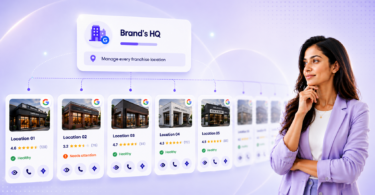
Managing Yelp across multiple locations often leads to fragmented workflows, delayed responses, and inconsistent listing data. Birdeye is the #1 Agentic Marketing Platform built for multi-location brands, unifying customer data and deploying AI agents trained on your brand to drive outcomes across every location.
This allows teams to manage Yelp presence more efficiently while improving visibility, trust, and response speed.
1. Build and manage profiles
Maintaining accurate Yelp listings across multiple locations is difficult to manage manually. Listings AI uses the Listings Optimization Agent to continuously monitor profiles, identify gaps, and ensure business information remains accurate. This improves visibility and ensures customers find reliable information.
2. Monitor and respond to reviews
Managing Yelp reviews at scale requires both speed and consistency. Reviews is powered by agents like the Review Response Agent, which helps draft thoughtful, context-aware replies, and the Review Reporting Agent, which surfaces trends and recurring issues from customer feedback. This helps teams monitor reviews, maintain consistent engagement and improve customer experience across locations.

3. Gain actionable insights
Every customer review has something to teach you. Birdeye Insights AI uses AI agents to analyze Yelp review data and identify trends, recurring issues, and areas of strength. This helps teams improve customer experience and make more informed decisions across locations.
4. Ensure consistency
Maintaining consistency is crucial when it comes to managing your online reputation across various locations. Birdeye keeps it simple by letting you handle your Yelp reviews and listings alongside other platforms, all within a single interface. This unified approach ensures that your brand’s message, tone, and details remain consistent across the web.
Maintaining accurate Yelp listings across multiple locations is difficult to manage manually. Listings AI uses the Listings Optimization Agent to continuously monitor profiles, identify gaps, and ensure business information remains accurate. This improves visibility and ensures customers find reliable information.
5. Strengthen visibility beyond Yelp
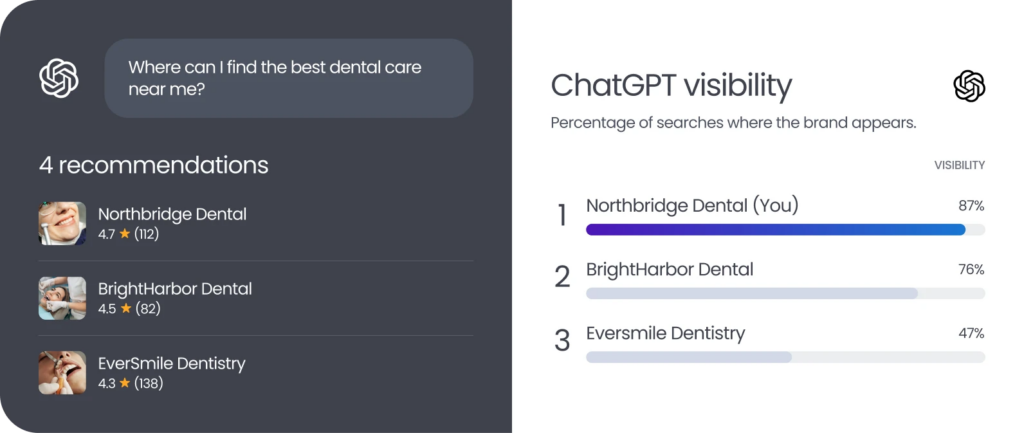
Customer search behavior is shifting toward AI-powered platforms like ChatGPT, Gemini, and Perplexity. Birdeye Search AI uses AI agents to track how your brand appears in AI-generated answers, analyze the sources influencing visibility, and identify opportunities to improve your presence. This helps ensure your brand remains visible and accurately represented wherever customers search.
Yelp fact sheet: Why it matters
While Google and Facebook have gained prominence in the review ecosystem, Yelp remains a key player. Its regularly updated stats prove why it’s still a go-to platform for businesses and customers.
- Yelp serves 32 million active mobile users monthly
- As of December 31, 2023, users had contributed 287 million reviews on the platform
- 36% of businesses on Yelp are restaurants, retail, and other businesses while 64% are services—showcasing its versatility across industries
Yelp’s robust user base makes it a vital platform for businesses aiming to enhance their local presence. It’s clear that millions of customers are using Yelp to engage with businesses. So let’s talk about what you can do to start attracting Yelp users to your business.
Setting up and optimizing your Yelp listing
Getting started on Yelp is straightforward. Here’s how to set up and optimize your listing:
1. Create your profile
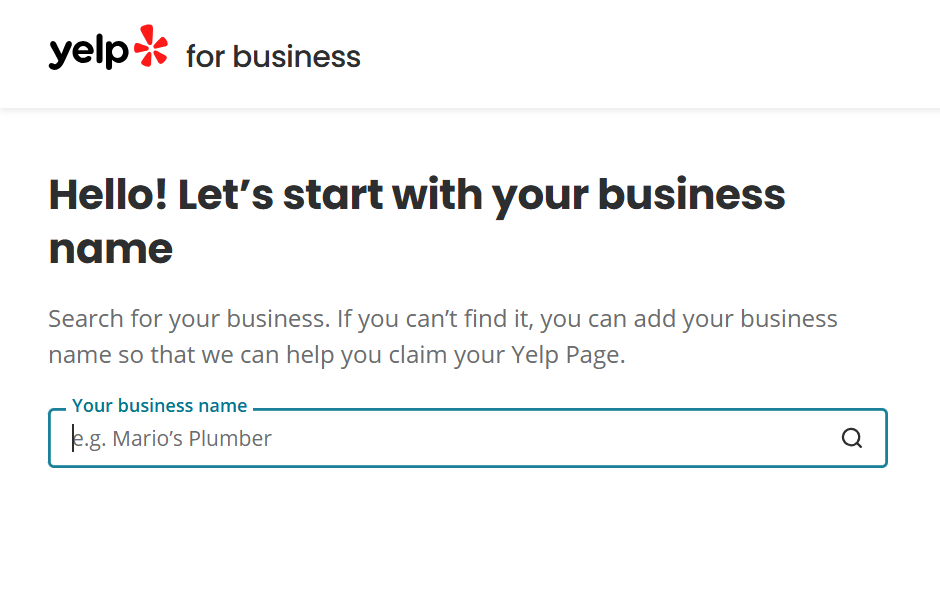
Search for your business on Yelp and claim your listing. Fill out accurate information, including your business name, email, address, and phone number. It’ll make your business easier to find for customers and provide one more citation for Google’s algorithm.
2. Add photos
Potential customers on your Yelp listing will stay 2.5x longer if you include a picture. So be sure to take some high-definition photos that really show off your business’s services.
3. Fill out “From this business” section
The “From this business” section helps you tell your story. It has three parts:
- Specialties: Share what you do best
- History: Tell the story of how you started
- Intro: Introduce yourself and your business
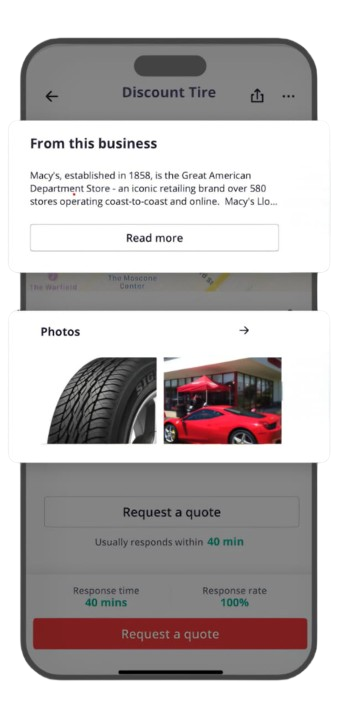
These details help customers get to know you and what makes your business unique. They also help set expectations before customers visit.
4. Define your service offerings
Listing your services on Yelp helps customers know what your business offers. By sharing your services, you’ll attract customers looking for exactly what you offer, making it easier for them to find you.
How Birdeye makes this all seamless

With Birdeye Listings AI, managing and optimizing your Yelp profile becomes effortless. There’s no need to handle your Yelp listings separately or worry about inconsistencies. You can easily update and manage details—like address, business hours, and services—across all locations from one place. This saves time, ensures accuracy, and boosts your visibility, helping you make a stronger impact on Yelp.
Managing Yelp reviews
Handling Yelp reviews with care can make or break your online reputation. Here’s what you need to know:
1. Do not solicit reviews
Unlike other platforms, Yelp strictly prohibits review solicitation. To ensure genuine and unbiased feedback, Yelp does not allow you to request reviews from customers in person or through text and email.
Soliciting reviews can lead to Yelp’s algorithm excluding them and may harm your rating. Therefore, to succeed on Yelp, focus on providing outstanding service that inspires customers to share their genuine feedback.
When Yelp’s algorithms spot a violation of their policies, they send your business a penalty letter. The letter mentions that they have “…activated a search ranking penalty, demoting your business’s rank in Yelp search results”. They also ask you to submit a “Compliance Verification Form” once you’ve fixed the issue on your end. After you submit the form, it may take over 45 days for Yelp to respond with its verdict.
2. Respond to reviews thoughtfully
Every review, whether positive or negative, is an opportunity to connect with your customers and show your business’s personality and commitment to them.
Yelp gives you two options to respond to customer reviews: with a public comment or a direct message. Always start off with a public comment.
Remember, potential customers are looking at reading your reviews. Leaving a public response doesn’t just help your business’s reputation with reviewers, it also helps with your future customers.
When responding to positive reviews, thank customers for their feedback and support, and encourage them to come back for more.
However, responding to negative reviews is trickier. Stay calm, and thank the customer for their feedback, even if it wasn’t ideal. Acknowledge their concerns and address the issue publicly before moving the conversation offline.
Responding thoughtfully to customer reviews helps build trust with the reviewers and shows potential customers that you genuinely care about their experiences.
Want to see some templates that work for positive, negative, and neutral reviews? Check out our free guide, “Review Response Templates”.
Some Yelp best practices
While you can’t ask your customers to write reviews on Yelp, there are a few more things that you can do to look good on Yelp.
1. Enable Yelp features: Yelp offers a few different features that allow customers to better interact with your business. Features like “request a quote” allow customers to send you a direct message asking for pricing. “Yelp deals” allows you to offer your customers special discounts that they can redeem through the Yelp apps. Taking advantage of these features is a great way to interact with customers who discover your business through the Yelp app.
2. Display Yelp signage: When your customers visit your physical location, you can encourage them to find you on Yelp with free signage. All businesses are eligible to receive free stickers that say “Find Us on Yelp!” Qualifying businesses are eligible to receive a “People Love Us on Yelp” stickers.
3. Flag fake reviews: If you suspect that a review is fake or might violate one of Yelp’s policies, make sure to report it. However, there’s no guarantee that Yelp will actually take one of these reviews down.4. Take the conversation private: When a customer complains, respond publicly to show you care. But to really fix the issue, take the conversation private. This way, you can listen to their problem and work together to find a solution.
FAQs on managing business listings and reviews on Yelp
Yes, Birdeye allows teams to update and manage Yelp listing details, including name, address, phone number, and hours.
Yes, Birdeye enables brands to monitor and reply to Yelp reviews directly from its platform, keeping the review management seamless and efficient.
Yes, teams can set up auto responses for Yelp reviews to save time while maintaining consistent engagement with the customers.
Yes, brands can promote Yelp reviews on their website and social media to showcase customer feedback and boost credibility.
Yes, Birdeye integrates Yelp data into unified reports, offering AI-powered insights to help the teams improve customer experiences and make informed decisions.
Taking control of your Yelp presence the Birdeye way
Birdeye integration with Yelp revolutionizes the way you manage your business listings on Yelp. From simplifying profile updates to providing actionable GenAI insights, Birdeye empowers you to take control of their Yelp presence while saving time and resources.
Here’s how the Birdeye-Yelp integration can make all the difference for your business:
- Unified review and listing management: Manage Yelp reviews and listings alongside other platforms within Birdeye to save time, avoid errors, and maintain a consistent brand presence.
- AI-driven insights: Birdeye’s AI analyzes Yelp reviews to reveal trends and actionable insights, helping you improve customer experiences, adjust offerings, and address issues effectively.
- Enhanced credibility and trust: Streamlined review management lets you respond quickly and thoughtfully, boosting customer satisfaction and strengthening your reputation.
Want to learn more about how Birdeye can enhance your online reputation? Watch our free demo today.
About the Author

Kukil Bora
Birdeye
Originally published