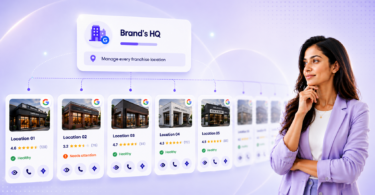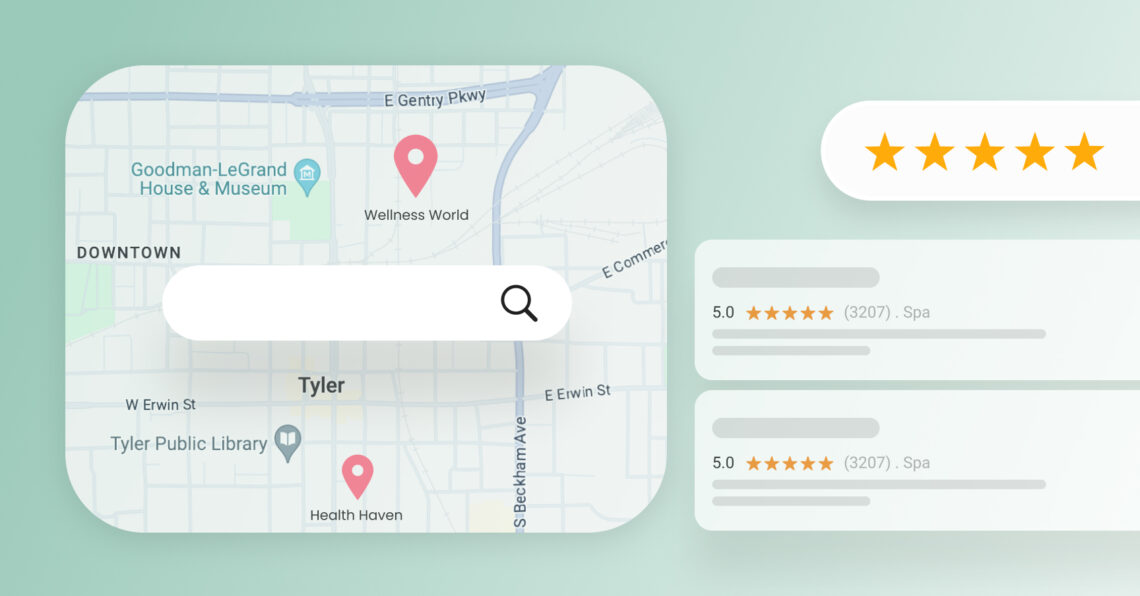
Google Maps optimization in 2026 means keeping your Google Business Profile accurate, complete, and trusted so the right customers can find and choose you on Maps, Search, and AI-driven results.
Summary
Customers discover businesses through Google Maps, Google Search, and AI-generated answers, so profile accuracy now directly affects visibility and conversions. That shift is already visible: McKinsey found that among U.S. consumers who use AI search, 44% say it is their most preferred source of information, ahead of traditional search engines at 31%. Even small gaps, like the wrong category, outdated hours, missing services, or weak review signals, can lead to missed calls, fewer direction requests, and lost website visits. A strong Google Business Profile helps businesses show up more often, earn trust faster, and turn local discovery into real actions.
This blog covers 8 easy steps for Google Maps optimization in 2026, including how to improve your Google Business Profile, strengthen your Google Local Pack visibility, earn more reviews, use Google Posts more effectively, and keep your listings accurate across locations. It also explains how Birdeye’s AI agents help multi-location brands automate listing updates, review generation, and local optimization at scale.
Table of contents
- What is Google Maps optimization?
- What are the benefits of listing your business on Google Maps?
- How can I optimize my Google Maps listing? (8 steps)
- 1. Add your business to Google Maps
- 2. Claim and verify your business listing
- 3. Add detailed information about your business for Google Maps optimization
- 4. Add quality photos to your business listing
- 5. Eliminate duplicate listings
- 6. Take advantage of Google Posts to keep your listing active
- 7. Optimize for the Google 3-pack
- 8. Get more Google reviews
- How can Birdeye’s AI agents help optimize Google Maps listings?
- How Birdeye helped Drop Dead Pest Control turn online interest into faster responses and stronger local visibility
- Frequently asked questions about Google Maps optimization
- Conclusion: Future-proof your Google Maps optimization in 2026
What is Google Maps optimization?
Google Maps optimization is the process of improving your Google Business Profile so your business appears more often in local search results, ranks higher on Google Maps, and drives more customer actions.
In practice, this means keeping your profile complete, accurate, active, and aligned with how customers actually search. According to Google, local rankings depend on three main factors: relevance, distance, and prominence. To strengthen these signals, Google recommends maintaining complete business information, verifying your profile, updating hours, responding to reviews, and regularly adding photos or videos.
For businesses, this is not just a profile clean-up task. It is an ongoing local growth strategy. Birdeye Google Business Profile research also shows that optimized, fully populated profiles appear in search up to 80% more often than incomplete listings.
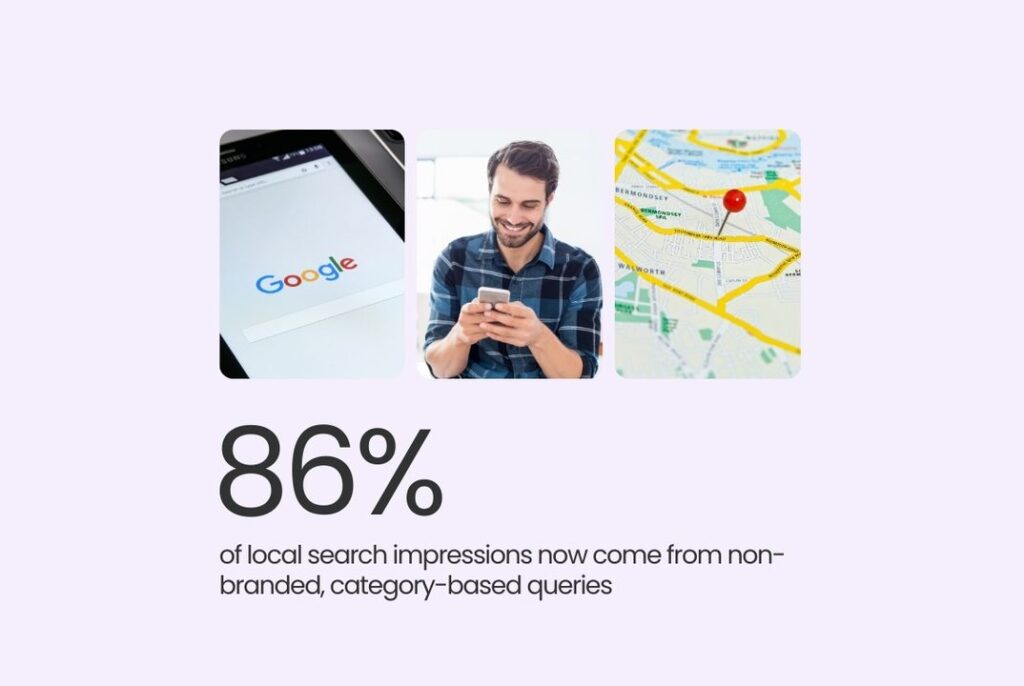
It also found that category-based searches account for 86% of GBP views, which means most customers do not start with your brand name. They start with intent, like “dentist near me” or “best brunch in Dallas.” That is why Google map optimization techniques must focus on completeness, relevance, review strength, and ongoing updates, not just claiming the listing once and walking away.
For multi-location brands, Google Local Maps optimization also requires scale and consistency. One outdated location page, one wrong phone number, or one weak category setup can hurt performance in a specific market. That is where Birdeye Listings AI fits naturally. It helps brands:
- Monitor listing accuracy across locations
- Improve profile completeness gaps
- Make location-level updates with stronger control across markets (Preformatted box)
A strong Google Business Profile gives Google the signals it needs to trust your business and gives customers the confidence to choose you. The next step is turning that foundation into action with practical updates that improve visibility, engagement, and local search performance
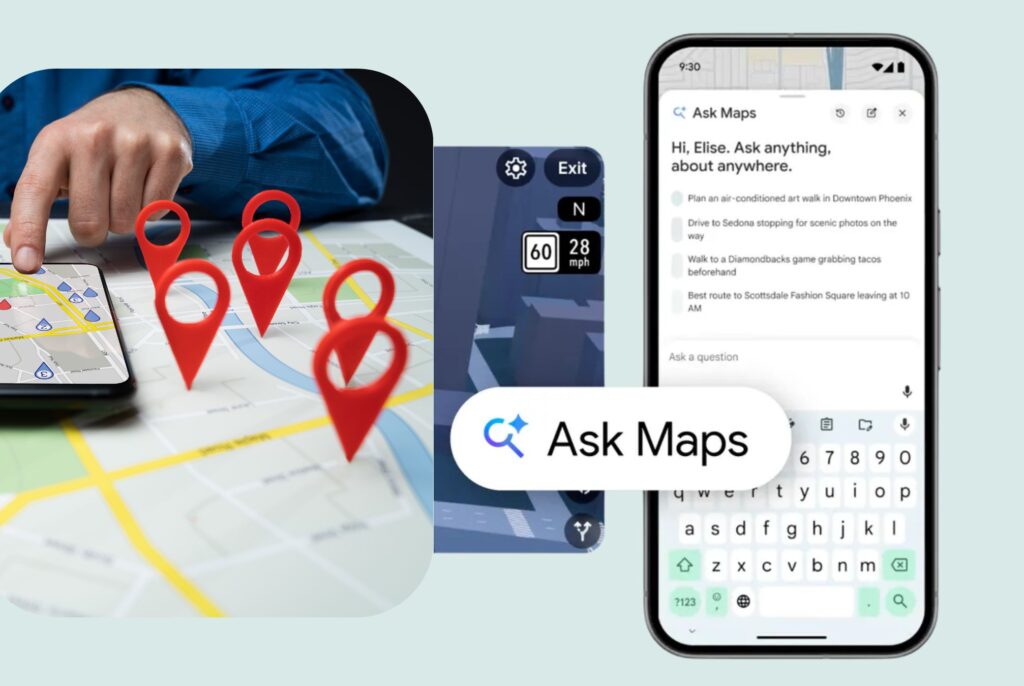
Google is also making Maps more conversational with Ask Maps, a Gemini-powered experience that lets users ask detailed local questions the way they would ask a person. For example, instead of searching “restaurants near me,” someone might ask, “My friends are meeting me after work. Where can we find a cozy spot for four with vegan options nearby?” Maps can then surface personalized recommendations, show them on a map, and help the user take action right away. Google is taking this a step further with AI-powered business calling, allowing its AI to contact businesses on a user’s behalf to ask about pricing, availability, and other details. For brands, that means visibility now depends not just on showing up, but on matching the exact intent behind the question.
For businesses, Google Maps is one of the most important channels for local visibility. When customers search for a brand name, a business category, or phrases like “dentist near me” or “coffee shop open now,” Google Maps shows nearby listings along with key information pulled from each company’s Google Business Profile.
In 2026, that role matters even more because local discovery now happens across Google Maps, Google Search, and AI-assisted search experiences. Birdeye 2025 research also shows that verified Google Business Profiles generate 4× more website visits than incomplete or unverified listings. Birdeye also notes that the profile often serves as a zero-click conversion hub, providing customers with the details they need before they ever reach a website.
What are the benefits of listing your business on Google Maps?
Listing your business on Google Maps helps customers find, trust, and choose you faster. It improves local visibility, makes key business details easy to access, and turns search intent into calls, visits, and website clicks. Google states that a Business Profile helps your business appear on Search and Maps at no charge, while verified profiles help customers find you and build greater trust in your business.
Here are the five major benefits of listing your business on Google Maps:
1. It helps customers find your business faster
Google Maps puts your business in front of people who are already searching for a nearby solution. That matters because local discovery often starts with category, service, or “near me” searches, such as “dentist near me,” “best coffee shop nearby,” or “plumber open now,” not just brand names.
2. It turns visibility into real customer actions
A strong Google Maps listing does more than show up. It drives next steps such as calls, website visits, and requests for direction. Birdeye’s latest Google Business Profile research shows that verified, complete profiles generate materially stronger customer engagement, which means Google Maps optimization affects revenue outcomes, not just impressions.
3. It builds trust through reviews and business details
Trust builds quickly on Google Maps because customers can evaluate the details that shape decisions right away, including ratings, photos, hours, business information, and recent activity. That matters even more now because
Birdeye 2025 online reviews research found that Google captured 81% of all online reviews in 2024, making it the primary platform where reputation influences demand. This is also why businesses need a strong review strategy, as explained in Birdeye’s guide, Mastering Google Reviews in 2026: Benefits, strategies, and best practices for businesses, which explores how reviews shape local visibility and customer trust.
4. It improves your chances of showing up in the Google local pack
Google Maps listings play a direct role in local pack visibility because Google uses Business Profile information, relevance, and prominence signals to decide which businesses to surface. Accurate categories, complete data, strong reviews, and an active profile are all core to Google Maps SEO and improving your chances of ranking in local results.
5. It gives multi-location brands more control over local performance
For multi-location businesses, Google Maps acts like a network of digital front doors. One weak listing can mean one weak market. One inaccurate address or duplicate profile can create confusion at scale. Google recommends keeping profile information accurate and compliant with guidelines so customers can find the right business details across Maps and Search.
Getting listed is only the starting point. The bigger opportunity lies in improving how the profile appears, ranks, and converts on Google Maps.
Rank Higher and Be Found By Your Ideal Customers with Google Maps Optimization
Want to see the impact of Birdeye on your business? Watch the Free Demo Now.
How can I optimize my Google Maps listing? (8 steps)
Google Maps optimization works best when your profile is treated as an active business asset, not a one-time setup. These 8 easy steps for Google Maps optimization help improve profile accuracy, build trust, and increase your chances of appearing in Google Maps results and the Google Local Pack.
For a more detailed step-by-step walkthrough, see our guide on how to add your business to Google Maps.
1. Add your business to Google Maps
Start by searching for your business name, address, and phone number first. If a listing already exists, claim it. If not, create one using your exact business name, primary category, and location details.
Follow these steps:
- Search for your business on Google Maps
- If it appears, move to the next step and claim it
- If it does not appear, add it as a new business
- Enter your exact business name, category, and address
- Confirm that the business meets Google’s eligibility requirements
Use your real business name, not a keyword-stuffed version. Add the exact address customers use and, where relevant, follow Google’s service-area rules carefully. If a location has moved, update it properly using How to change business location on Google Maps in 4 easy steps.
2. Claim and verify your business listing
Claiming and verifying your Google Business Profile gives you control over how your business appears on Google Maps and Google Search. Sign in with the Google account tied to the location, open the listing, and choose the option to claim or verify it. If another user already manages the profile, request ownership instead of creating a new listing.
Verification methods may include:
- Video recording
- Phone or text
- Live video call
- Mail, where available
Keep your business name, address, and category consistent during this process. Changing important details too early can delay verification or invalidate the code.
3. Add detailed information about your business for Google Maps optimization
One of the fastest ways to improve your Google Maps listing is to complete every relevant profile field. As per Google, local ranking depends on relevance, distance, and prominence, and complete business information helps Google match your profile to the right searches.
Important fields include:
- Business name
- Address and phone number
- Website
- Business hours and holiday hours
- Primary and secondary categories
- Services or products
- Business description
- Attributes and amenities
- Service area, if applicable
Statista data, summarized by Semrush, found that around 75% of consumers use Google to find local business information. That makes profile completeness a visibility issue and a conversion issue at the same time.
Consistency matters just as much as completeness. If your website says one thing and your profile says another, customers notice the mismatch and trust drops. For multi-location brands, Birdeye Listings AI helps teams detect profile gaps and guide location-level updates with stronger control across markets.
4. Add quality photos to your business listing
Photos help customers judge your business before they ever call or visit. Google recommends adding business-specific images that clearly represent your location, products, and services. Consider adding photos such as:
- Exterior photos so customers can recognize the location
- Interior photos that show the environment
- Product or service photos
- Team photos
- Logo and cover photo
- Updated seasonal or event-related photos
A few best practices matter here. Use real images, not stock photography. Keep lighting natural. Upload high-resolution images that match Google’s photo standards. Google’s current guidance recommends JPG or PNG files, sized between 10 KB and 5 MB, with a recommended resolution of 720 x 720 pixels.
5. Eliminate duplicate listings
Duplicate listings hurt Google Maps optimization by splitting reviews, confusing customers, and sending mixed signals to Google. Google’s Business Profile guidance recommends resolving duplicate profiles instead of creating a second version of the same business.
To identify duplicates, search your business name, address, and phone number on Google Maps. If you find multiple listings, take these actions:
- Identify the correct listing
- Request ownership if another user manages the duplicate
- Remove or report duplicate profiles
- Make sure reviews, hours, category, and contact details point to the right listing
For multi-location brands, Birdeye Listings Optimization Agent helps teams spot duplicate-related issues, flag listing errors, and keep location data more consistent across markets.

6. Take advantage of Google Posts to keep your listing active
Google Posts allow businesses to publish updates directly on their Google Business Profile across Search and Maps. For Google Maps optimization, posts work best when they are timely and action-focused.
A restaurant can promote a weekday special. A dental clinic can post about open appointments. A retail store can highlight a seasonal launch. These updates give searchers fresh context right inside your listing.
Use Google Posts for:
- Limited-time offers
- Events or seasonal campaigns
- New products or services
- Important business updates
- Booking or call-focused promotions
Keep posts concise and include a clear call-to-action, such as visiting your website, booking an appointment, or calling your business. For multi-location businesses, creating a central campaign and customizing it for each location can help maintain consistency while keeping messaging relevant.
7. Optimize for the Google 3-pack
The Google 3-pack is the set of top local results that appear above many organic listings. Earning a spot here can drive more clicks, calls, and direction requests because many customers choose from those first few results.
Google local ranking depends on relevance, distance, and prominence. That means your listing needs to match the search intent, reflect the right location, and show strong trust signals.
To improve your chances of showing up in the 3-pack:
- Use the most accurate primary and secondary categories
- Keep location details precise and current
- Build steady review volume and recency
- Strengthen your local website signals with matching service and location pages
For multi-location brands, visibility can vary sharply by market, so tracking local performance matters. For a deeper look at advanced monitoring, read GMB ranking checkers are good, but here’s an AI tool that is better.
8. Get more Google reviews
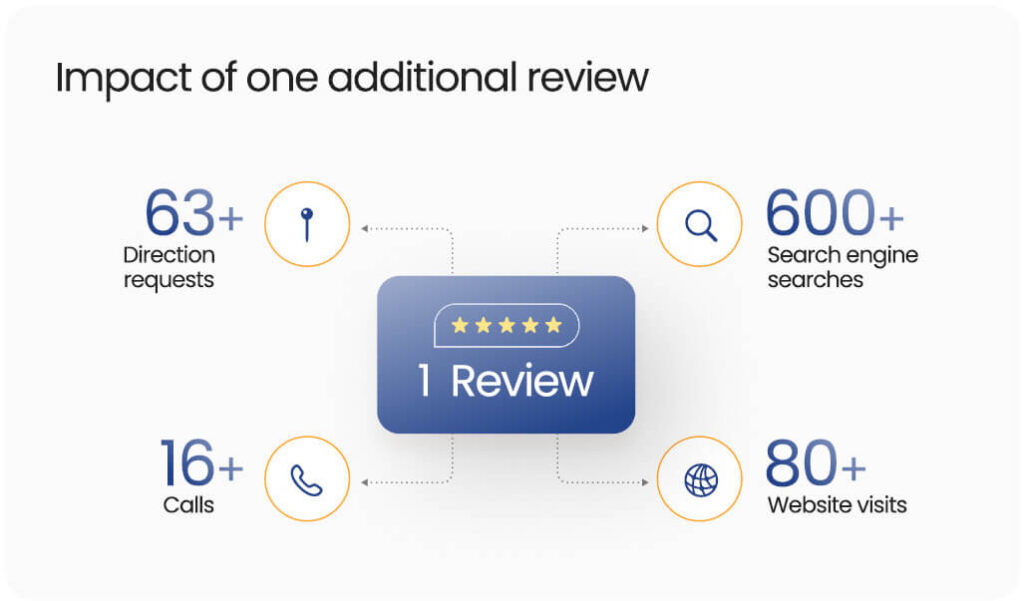
Google reviews are one of the strongest trust signals for Google Maps optimization. They influence how customers judge your business and help strengthen prominence in local search. Birdeye Google Business Profile research found that one additional review correlates with around 80 website visits, 63 direction requests, and 16 phone calls.
The goal is not just more reviews. It is a steady flow of recent, authentic feedback that reflects real customer experiences. That helps both Google and potential customers see your business as active, credible, and relevant.
Focus on these actions:
- Ask for reviews soon after the service or purchase
- Make the review path simple through text, email, or QR code
- Respond to both positive and negative reviews
- Encourage location-specific feedback that reflects the actual experience
For a deeper guide, read Mastering Google Reviews in 2026: Benefits, strategies, and best practices for businesses. For multi-location brands, Birdeye Review Generation Agent helps automate review requests at the right moment and support more consistent review growth across locations.
Now, let’s understand how Birdeye supports Google Maps optimization and more.
How to change business location on Google Maps in 4 easy steps
How can Birdeye’s AI agents help optimize Google Maps listings?
As the #1 agentic marketing platform for multi-location brands, Birdeye replaces fragmented marketing tools with AI agents that automate listing accuracy, review responses, and local optimization at scale
Listings Optimization Agent improves profile quality across locations
Birdeye’s Listings Optimization Agent helps teams spot missing fields, inaccurate details, broken links, and other profile gaps that can weaken local visibility. It supports more consistent listing quality across markets, which is critical when customers and search engines rely on accurate location data to make decisions.

Review AI agents strengthen trust after reviews come in
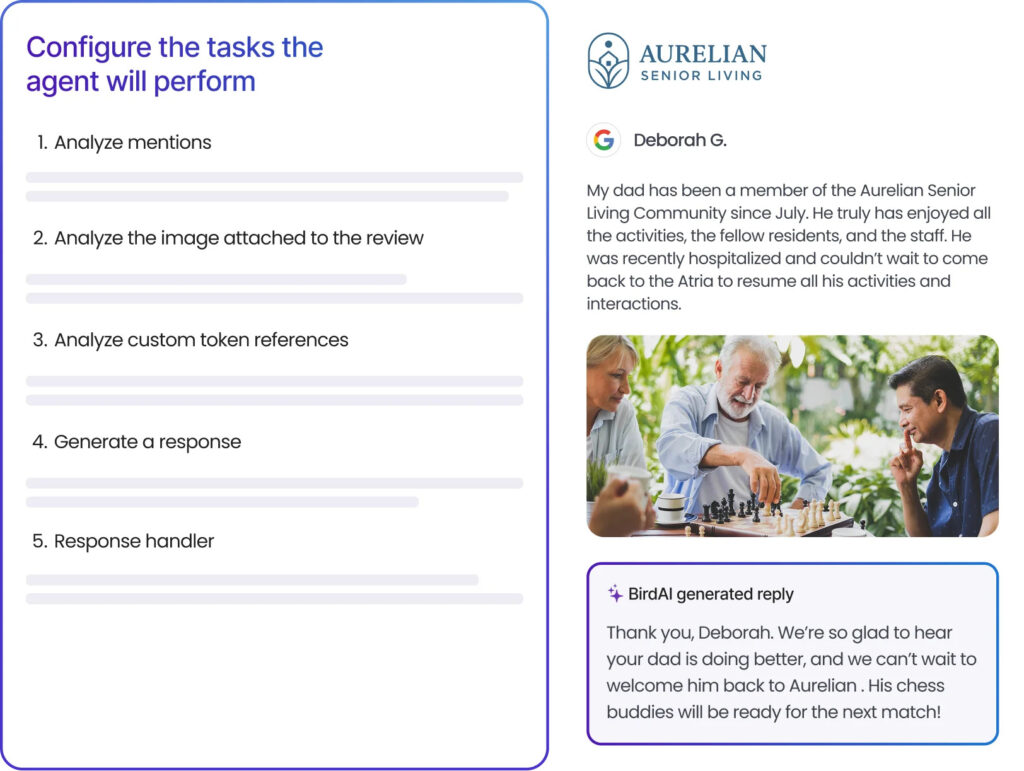
Birdeye’s Reviews agents do more than generate review requests. The Review Response Agent helps brands respond faster with replies that reflect brand voice and customer context, while the Birdeye Reporting Agent turns review data into clear insights teams can act on. That helps businesses protect trust, spot location-level issues faster, and improve customer experience without digging through spreadsheets.
Why this matters
For multi-location brands, local performance often breaks because execution does not scale. Birdeye’s AI agents help centralize control while improving the signals that matter for Google Maps visibility, customer trust, and local growth.
This avoids repeating the earlier review generation point and gives this section a broader, stronger role.
How Birdeye helped Drop Dead Pest Control turn online interest into faster responses and stronger local visibility

The brand
Drop Dead Pest Control is a Sydney-based pest control company known for professional, efficient, and eco-friendly service. As the franchise grew, the team needed a better way to manage customer conversations and strengthen its online presence across locations.
The challenge
A large share of enquiries came from customers finding the business through Google Maps and online search. But managing reviews and inbound messages across multiple channels made it harder to stay fast, organized, and consistent.
The team needed to:
- Generate more reviews consistently
- Respond to customer feedback faster
- Manage enquiries from one place
- Stay available across the website, Facebook, Google, text, and email
The result
With Birdeye Reviews, Listings, Webchat, and Inbox, Drop Dead Pest Control brought customer communication into a single central platform and improved the team’s response speed.
In the past 12 months, the business saw:
- 2.3k inbound messages in the unified inbox
- 98% increase in calls
- 110% increase in website visitors
- 678% increase in direction requests
- 99% increase in discovery searches
- 271% increase in Google profile views
Birdeye’s chat tools also helped the team drive:
- 1,096 additional conversations
- 391 messages received within 10 months
- Average response time of 1 minute
The result was simple: faster replies, more visibility, and a stronger customer experience from the first search to the first conversation.
Apart from being able to send review requests to clients once your job has been completed and then post to our Google business listing, the best thing about Birdeye is the webchat. Everything being in one spot means it’s easier for us to respond quickly to inbound inquiries, and we can also reply with the automated responses.
Jodi Urey, Co-Owner and Founder, Drop Dead Pest Control
Learn more about the Birdeye and Drop Dead Pest Control case study
Frequently asked questions about Google Maps optimization
Yes. Google Maps supports local SEO by helping your business appear in local-intent searches and turning profile activity into calls, visits, and clicks. Google states that local ranking depends on relevance, distance, and prominence, so a complete and accurate profile improves your chance of showing up for relevant searches.
Update your listing any time your hours, address, phone number, services, or website details change. Google also recommends keeping profile information accurate and up to date, as incomplete or outdated details can reduce visibility in relevant search results.
Google reviews strengthen trust and help improve local prominence. They influence how customers judge your business, and they remain one of the strongest signals customers see before they click, call, or visit. Birdeye helps businesses improve review volume, recency, and response consistency through automated review requests, AI-assisted responses, and centralized review management across locations.
Focus on the factors Google most heavily weights: relevance, distance, and prominence. In practice, that means choosing precise categories, keeping listing details complete, earning steady reviews, and ensuring your website and location pages reflect the same local intent as your profile. Google’s category guidance also warns businesses to choose only specific, representative categories instead of stuffing keywords.
Yes. Google says businesses can create and manage a Business Profile at no charge, which helps them appear on Google Search and Maps. You still need to claim and verify the listing to fully manage it.
Technical teams should add the FAQ schema to the FAQ section, the HowTo schema to the 8-step process, and the standard Article schema to the full blog. That structure makes the content easier for search engines and LLM’s to parse, quote, and surface in answer-driven results. This recommendation is based on the article’s structure and common SEO best practices for snippets and AI visibility.
Conclusion: Future-proof your Google Maps optimization in 2026
A Google Maps listing needs more than a one-time setup. It needs regular attention so every location stays accurate, active, review-rich, and easy for both customers and search engines to trust. For multi-location brands, that is where the real challenge begins.
The eight steps in this guide help build that foundation. From claiming your profile to improving photos, eliminating duplicates, earning reviews, and competing for the Google local pack, each update improves how customers discover and choose your business.
In 2026, this work also supports a bigger shift in search. Accurate business data, strong reviews, and complete location signals do not just help with Maps SEO. They also support visibility in AI-driven discovery, especially as Google introduces features like Ask Maps, which lets users ask more complex local questions and get personalized recommendations.
For brands managing this across many locations, Birdeye helps make Google Maps optimization more scalable through AI agents and stronger global control. Watch a demo now.

About the Author

Shruti Dugar
Birdeye
Originally published