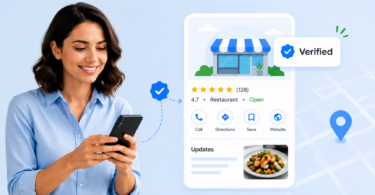
Google Business Profile attributes are additional details that show customers what a specific business location offers, such as accessibility options, amenities, service options, payment methods, appointment requirements, dining options, and business identity details.
Summary
Google Business Profile attributes provide customers with useful information that standard profile fields may not always cover. While business name, address, phone number, hours, and category explain the basics, attributes show what customers can expect before choosing a location.

For enterprise and multi-location brands, these details matter because customers often make decisions based on location-specific needs. One clinic may accept new patients while another may not. One restaurant may offer outdoor seating while another only supports takeout. One retail store may provide curbside pickup while another may not have that option.

Birdeye’s State of Google Business Profile 2026 report found that 86% of GBP impressions come from category-based searches rather than branded queries. When customers search by need instead of brand name, accurate attributes help each location show clearer, more relevant information across Google Search and Maps.
This blog explains what Google Business Profile attributes are, how they work, the different types of attributes, and how multi-location brands can manage them across every location.
Table of contents
- What are Google Business Profile attributes?
- Where do Google Business Profile attributes appear?
- What is the difference between Google Business Profile categories and attributes?
- What are the different types of Google Business Profile attributes?
- What are some Google Business Profile attributes examples by industry?
- Do Google Business Profile attributes affect local SEO?
- How can businesses add or edit Google Business Profile attributes?
- Who controls Google Business Profile attributes?
- Why are Google Business Profile attributes harder to manage for multi-location brands?
- What are the best practices for managing Google Business Profile attributes?
- Define ownership across teams
- What Google Business Profile attributes checklist should enterprise teams follow?
- How can Birdeye help multi-location brands manage Google Business Profile attributes?
- FAQs about Google Business Profile attributes
- Manage Google Business Profile attributes as part of your local visibility strategy
What are Google Business Profile attributes?
Google Business Profile attributes are descriptive details that appear on a business profile to help customers understand a location more clearly. They provide information beyond core profile fields such as business name, address, phone number, website, hours, and category.
Google attributes can describe what a location offers, how customers can interact with it, and what they can expect before arriving. Examples include;
- Wheelchair-accessible entrance
- Online appointments
- Outdoor seating
- Free Wi-Fi
- Curbside pickup
- Credit card payments
- Appointment required
Attributes are not the same as business categories. Categories tell Google what type of business the location is. Attributes describe the specific features, services, amenities, or qualities available at that location.
For example, a healthcare location may use “Dentist” as its primary category. Its attributes may show that the location accepts new patients, requires appointments, offers online care, or has wheelchair-accessible parking. A restaurant may use “Italian restaurant” as its category, while its attributes may show outdoor seating, takeout, delivery, reservations, or vegetarian options.
For multi-location brands, attributes should be managed at the location level. Applying the same attributes across every profile can create inaccurate information because services, amenities, accessibility features, and customer options may differ by location.
Where do Google Business Profile attributes appear?
Google Business Profile attributes can appear across Google Search, Google Maps, and other Google services. They help customers see key location details directly on the profile, without needing to visit the website or call the business.
Third-party search data also shows how much discovery happens through Google and Maps. Backlinko’s 2026 data reports that “Google Maps” and “Restaurants Near Me” each receive 13.6 million monthly searches. For multi-location brands, this reinforces why location profiles need clear, accurate details when customers compare nearby options.
Some attributes may also support discovery for specific searches. For example, a customer searching for a restaurant with outdoor seating, a clinic accepting new patients, or a store with curbside pickup may see profiles that clearly match those needs.
For brands managing multiple locations, this makes attribute accuracy important across every profile. Missing or incorrect attributes can make a location less helpful when customers are comparing options.
What is the difference between Google Business Profile categories and attributes?
Google Business Profile categories and attributes work together, but they serve different purposes. Categories give Google the business context, while attributes give customers the practical details they need to compare and choose a location.
| Comparison point | Google Business Profile categories | Google Business Profile attributes |
| Purpose | Define what type of business a location is. | Describe what that specific location offers or supports. |
| Function | Help Google understand the primary service, industry, or business model of a location. | Help customers understand specific services, features, amenities, payment options, accessibility details, or visit options. |
| Examples | Dental clinic, Italian restaurant, auto repair shop, hotel, bank. | Accepting new patients, appointment required, outdoor seating, delivery, takeout, free Wi-Fi, credit card payments. |
| Impact on profile options | Categories can influence which attributes are available on a profile. | Attributes depend on the selected category, location type, country, and Google’s available options. |
| Local SEO role | Helps Google place the business in the right local search context. | Helps improve relevance for specific customer needs, such as “restaurant with outdoor seating” or “dentist accepting new patients.” |
| Customer value | Helps customers understand the general type of business. | Helps customers decide whether a specific location meets their needs before they call, visit, book, or request directions. |
| Enterprise management | Should be reviewed before profile setup, category changes, or location audits. | Should be reviewed regularly because services, amenities, access options, and customer-facing details can vary by location. |
For multi-location brands, categories should be reviewed before attribute updates. The right category gives Google the correct business context, while accurate attributes make each profile more useful for customers comparing local options.
What are the different types of Google Business Profile attributes?
Google Business Profile attributes generally fall into a few common groups, depending on the business category and available profile options.
Accessibility attributes
Accessibility attributes help customers understand whether a location can support specific accessibility needs. Common examples include:
- Wheelchair-accessible entrance
- Wheelchair-accessible restroom
- Wheelchair-accessible parking
These details are especially important for healthcare, hospitality, retail, financial services, restaurants, and other customer-facing businesses.
Service option attributes
Service option attributes show how customers can interact with a location. Common examples include:
- Online appointments
- Onsite services
- Delivery
- Takeout
- Curbside pickup
- In-store pickup
- Drive-through
Planning attributes
Planning attributes tell customers what they need to know before visiting or booking. Common examples include:
- Appointment required
- Accepts reservations
- Reservations required
- Accepting new patients
These attributes are especially useful for healthcare, restaurants, hospitality, financial services, and other appointment-driven businesses.
Amenities attributes
Amenities attributes highlight features available at a location. Common examples include:
- Free Wi-Fi
- Restrooms
- Parking
- Outdoor seating
- Gender-neutral restroom
- Pet-friendly options
Payment attributes
Payment attributes help customers understand which payment methods are accepted. Common examples include:
- Credit cards
- Debit cards
- NFC mobile payments
- Cash-only
Dining attributes
Dining attributes are common for restaurants, cafes, hotels, and hospitality brands. Common examples include:
- Breakfast
- Lunch
- Dinner
- Brunch
- Outdoor seating
- Vegetarian options
- Delivery
- Takeout
- Reservations
Business identity attributes
Business identity attributes allow eligible businesses to share specific ownership or identity information on their profile. Common examples include:
- Women-owned
- Black-owned
- Latino-owned
- LGBTQ+ owned
- Veteran-owned
- Disabled-owned
- Indigenous-owned
- Small business
Enterprise teams should use these attributes only when they are accurate, approved, and aligned with brand governance.
Recycling attributes
Recycling attributes show whether a location accepts certain recyclable items. Common examples include:
- Batteries
- Electronics
- Clothing
- Glass bottles
- Plastic bottles
- Plastic bags
- Light bulbs
These attributes are useful for retailers, service centers, and other locations that support recycling drop-off programs.
Google attributes are not static. Available attributes can change as Google updates profile options, categories, and regional availability.
What are some Google Business Profile attributes examples by industry?
Customer expectations change by industry, and Google Business Profile attributes should reflect those differences. A clinic, restaurant, hotel, retail store, and bank each need to highlight the details that matter most to their customers.
The examples below show common attributes by industry, but each location should still be reviewed based on its actual services, amenities, and customer experience.
Healthcare and dental
Healthcare and dental organizations should focus on attributes related to access, appointments, and patient availability.
Examples include:
- Accepting new patients
- Appointment required
- Online appointments
- Wheelchair-accessible parking
Restaurants and hospitality
Restaurants, cafes, hotels, and hospitality brands should use attributes that clarify dining options, amenities, and visit preferences.
Examples include:
- Outdoor seating
- Takeout
- Delivery
- Dine-in
- Accepts reservations
- Breakfast
- Free Wi-Fi
- Parking
- Pet-friendly options
Retail
Retail brands should focus on attributes that show shopping options, pickup methods, accessibility, and payment availability.
Examples include:
- In-store shopping
- Curbside pickup
- In-store pickup
- Delivery
- Accessibility details
- Credit cards
- Debit cards
- NFC mobile payments
Financial services
Banks, credit unions, insurance offices, and financial services branches should use attributes that clarify access, appointment options, and service availability.
Examples include:
- Appointment required
- Online appointments
- Drive-through
- Onsite services
- Branch accessibility details
Automotive
Automotive brands should use attributes that clarify service options, accessibility, and payment methods.
Examples include:
- Onsite services
- Online estimates
- Appointment required
- Wheelchair-accessible entrance
- Wheelchair-accessible parking
- Credit cards
- Debit cards
For dealerships, repair centers, and service locations, attributes can reduce confusion around what each location offers.
Home services and professional services
Home services and professional services businesses should use attributes that clarify appointment options, service delivery, and accessibility.
Examples include:
- Online appointments
- Onsite services
- Appointment required
- Wheelchair-accessible entrance
- Payment options
For enterprise teams, these examples should guide the review process, but each location should still be checked against its actual category, services, amenities, physical setup, and customer experience.
Do Google Business Profile attributes affect local SEO?
Google Business Profile attributes are not a shortcut to higher rankings. Adding more attributes will not automatically move a location to the top of Google Search or Maps.
Their value is in relevance. Attributes help Google understand when a location matches a specific customer need, such as “wheelchair accessible restaurant,” “dentist accepting new patients,” “hotel with free Wi-Fi,” or “store with curbside pickup.”
For multi-location brands, this matters because many customers search by need, not just by brand name. Accurate attributes give each profile more useful context and help customers quickly understand whether a location offers what they are looking for.
Attributes also support profile completeness by adding details that core fields may not cover, such as accessibility, appointment requirements, service options, payment methods, or amenities.
This is important because customers often act directly from Google Business Profiles. Birdeye’s State of Google Business Profile 2026 report found that website visits account for 47% of GBP engagement, direction requests38%, and phone calls 15%. Accurate attributes can support these actions by reducing uncertainty at the profile level.

The best approach is to treat attributes as part of a broader local visibility strategy. They should work alongside accurate categories, updated hours, complete business information, strong reviews, recent photos, location pages, and consistent listings across the web.
For enterprise teams, the goal is not to add every available attribute. The goal is to make every profile accurate, useful, and aligned with what each location truly offers.
How can businesses add or edit Google Business Profile attributes?
Businesses can add or edit attributes directly from their Google Business Profile. The available options may vary based on the business category, country, region, and location type.
For multi-location brands, each profile should be checked before updates are made so attributes reflect what is actually available at that location.
To add or edit Google Business Profile attributes:
1. Sign in to the Google account that manages the Business Profile.
2. Select the business location you want to update.
3. Click Edit profile.
4. Go to More or the relevant attribute section.
5. Review the available attribute options.
6. Select the attributes that apply to the location.

7. Save the changes.

After saving, Google may review profile edits before they appear publicly.

Image source: How to add attributes in Google Business Profile
Some updates may go live quickly, while others may take longer if Google needs to verify the information. For brands with 10 or more locations, Google also supports bulk updates for certain Business Profile details. Enterprise teams should still confirm location-level accuracy before applying changes across multiple profiles.
Who controls Google Business Profile attributes?
Google Business Profile attributes can come from multiple sources. Some can be selected or updated by the business, while others may be influenced by Google, customer feedback, user-submitted updates, reviews, or other online information.
For enterprise brands, this means attribute management is not just a setup task. Teams need to know which details they can control directly and which details need to be monitored over time.
Business-managed attributes
Business-managed attributes are factual details a brand can usually review and update directly. These often include accessibility options, service options, payment methods, amenities, appointment availability, and pickup or delivery options.
For example, a location may list online appointments, curbside pickup, credit card payments, wheelchair-accessible parking, or free Wi-Fi. These details should be verified before they are added because they are visible to customers and can influence the location experience.
Customer-influenced attributes
Some attributes or profile details may be shaped by customer input, Google Maps contributions, reviews, or Google’s interpretation of available information. These may include details related to customer perceptions, visit patterns, or location characteristics.
For multi-location brands, these details need regular monitoring so inaccurate or outdated information does not remain visible.
Why ownership matters for multi-location brands
Attribute ownership should be clear across corporate, regional, and local teams. Corporate teams can define standards, while regional or local teams can confirm what is accurate for each location.
For regulated industries, legal or compliance teams may also need to review certain profile details before updates are published.
The goal is to make sure every team knows who reviews, approves, updates, and monitors attribute information across locations.
Why are Google Business Profile attributes harder to manage for multi-location brands?
Google Business Profile attributes become harder to manage as a brand grows. With one location, attribute updates are usually straightforward. With hundreds or thousands of locations, the challenge is making sure every profile reflects what is actually true for that specific location.
The complexity comes from how often location details change. A location may update its appointment policy, add a new service, change parking access, remodel its entrance, expand pickup options, or introduce seasonal offerings. Each change can affect what should appear on the profile.
For enterprise brands, the most accurate information is not always held by one team. Corporate teams may manage the overall Google Business Profile program, but local, regional, operations, facilities, or compliance teams may know the details that determine whether an attribute is accurate.
Without a clear process, attribute updates can become inconsistent. Some profiles may stay current, while others may show outdated, missing, or incomplete details. Over time, those small gaps can weaken profile quality across the brand’s location network.
That is why attribute management needs to be treated as an ongoing part of local presence management. The goal is not to apply the same attributes everywhere, but to keep every location profile accurate, current, and aligned with the real customer experience.
What are the best practices for managing Google Business Profile attributes?
Google Business Profile attributes should be managed as part of the broader listings process, not as a one-time profile update. For multi-location brands, the priority is to keep attributes accurate, governed, and flexible enough to reflect real location-level differences.
Review attributes at the location level
Avoid applying the same attributes across every profile without verification. Review each location based on what it actually offers, including services, amenities, accessibility details, appointment requirements, and customer options.
Align attributes with the business category
Available attributes often depend on the primary business category. Review categories and attributes together so each location has access to the right profile options and is described accurately.
Update attributes when operations change
Attributes should be updated whenever location details change. Common triggers include:
- New service launches
- Remodels or accessibility updates
- Seasonal pickup or delivery options
- Appointment policy changes
- Payment method changes
- Parking or entrance changes
- Temporary closures or reopening
Define ownership across teams
Attribute management should have clear ownership. Corporate teams can define standards, while regional or local teams can confirm location-specific details. In regulated industries, legal or compliance teams may also need to review certain updates before they are published.
Monitor customer-suggested and Google-influenced details
Some profile details may be influenced by customer feedback, user-submitted updates, or Google. Because of this, brands should review profiles regularly to catch inaccurate, outdated, or incomplete information.
Include attributes in regular listing audits
Beyond monitoring individual updates, attributes should also be reviewed alongside categories, hours, phone numbers, website links, services, photos, and location pages. This helps enterprise teams maintain profile accuracy across Google Search and Maps.
Once these practices are in place, enterprise teams can use a simple checklist to review attributes consistently across every location.
What Google Business Profile attributes checklist should enterprise teams follow?
A Google Business Profile attributes checklist helps enterprise teams review location details consistently across large location groups. Use it when creating new profiles, auditing existing profiles, updating location details, or reviewing profiles after operational changes.

1. Confirm the primary business category
Start by reviewing the primary category for each location. The business category influences which attributes are available, so the wrong category can limit the options shown in the profile.
Each location should use the category that best represents its main business function.
2. Review available attributes by location
Check the available attributes for each profile and select only the ones that accurately apply. Do not assume every location will have the same options.
3. Add accessibility details
Review accessibility details such as entrances, parking, restrooms, seating, and elevators. Confirm these details before publishing because they directly affect the customer experience.
4. Add service options
Review service options such as:
- Online appointments
- Onsite services
- Delivery
- Takeout
- Curbside pickup
- In-store pickup
- Drive-through
Only select options that are currently available at that location.
5. Add planning details
Review planning details such as:
- Appointment required
- Reservations accepted
- Reservations required
- Accepting new patients
- Membership required
These details help customers understand whether they need to book ahead or meet specific requirements.
6. Add amenities and payment options
Review amenities and payment details such as:
- Wi-Fi
- Parking
- Restrooms
- Outdoor seating
- Pet-friendly options
- Credit cards
- Debit cards
- Mobile payments
- Cash-only
These details should match what customers can actually access at the location.
7. Review business identity attributes
Use business identity attributes only when they are accurate, approved, and relevant. Confirm internal approval before adding attributes related to ownership, identity, or eligibility.
8. Check for customer-suggested or Google-generated details
Review the profile for details influenced by customer feedback, user-submitted updates, or Google. Correct inaccurate or outdated information through the available profile management options.
9. Validate attributes against location pages and listings
Make sure attributes align with the brand’s website, local landing pages, store locators, and other listings. Key details should be consistent wherever customers find that location.
10. Repeat the review after business changes
Review attributes after changes such as remodels, new service launches, seasonal offerings, appointment policy updates, payment changes, relocations, accessibility updates, and category changes.
For multi-location brands, this checklist should be part of regular listings governance so profile details stay accurate, complete, and easier to manage across locations.
How can Birdeye help multi-location brands manage Google Business Profile attributes?
Managing Google Business Profile attributes across many locations requires more than manual profile updates. Enterprise teams need a governed way to keep location data accurate, identify gaps, monitor performance, and act quickly when profile details need attention.
Birdeye is the #1 agentic marketing platform for multi-location brands. With Listings AI, Insights AI, and Search AI, Birdeye helps enterprise teams manage local visibility from one platform, so every location profile is easier to find, understand, and trust.
Listings AI
Birdeye Listings AI helps teams manage business information across Google and other major directories. For Google Business Profile attributes, this means teams can better control the details customers rely on, from hours and services to links, media, and profile fields.
The Listings Optimization Agent helps teams identify profile gaps, review recommended updates, and publish approved changes with stronger governance.

With Listings AI, brands can:
- Centralize Governance: Manage addresses, hours, and custom attributes across all 100+ directories from one dashboard.
- Listings audits: Identify missing, outdated, or inconsistent profile fields that can affect local visibility.
- Duplicate Suppression: Protect brand authority by identifying and removing “ghost” listings.
- Performance tracking: Monitor traffic, calls, keyword rankings, and engagement across 100-10,000+ locations.
Customer spotlight: Cunningham Restaurant Group uses Birdeye Listings AI to manage location accuracy across major discovery channels.
“About 50% of our website visitors come from Google, so it’s really important to keep our info up-to-date. Birdeye makes it easy to update our listings quickly across Google and other big sites, helping us stay accurate online and keep our customers happy.”
Carissa Newton, Director of Marketing, Cunningham Restaurant Group
Insights AI
Birdeye Insights AI helps brands understand how listing accuracy, profile health, reviews, sentiment, and local SEO connect to location performance. This gives enterprise teams a clearer view of which locations need attention and where profile improvements can make the biggest difference.

Insights AI helps teams understand:
- Listing Score: Measure profile health and local SEO performance with a single, transparent metric.
- Competitive Benchmarking: Compare location performance against local competitors and industry leaders.
- Smart Recommendations: Get clear AI-prioritized actions on which locations need attribute updates to drive the most calls and clicks.
- Team reporting: Share insights across teams so corporate, regional, and local stakeholders can act on the same information.
Search AI
Birdeye Search AI helps brands understand how they appear across AI-powered discovery (like ChatGPT, Gemini or Perplexity) and where business information may be incomplete, inconsistent, or underrepresented.

With Search AI, brands can:
- Visibility Tracking: Monitor where your brand appears (or disappears) in AI-generated search results.
- Gap Identification: Pinpoint exactly which missing attributes or reviews are preventing a location from being cited by AI engines.
- Source Influence: Understand which sources influence answer engine results, so teams know where to improve business information.
- Citations intelligence: See which sources influence AI engine results.
- Progress tracking: Track visibility, citation, and sentiment improvements across thousands of locations over time.
Together, these tools help multi-location brands move from reactive maintenance to governed agent execution. Enterprise teams can keep profile details current, monitor location performance, and make every location easier for customers to find, understand, and choose.
FAQs about Google Business Profile attributes
No. Available attributes can vary based on the business category, location, and profile type. A restaurant, hotel, clinic, retail store, and financial services branch may all see different attribute options. Google also notes that businesses can add attributes to share details such as amenities, accessibility options, outdoor seating, or Wi-Fi.
Some profile details may be influenced by Google, user-submitted updates, reviews, customer feedback, or other online sources. That is why brands should monitor visible profile details regularly, not just update them once.
Services describe what the business provides. Attributes describe supporting details about the location, such as access, amenities, payment options, service options, or business identity. For example, a dental clinic may list cleanings as a service and “online appointments” or “wheelchair-accessible parking” as attributes.
Yes, indirectly. Google says Grounding with Google Maps uses information from more than 250 million places worldwide. Accurate attributes, listings, reviews, and location pages give discovery platforms a clearer context about what each location offers, especially when customers search for specific services, amenities, or visit options.
Listings AI helps teams identify missing, outdated, or inconsistent profile details across locations. It supports better control over business information such as services, hours, links, media, and profile fields.
Birdeye Insights AI helps teams understand listing accuracy, profile health, sentiment, reviews, and local performance across locations. Birdeye Search AI helps brands understand where they appear across AI-powered discovery and where business data, listings, reviews, content, or FAQ gaps may be affecting visibility.
Manage Google Business Profile attributes as part of your local visibility strategy
Google Business Profile attributes may look like small profile details, but for multi-location brands, they play a bigger role in how customers understand, compare, and choose locations.
The right attributes help each profile answer practical questions before a customer takes action. Does this location offer appointments? Is parking available? Can customers use curbside pickup? Is the entrance accessible? Are reservations accepted? These details may seem simple, but they can shape whether a customer clicks, calls, visits, books, or chooses another location.
For enterprise teams, the real challenge is keeping that information accurate as location details change. Attribute management needs clear ownership, regular review, and a reliable process for keeping every profile current.
When attributes are accurate, every Google Business Profile becomes more useful, more complete, and easier for customers to trust.
For brands managing hundreds or thousands of locations, the right platform makes this process easier to govern, monitor, and scale.
Accurate profiles win trust before customers ever click, call, or visit. Birdeye helps multi-location brands keep every Google Business Profile accurate, complete, and ready to convert.
Watch a free demo to see Birdeye in action.

About the Author

Shaifali Parihar
Originally published