Manage Google reviews with the #1 Agentic Marketing Platform for multi-location brands. Deploy AI agents that monitor feedback, draft on-brand replies, and turn local sentiment into outcomes that improve trust and visibility on Google.
Summary
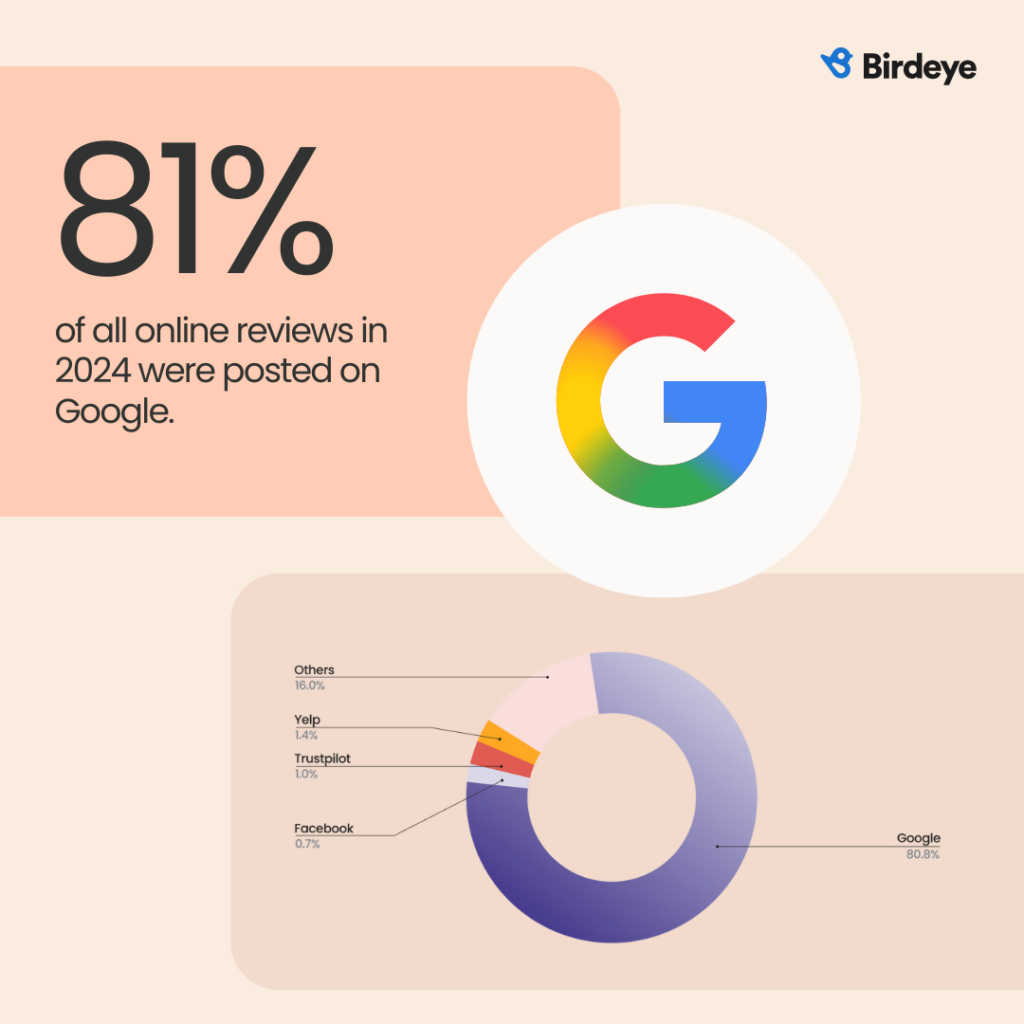
For multi-location brands, Google review management shapes demand because it influences both customer trust and local visibility. Birdeye State of Online Reviews 2025 research shows that Google captured 81% of all online reviews in 2024, up from 79% in 2023, making it the primary place where reputation impacts demand.

In 2026, ratings alone aren’t enough. You need AI agents that don’t just “monitor” but actively drive local growth. The strongest teams win with three essentials. First, one platform to manage reviews, listings, and customer signals across every location. Second, local intelligence that shows what’s working and what needs fixing at each location. Third, marketing agents that route issues and turn feedback into on-brand action. Birdeye brings all three together in one Agentic Marketing Platform.
This blog covers how to manage Google reviews across multiple locations, what great Google review management looks like in 2026, and how Birdeye helps teams turn reviews into measurable outcomes.
Table of contents
- What does Google review management mean?
- Why is managing Google reviews critical for businesses?
- What does Google review management mean?
- How to manage Google reviews (for customers)
- How businesses can manage Google reviews
- How can multi-location brands manage Google reviews effectively?
- How can Agentic AI-driven Birdeye tools help you manage Google reviews for your multi-location brand?
- FAQs on how to manage Google reviews
- Birdeye: A powerful ally for multi-location Google review management
What does Google review management mean?
Google review management is the ongoing process of monitoring, responding to, and analyzing customer reviews on your Google Business Profile. It helps businesses track what their customers say online to bolster their local reputation.
Managing Google reviews helps multi-location brands boost their online reputation, identify customer pain points, and make strategic decisions to scale faster.
Why is managing Google reviews critical for businesses?
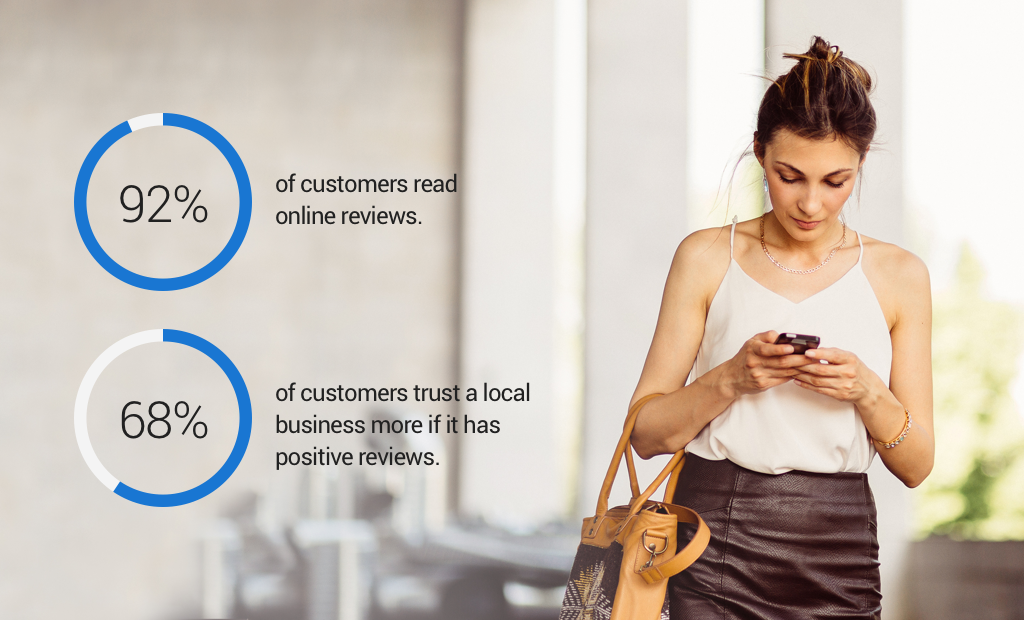
Most brands just chase ratings. That can be a mistake. Reviews influence whether customers trust you, and whether Google trusts you enough to surface your locations when it matters. Birdeye’s report on the impact of online reviews on multi-location brands reveals that 92% of customers read at least two reviews before making a purchase decision. Therefore, considering the importance of customer reviews, businesses that invest in review management can efficiently outshine their competitors.
Managing Google reviews ensures that:
- Google and your potential customers know that you value customer feedback
- Your business can present its side on negative reviews and showcase accountability
- Your Google Business Profile stays active and increases its chance of ranking higher on local search results
- You can quickly spot and report fake Google reviews
- Your team can identify profiles with low review volume and run appropriate review generation campaigns to improve their standing
Why reviews now shape AI answers and local visibility

Gartner predicted that traditional search engine volume would drop 25% by 2026 as customers shift to AI chatbots and virtual agents.
That shift changes the game for reputation. Your reviews and Business Profile signals increasingly show up alongside AI-driven experiences, and Google explicitly ties local ranking prominence to review volume and positive ratings. Birdeye Search AI helps you track how your locations appear across AI-driven discovery and ties those insights back to action, so your strongest locations earn more visibility where customers actually decide.

What does Google review management mean?
Google review management includes monitoring, responding, and analyzing customer reviews on Google for your business. It helps businesses track what their customers say online to bolster their local reputation.
Managing Google reviews helps multi-location brands boost their online reputation, identify customer pain points, and make strategic business decisions to scale the organization faster.
How to manage Google reviews (for customers)
Customers who write Google reviews for businesses can manage their reviews from their linked Google accounts. Google allows customers to:
- Edit their Google reviews
- View the reviews they have written so far
- Remove/delete Google reviews
Let’s explore these in detail below:
Edit Google reviews
Customers can edit their Google reviews from their linked Google account with the following steps:
- Go to the Google Maps website or use the application.
- Click the hamburger icon in the top-left corner.
- Next, click on “ Your contributions.”
- Move to the “Reviews” tab and find the appropriate review.
- Click on the three dots next to the review.
- Choose “Edit review.”
- Edit the review or rating.
- Click “Post
View all Google reviews
Customers can view all the Google reviews they have written from the “Your contributions” section on Google Maps. Here’s how to do it To see your Google reviews:
- Click the hamburger icon on Google Maps.
- Choose “Your contributions”.
- Navigate to the “Reviews” section to view all reviews.
Delete Google reviews
Customers can delete a Google review they have written for a business with the following steps:
- Open the Google Maps site or application.
- Click the hamburger icon in the top-left corner.
- Next, click on “ Your contributions.”
- Move to the “Reviews” tab and find the review to delete.
- Click on the three dots next to the review.
- Choose “Delete review.”
- Click “Delete” on the pop-up.
Google will now remove the review from the business listing.
How businesses can manage Google reviews
Google prohibits businesses from editing or deleting customer reviews directly from their Google Business Profile. Businesses can only view and respond to the reviews from the Google Business Profile dashboard.
Businesses can effectively manage Google reviews via two methods:
Google Business Profile dashboard
Businesses must follow these steps to manage Google reviews from the Google Business Profile dashboard:
- Login to your Google Business account
- Access the business profile dashboard
- Click on the “Reviews” tab
- You can view all the reviews received to date
To reply to customer reviews:
- Locate the review from the reviews tab.
- Next, click reply on the appropriate review.
- Type the review in the box.
- Click “Post reply.”
Google also allows you to edit or delete your business reply after posting it (you are editing your reply, not the customer’s review
Of course, this is not the most efficient way to manage Google reviews, especially when you have to do this for multiple locations daily. Hence, large multi-location brands must opt for a comprehensive review management tool.
Review management tools for multi-location brands
Large multi-location brands often manage hundreds of Google Business Profiles, and doing that directly in the native dashboard gets slow fast. Birdeye helps by centralizing reviews across all locations, speeding up responses with clear governance and approvals, and spotting sentiment trends so recurring issues can be fixed at the operational level.
Unlike legacy ORM tools that only collect reviews in one place, Birdeye connects review data with other customer signals across each location through a Unified CDP. That gives teams one source of truth for routing, response quality, and trend insights, so improvements reach the people who can actually fix the experience, not just the reporting layer.
How can multi-location brands manage Google reviews effectively?
Google reviews influence how customers judge your brand and how confidently they choose one location over another. To run strong Google review management across every branch, focus on the following six tactics:
- Handle negative reviews with extra care
- Monitor all Google reviews for every location
- Respond to all Google reviews with on-brand replies
- Spot and report fake Google reviews
- Train team members on review management
- Analyze reviews to understand trends and customer pain points
Let’s explore each one in detail.
Monitor all Google reviews for every location
To address potential issues arising from reviews or capitalize on glowing recommendations, your business must consistently monitor all Google reviews. Sporadic check-ins on your Google Business Profile’s review section can lead to missed opportunities and dissatisfied customers.
That’s why the first step in Google review management is to monitor Google reviews for all your locations.
Tracking Google reviews enables businesses to:
- Understand which location/store/branch is getting the most positive vs negative reviews
- Track how many reviews each business listing receives
- Instantly act on negative feedback and resolve the issue
- Identify any spam activity on your Google Business Profile
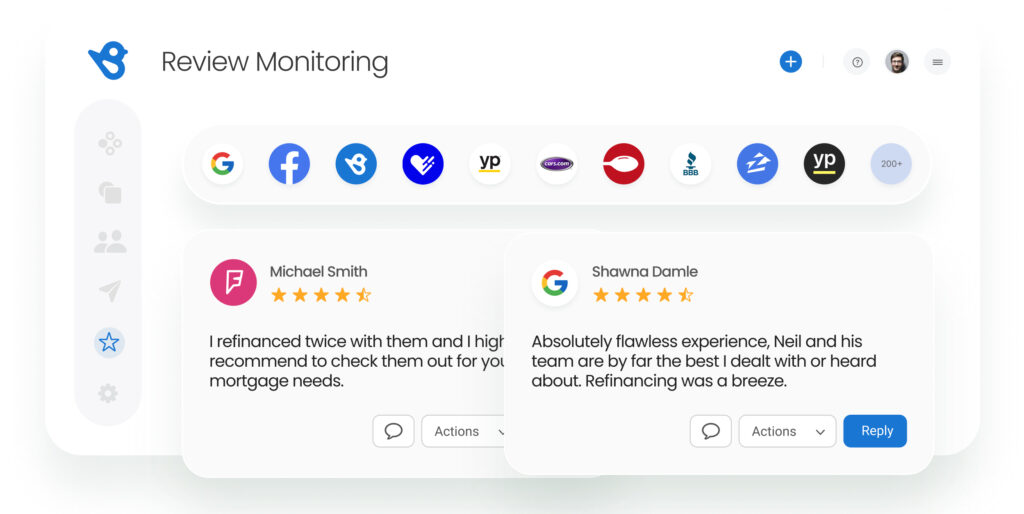
- View all recent Google reviews in one dashboard
Respond to all Google reviews with on-brand replies
The next step in managing Google reviews is to respond to each review for your business, irrespective of its nature, sentiment, or authenticity. Responding to all Google reviews shows potential customers that:
- Your business values all feedback, not just positive reviews
- Some overly negative reviews may be fake or spam
- Your business appreciates detailed positive reviews
- Your team is vigilant about negative reviews
It’s important to note that manually responding to customer reviews is not feasible for businesses operating from multiple locations. Using review response templates, AI-generated review response tools, or automating ratings-based responses can be helpful in such cases.
“We are able to manage our online reputation across our 300+ locations, and at the corporate level, the reports and tracking have solved so many unknowns we had previously. At the local level, each location has access to review response templates ready to go, making their lives so much easier.”
Hilary Coniglione, Pathway Vet Alliance
Must read: Responding to Google reviews shows your business profile is active and increases the likelihood of your business ranking higher for local search results. Check out our blog post on review response SEO to know more!
Spot and report fake Google reviews
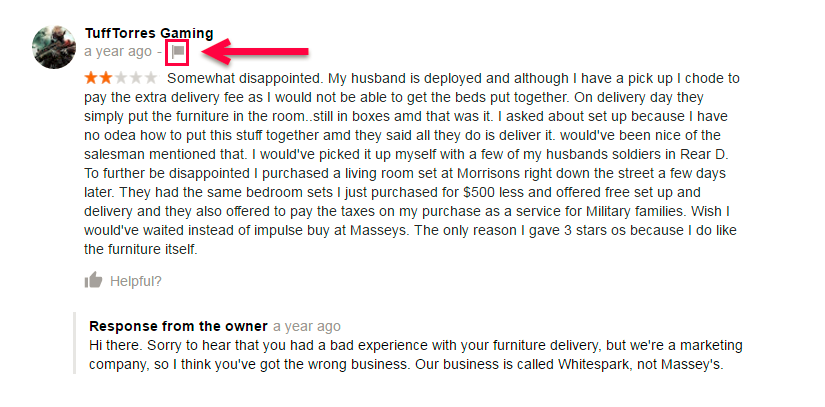
The review section on your Google Business Profile must accurately reflect your products, services, and customer experience. However, not all Google reviews are genuine. As a popular review platform, Google sees a fair share of fake, spam, and irrelevant reviews.
These can result from spam bots, disgruntled customers, employees, or competitors looking to sabotage your reputation.
Managing your Google reviews ensures you instantly spot and report such reviews to Google for removal.
You can also use a review management tool like Birdeye, which sends alerts for new reviews, enabling you to promptly respond and caution future customers about fraudulent posts.

Here are a few ways to manage fake Google reviews:
- Respond to the review politely and mention that the reviewer is not your customer
- Report the review to Google
- Contact Google customer care to remove the review
Do not offer discounts, gifts, or perks in exchange for reviews or for removing negative reviews. Google explicitly prohibits incentivized review behavior.
Note: Google may take a while to remove fake Google reviews. But fret not—your brand is safe as long as you respond to the review and actively generate reviews from genuine customers.
Handle negative reviews with extra care
While it’s important to respond to all reviews, handling negative reviews requires special attention. Birdeye’s study shows customers are hesitant to work with businesses that have accumulated many negative reviews in the past twelve months.
However, it’s not just the negative reviews that matter, but also how your business handles them. Being rude, insensitive, or indifferent to negative feedback can leave a negative impression on your brand.
“To strengthen customer advocacy for your business, you don’t need to have better products or lower your prices, but it is when you respond to a customer who didn’t really expect you’d respond”
-Jay Baer, Customer Experience & Digital Marketing Expert and the author of Hug Your Haters
That’s why, you must ensure that your team:
- Responds to every negative/bad Google review to safeguard reputation
- Acts on the negative feedback and takes steps to resolve the customer issue
- Apologizes to the customer for the inconvenience
- Replies with the resolution provided to the customer, if any
If you operate in healthcare, respond in a way that does not confirm whether someone is a patient and never disclose protected health information. Follow HHS HIPAA guidance when training teams on review responses. Whereas, for other industries, train teams not to share personal details or internal case specifics in public replies.
How do you deal with negative reviews on Google?
- Immediately respond to the review and offer to take the conversation offline by allowing customers to call you directly.
- Respond professionally, irrespective of whose fault it is. Customers don’t appreciate rude responses and may consider your business lacking accountability.
- Offer to resolve the customer issue instantly and follow through with a solution.
- If resolved, request the customer to add or edit the review or change the overall rating. However, do not pressure, as this might negatively affect your reputation.
Pro tip: Multi-location brands must respond with a single, consistent voice across all locations. Build review response templates and escalation rules so local teams stay on-brand, avoid oversharing, and handle sensitive issues consistently.
Analyze reviews to understand trends and customer pain points
Access to all Google reviews in one place offers a significant advantage for multi-location brands. You can leverage customer reviews to track trends, identify common issues across locations, and understand customer pain points.
Why spend thousands of dollars on market research when a wealth of valuable information is just a click away? Analyzing customer reviews allows businesses to predict high-sales seasons, identify popular products/services, and uncover opportunities for growth.
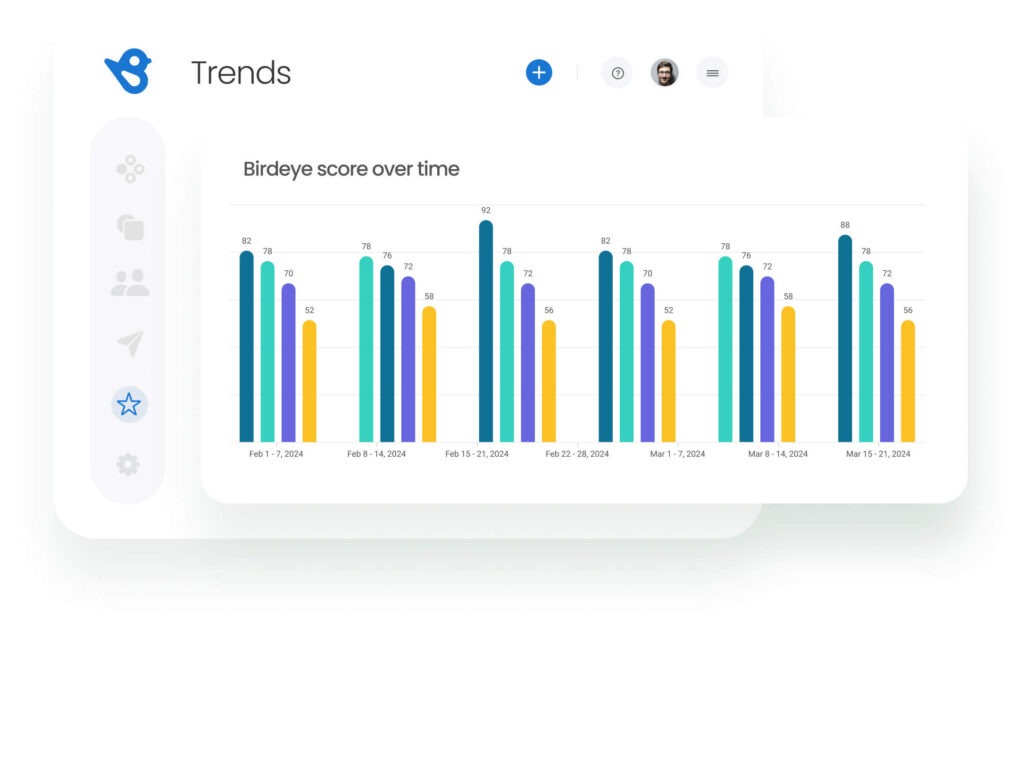
Birdeye’s intuitive reporting tools allow you to develop custom tools focusing on specific metrics that matter to your business, track review generation campaign performances, and unlock unique insights from customer feedback.
Train team members on review management
Review management is not a lone person’s job, especially in a growing large enterprise business. In such cases, businesses must train team members to monitor reviews, respond to customers, create tickets for negative feedback, and analyze reviews.
For best results, you can provide limited access to store managers, customer success executives, or marketing managers to customer reviews via a review management tool like Birdeye.
This way, they can perform their functions within the brand guidelines to streamline productivity.
Manage Google reviews to grow your business
Want to see the impact of Birdeye on your business? Watch the Free Demo Now.
How can Agentic AI-driven Birdeye tools help you manage Google reviews for your multi-location brand?
Birdeye is the #1 Agentic Marketing Platform built for multi-location brands. Unlike legacy ORM tools that just aggregate data, Birdeye’s Unified CDP connects reviews, listings, and customer experience signals so AI agents can take the next best action with the right context for each location.
Here is a list of features that Birdeye offers to streamline Google review management:
Unified dashboard for monitoring and action
With Birdeye, brands can monitor all the Google reviews across locations from a centralized dashboard. Even if you manage 100-10,000+ locations, you can view all reviews, respond to them, and market positive reviews without leaving the dashboard.
“Not only can we see all our reviews in one place, but the dashboard also allows us to sort the reviews by source, sentiment, and period to dig deeper. Birdeye saves us a lot of time, provides consistency, and streamlines our process so we can make data-driven decisions.”
Andre Gerasimov – Moss and Company
Review Generation Agent that keeps review volume consistent
Birdeye AI review agents simplify how multi-location teams manage Google reviews. Instead of juggling requests, reminders, and replies across locations, you get an always-on workflow that helps you earn more reviews, respond faster, and stay consistent with your brand voice.
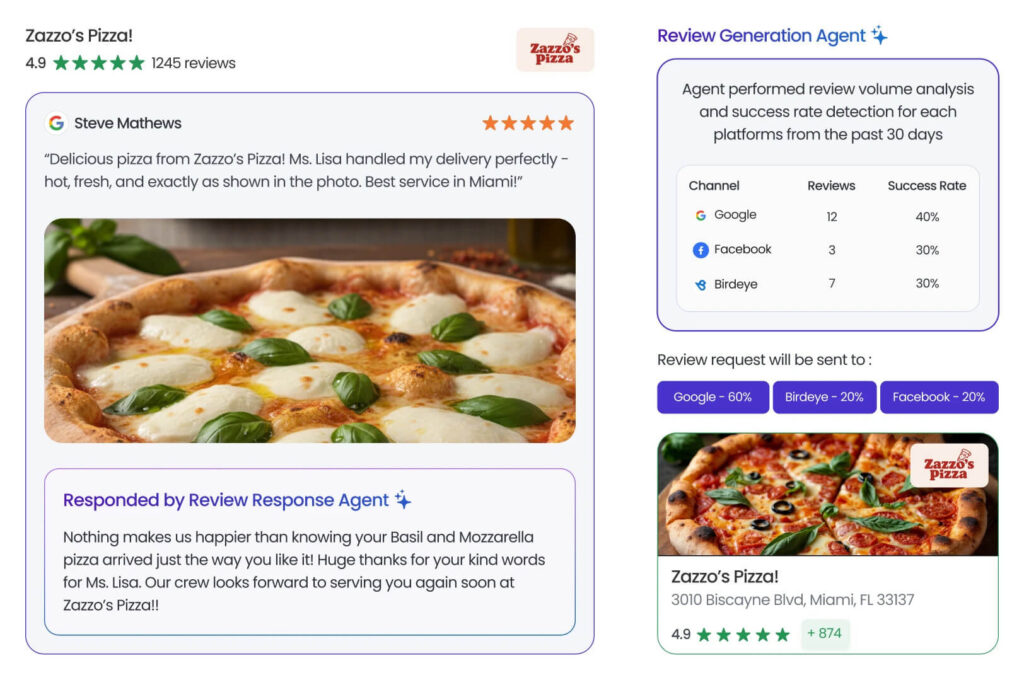
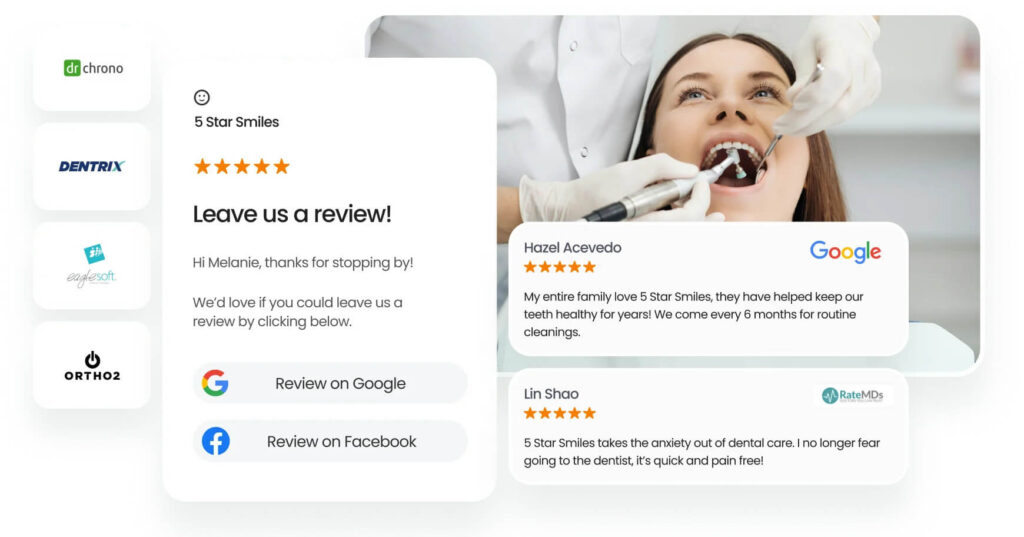
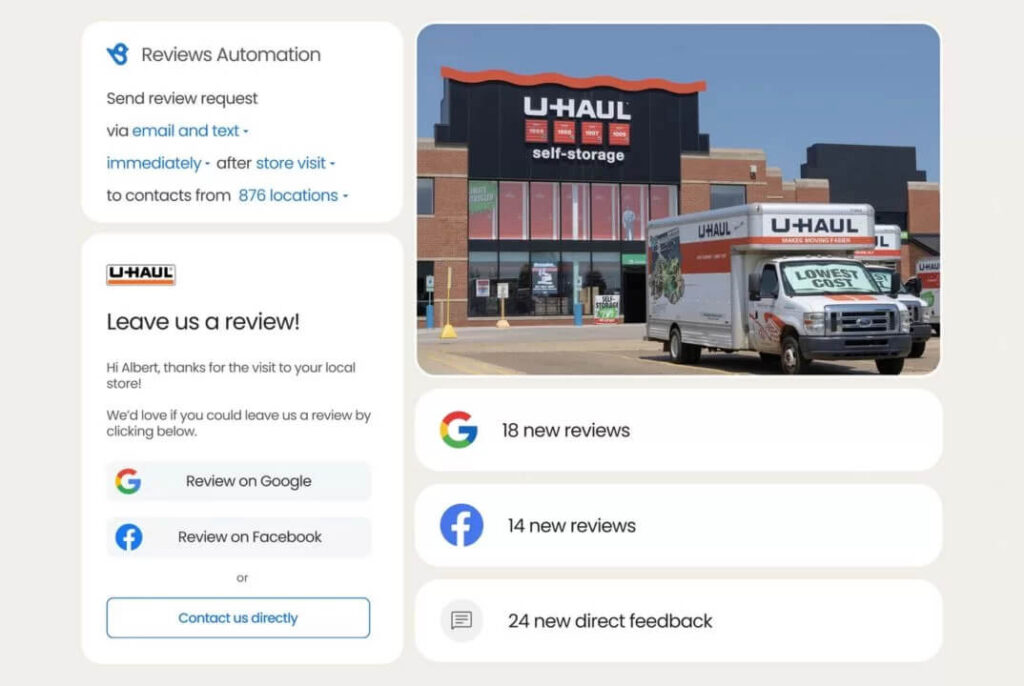
- Review Generation Agent: Drives review volume where it matters most. It selects the best channel (email or SMS), sends at the right time, and personalizes each request based on your brand voice. It also recommends follow-ups that increase completion rates without coming across as pushy.
- Review Response Agent: Keeps responses timely and on-brand across every location. It evaluates sentiment, context, and any attached images, then drafts a response your team can approve or publish. When feedback looks sensitive, it routes it for human review so your team can step in with a more personal touch.
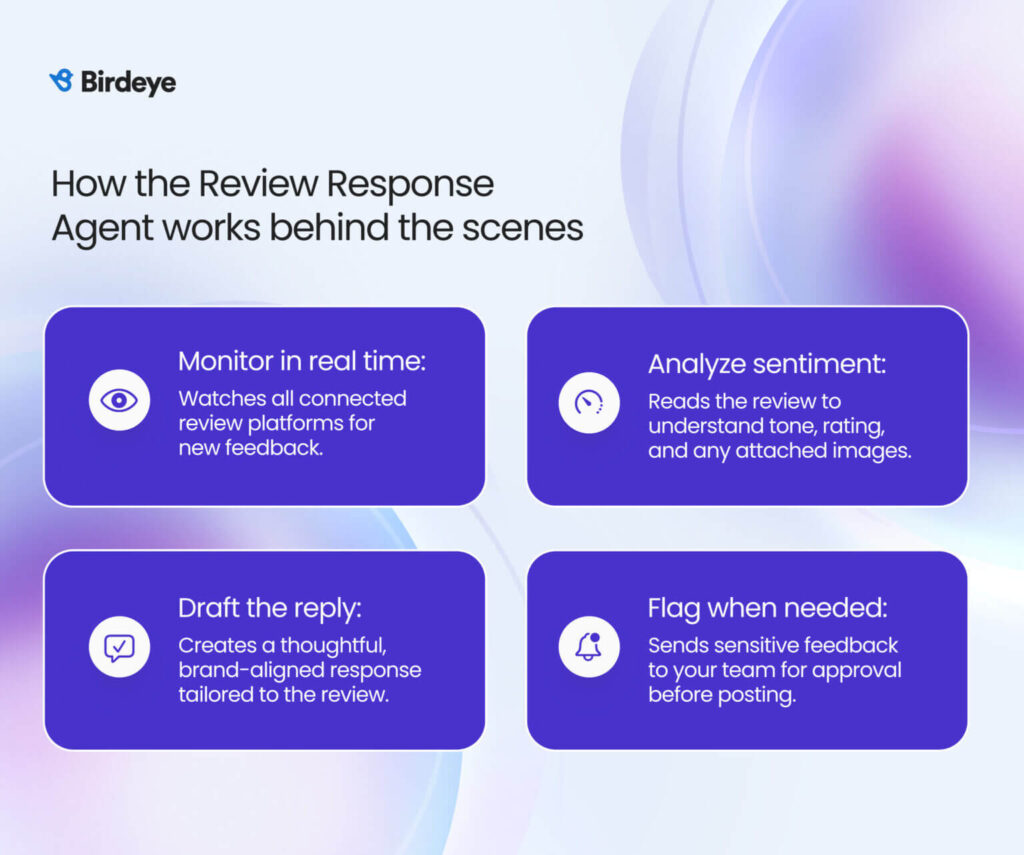
This approach strengthens visibility through steady review collection, while also protecting reputation with thoughtful, consistent responses.
Jenna Norton, Digital Customer Specialist at Window Nation describes the Birdeye benefit clearly:
“Prior to Birdeye, we had to go into multiple platforms on a daily basis to manage our reviews, listings, and messaging. With Birdeye, everything pulls into a single platform.”
How Birdeye helped Window Nation
- Pulled reviews, listings, and messaging into one dashboard
- Helped teams respond to reviews in under 24 hours
- Drove measurable review growth: 40,200 new reviews, including 21,800 on Google (boosted rating to 4.8 star)
Learn more about Birdeye and Window Nation case study
Automated review responses and review sharing
We know how important it is to respond to customer reviews and share positive reviews. When businesses receive hundreds of reviews every day, manual processes are no longer sufficient.
With Birdeye Reviews, your brand can:
- Set up rules to reply to reviews with standard templates based on the ratings
- Set up automated review sharing on connected social media platforms
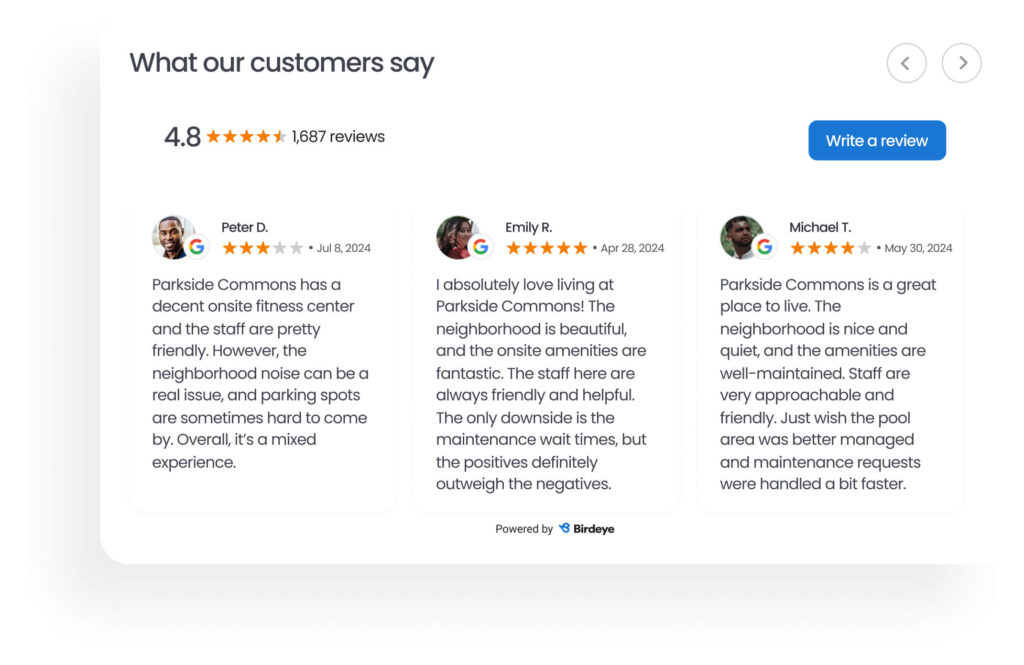
Put reputation management on autopilot with Birdeye while you focus on building bigger things for your customers.
AI-assisted review responses
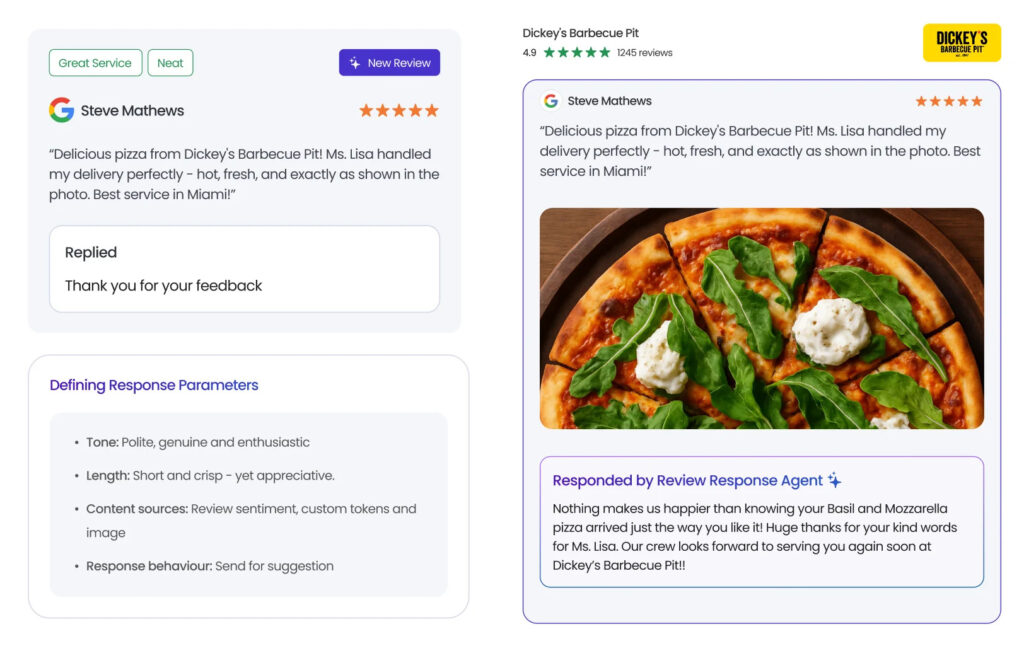
Some businesses wish to respond personally to each review instead of using automated responses. Our AI-assisted review response feature makes that easier. With Birdeye’s AI assistant, you can:
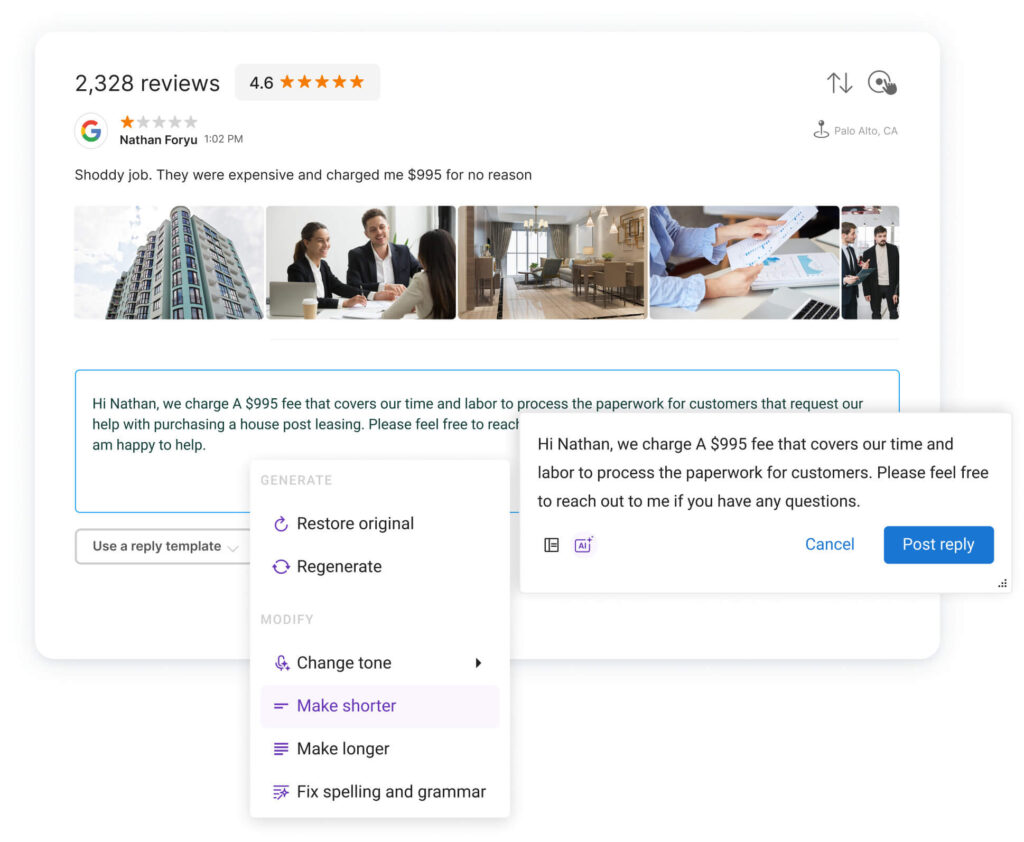
- Draft professional responses
- Edit the tone, length, or fix grammar issues
- Translate non-English reviews into English and even respond to customers in the original language
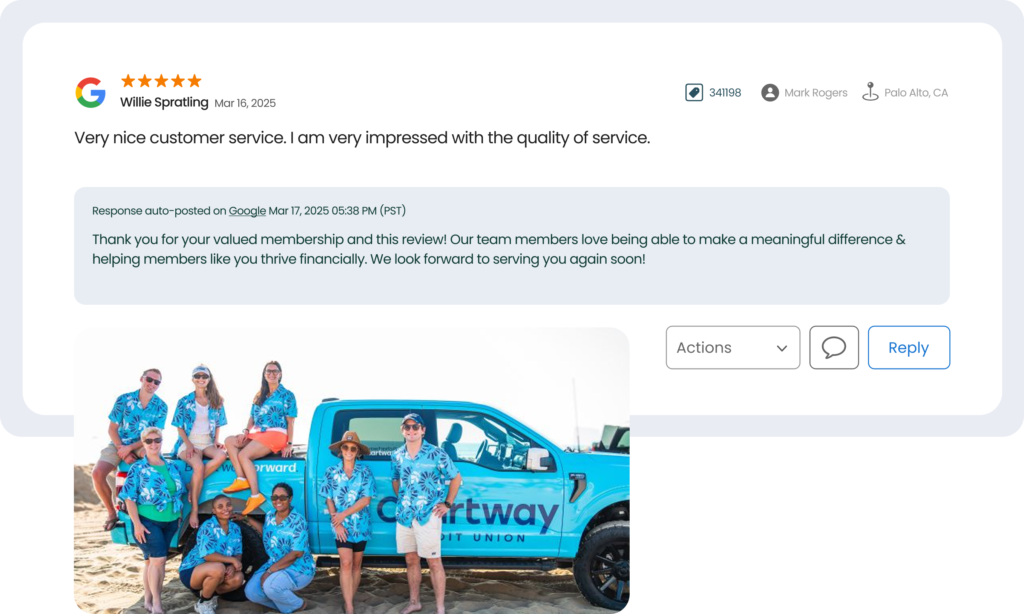
Thanks to BirdAI, Birdeye’s advanced AI solution, you can respond to hundreds of reviews at scale.
Review sentiment analysis within a full-cycle Agentic Marketing Platform
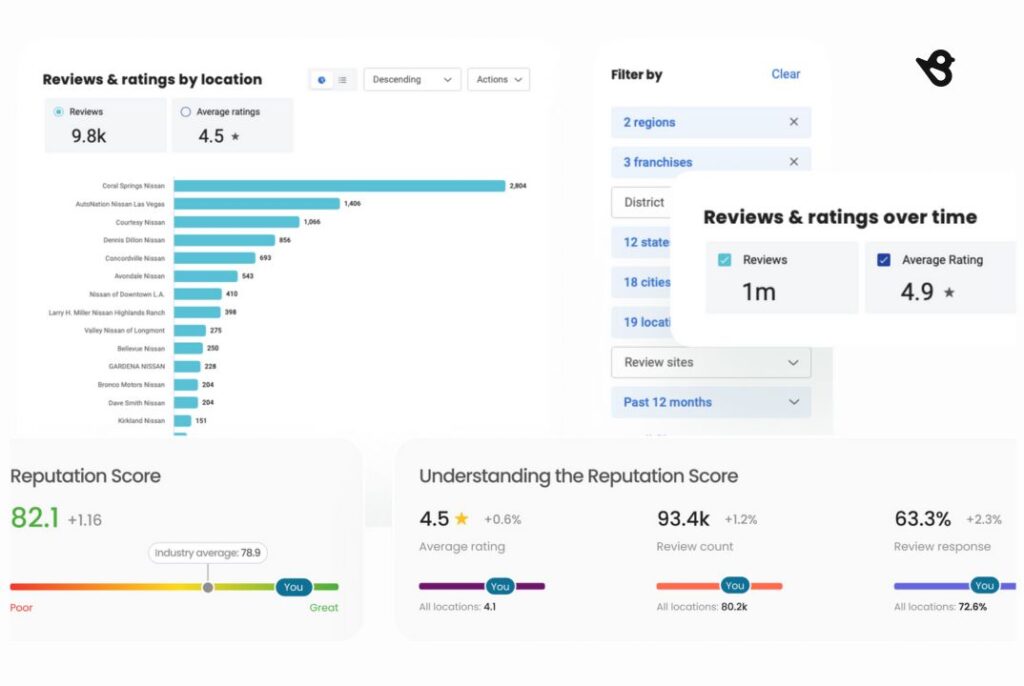
Does your CMO want to know the prevailing market sentiment immediately? All you have to do is use Birdeye’s AI-powered review sentiment analysis tool. It provides an overview of hundreds of customers’ words on your Google Business Profile.
You can instantly identify your business’s recurring themes, major customer pain points, and USPs from the customer’s perspective.
“One of my goals with reputation management is to be more proactive. Proactive in soliciting reviews rather than just hoping customers find us and leave a review, and proactive in utilizing online reviews to better our business. The latter part especially needs data to back up our efforts, which BirdEye provides in the ability to tag reviews and the sentiment report. We can track that to see areas needing improvement before becoming an even bigger issue.”
Megan Davidson, Pangea Properties
Related read: Benefits of AI reputation management
Local-level reporting
No two locations are the same. They work with unique customers and handle challenges specific to their target market. Birdeye allows managers to generate local-level reports to analyze business performance at the individual location level.
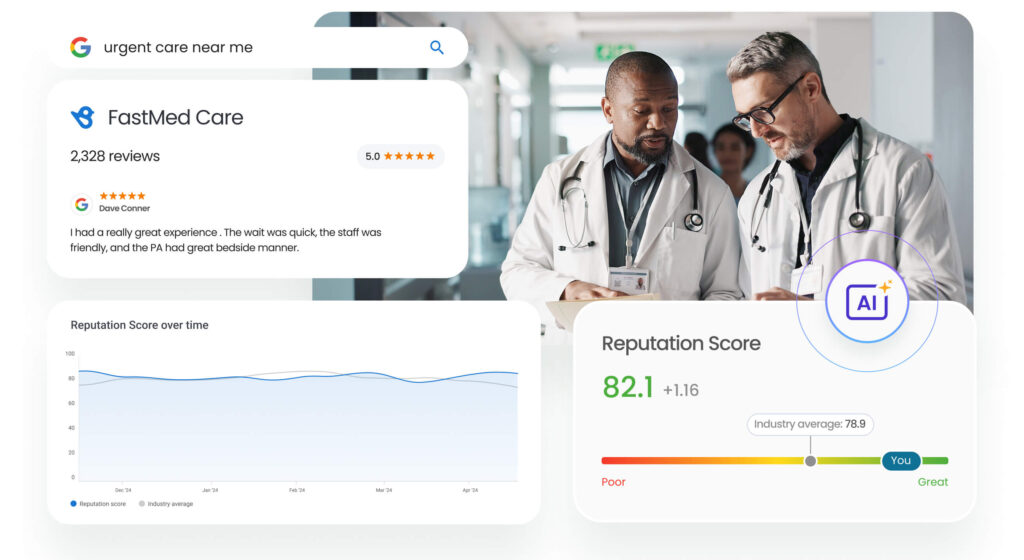
Birdeye simplifies digging into location-level metrics such as reviews generated vs. requests, positive and negative review volume, and recurring trends. Managers can then share these with upper management and implement strategies to grow their locations.
Custom report dashboard
Are you looking to track a specific product, metric, or employee over time? Birdeye enables businesses to generate custom reporting dashboards for each location, evaluation period, and more.
Businesses can track the performance of a new clinic over the last quarter or see if a new property discount has been well received by the target audience.
This level of control over reporting enables data-driven decision-making and boosts business growth.
Custom user access to empower employees
Google review management in multi-location brands is a group effort. Birdeye allows managers to provide specific user access and empower their team to participate equally in this process.
With Birdeye, you can provide your team members with location, role, or product-based access.
Manage Google reviews to grow your enterprise business
A proactive approach to managing Google reviews builds trust, improves the customer experience, addresses customer concerns, and boosts business growth. A comprehensive Google review management must start with tracking reviews across all locations and go up to gaining insights for data-driven business decisions from them.
Multi-location brandsmust invest in an all-in-one review management tool like Birdeye Reviews to streamline processes and ensure no review slips through the cracks.
FAQs on how to manage Google reviews
You can report fake and spam reviews to Google to have them removed. However, businesses can’t directly remove reviews from their Google Business Profile.
Businesses can’t turn off Google reviews from their profile. The only way to stop getting reviews is to deactivate your Google Business Profile.
Yes, if you are a customer, you can manage Google reviews from the Google Maps app on your mobile device. Businesses can also access the Google Business Profile dashboard from their mobile.
Most reviews appear within minutes to a few hours. Sometimes it can take up to 24–72 hours due to Google moderation. If a review still doesn’t appear after that window, check the reviewer’s profile and your Business Profile status, then escalate through Google support if needed. Don’t wait to act once the review is live. Birdeye Reviews agents monitor platforms in real time and draft brand-aligned responses the moment a review drops.
Manage them at scale by centralizing everything in a single platform like Birdeye: monitor reviews for every location in one dashboard, use role-based permissions to route reviews to the right local/regional teams, standardize replies with templates and brand guidelines, automate review requests to grow volume consistently, and track performance (rating, review volume, response rate/time) by location so corporate teams can quickly spot issues and enforce consistency across all 500+ profiles.
No. A business can’t edit a review. To manage Google reviews, reply publicly and ask the customer to update their review once the issue is resolved.
No. You can’t delete reviews directly. To manage reviews on Google, flag policy violations, and respond to the rest with clear, professional context.
Reply politely and clarify that it may belong to a different branch. Point them to the right location or support contact so they can get help quickly. If the review clearly refers to another business or address, flag it in Google as “wrong location,” so your Google review management stays accurate.
Use a centralized workflow to manage reviews across all locations: one inbox, location-based routing, approved response templates, and fast reporting. With Birdeye Reviews, teams can also draft on-brand responses and keep execution consistent at scale.
Birdeye: A powerful ally for multi-location Google review management
Taking control of Google reviews at scale is not just an operational task; it’s a data challenge. As brands expand across locations, managing review generation, responses, and insights requires a more structured, scalable approach. Birdeye helps simplify this complexity by bringing the entire review lifecycle into one place.
Birdeye provides:
- A centralized dashboard to monitor and manage Google reviews across hundreds to thousands of locations
- Optimized review request workflows that identify the right timing, channel, and messaging to collect customer feedback
- Assistance in drafting personalized, sentiment-aware responses based on brand guidelines, with team approval controls
- Clear visibility into customer feedback, helping identify trends and recurring issues across locations
- Reporting capabilities that make it easier to understand performance at both the brand and location level
By moving beyond manual processes and disconnected tools, Birdeye enables a more consistent and scalable approach to review management. It helps teams stay focused on customer experience while maintaining control over how feedback is collected, managed, and acted upon.
Watch a free demo to learn more about Birdeye’s capabilities!

About the Author

Birdeye Staff Writer
Originally published