Google Business Profile (GBP), formerly Google My Business, works like your brand’s digital front door for Google Search, Maps, and AI answers. In 2026, Google’s AI-driven search experiences reuse profile data to answer questions, recommend businesses, and trigger actions like calls or bookings. That means incomplete or inconsistent profiles can directly affect visibility and revenue.
Summary
Google Business Profile success in 2026 comes down to two things: accuracy and action. Accuracy keeps Google confident in your brand details. Action turns searches into calls, directions, bookings, and reviews. Birdeye State of Online Reviews 2025 found that Google captured 81% of all reviews in 2024, making GBP the biggest stage for local trust and reputation.
In this blog, you’ll get practical, example-backed steps to set up, verify, and optimize GBP, plus ways to use Birdeye automation to keep every location consistent and competitive.
Table of contents
- What is Google Business Profile?
- Why does Google Business Profile matter for brands?
- How do you set up and verify your Google Business Profile?
- How can multi-location brands manage multiple profiles?
- How to optimize your Google Business Profile in 2026
- How to claim an existing unverified Google listing
- How to request access if someone else manages the profile
- How to request access through Google
- What new AI and agentic features impact GBP management in 2026?
- 1) Google automated calls and text messages change how customers “shop” locally
- 2) AI-suggested business descriptions raise the bar for clarity and compliance
- 3) AI-powered summaries in Google Maps make review themes more “visible” than ever
- 4) Stronger AI-driven trust and anti-spam systems reduce shortcuts
- 5) Post scheduling and multi-profile posting make GBP content more manageable
- How Birdeye helps you grow Google Business Profile performance
- Key takeaways for Google Business Profile
- Frequently asked questions about Google Business Profile
- Conclusion
Show up Where Your Customers Search
Want to see the impact of Birdeye on your business? Watch the Free Demo Now.
What is Google Business Profile?
Google Business Profile (GBP), formerly Google My Business, is Google’s free profile that controls how your brand appears in Google Search and Google Maps. It’s where customers confirm your hours, call you, request directions, read reviews, and decide if you’re worth a visit. In Google Business Profile, accuracy matters more because Google and AI-driven search experiences reuse your profile details in answers, maps results, and local recommendations.
At a glance, a Google My Business listing (GBP) includes:
- Business name, address, phone, and hours (NAP + hours)
- Primary and secondary categories, services, and attributes
- Photos and videos that show what customers should expect
- Reviews and owner responses that build trust fast
- Posts for updates, offers, and events
- Q&A so customers can ask questions publicly
- Bookings and other action buttons when available
Pro tip: Think of GBP like a “living product page” on Google. If it’s outdated, customers bounce before they ever reach your website.
Once the profile exists, the next question is simple. Why does it matter? Now, let’s understand better why GBP carries more weight in 2026 than it did a few years ago.
Why does Google Business Profile matter for brands?
Organic marketing is one of the most challenging aspects of digital marketing. If you are wondering what a Google My Business (GBP) listing can do for you, the answer is plenty. You can transform it from a simple business listing to one of the most effective revenue-generating tools for your local business.
Here are some ways to benefit your business with a Google My Business profile.
1. Capture high-intent local search demand
Consumers search with strong local intent, and Birdeye State of Google Business Profile 2026 shows that verification is now a baseline requirement for local visibility. The same report also found that “near me” and category searches account for 86% of visibility, underscoring the importance of an active, complete Google My Business listing when people look for nearby businesses.
The bottom line: If you want potential customers to find your local business online, the first step is to have a Google My Business (GBP) account.
2. Increase visibility across Google Search and Maps
With 91% of business searches on Google, your Google My Business (GBP) profile enhances your search visibility, driving growth and improving SEO rankings. It helps Google understand your services, leading to higher rankings and better customer reach.
Your audience turns to Google for social proof, trusting the platform to lead them to the best products or services. Your Google My Business Profile helps Google’s algorithm understand your company’s services, which translates to a higher search ranking.
Higher rankings help prospects find the information they need about your business to become customers.
Top four local ranking factors are – accuracy in business information, data visibility, availability of local-intent content, and Google Business Profile optimization.
– Steve Wiideman, Wiideman Consulting
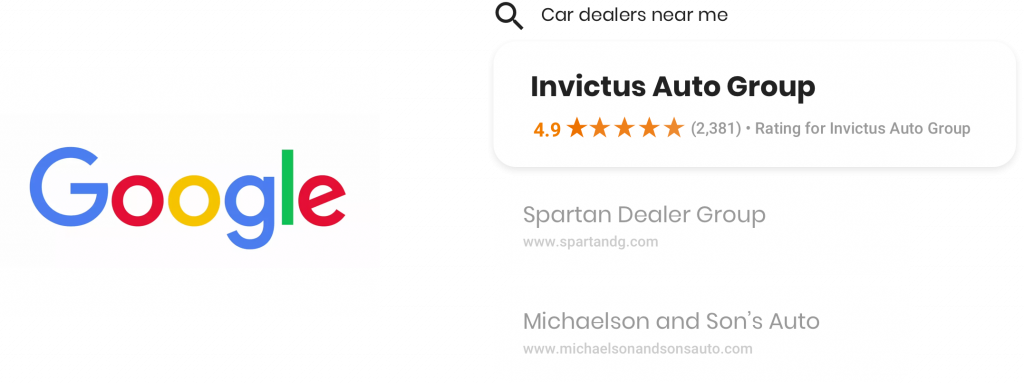
3. Build trust with consistent and accurate business information
Consistency in business name, address, phone number, and hours builds trust. It also reduces confusion across Google, directories, and the website. As GBP details often shape what customers see first, those details should match across all channels where the brand appears online.
Mobile usability matters just as much, because most local searches happen on phones. Google has made it clear that sites that don’t work on mobile devices can lose visibility in search results. The update in Google to stop indexing sites that don’t work on mobile shows why mobile access affects whether customers can even find and use business information.
Pro tip: Updating business information across platforms can get messy fast. Birdeye helps teams manage listings from a single dashboard, keeping details accurate across locations.
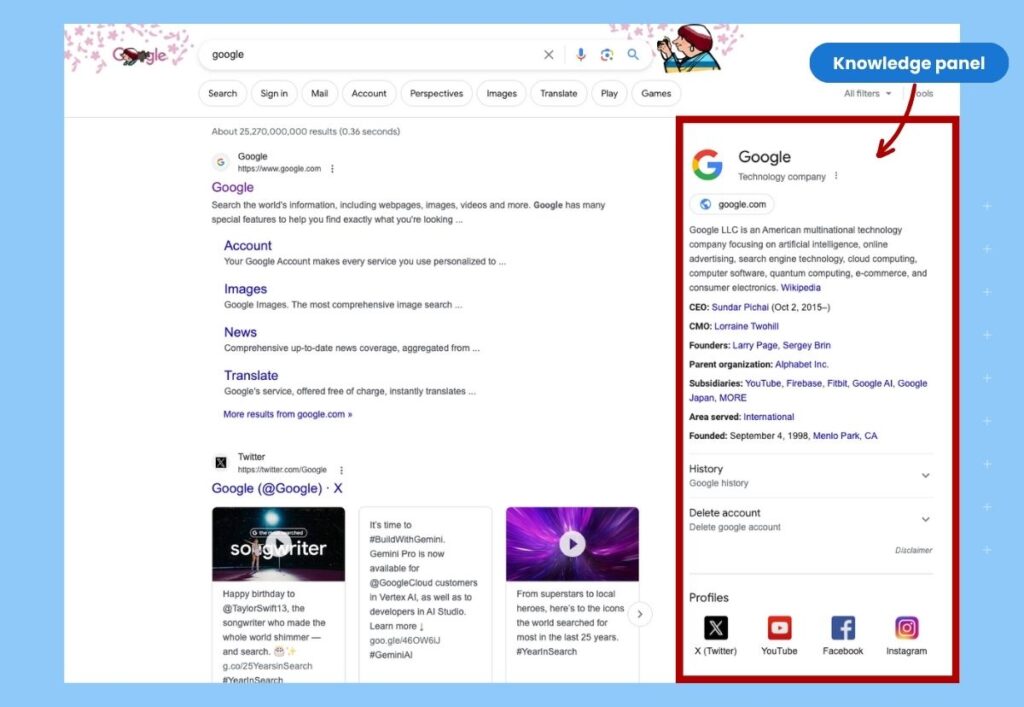
4. Allow prospective customers to book appointments from Google Search
Integrated booking options on Google My Business enables customers to schedule services directly from search results, reducing friction and enhancing convenience.
Displaying appointment scheduling solutions via your business profile on Google ensures:
- You reach customers proactively instead of waiting for walk-ins or calls
- Higher customer convenience as the integrated booking process negates the need to move to an external channel
- Customers don’t wait when they walk in by enabling them to choose a mutually convenient time slot
- Reduced lead time between discovering a brand and booking their service by displaying all options from a central page (Google Business Profile)
5. Promote products and events via posts
Do you have a new product launch or a sale coming up? Updating this information on your Google My Business account can help you promote this to everyone who does local searches daily.
GMB lets you share updates, promotions, and events, ensuring high visibility and engagement through Google Posts and the Shopping tab.
Google displays the updates prominently under the Updates and “From the Owner” sections. Adding promotional content for your business in your Google My Business Posts section also ensures it gets picked under the Google Shopping tab and improves reach.
6. Gain credibility with reviews
Reviews shape trust quickly. They also influence how customers compare you with nearby competitors. A strong review strategy helps your profile look active, credible, and customer-focused.
The Mastering Google reviews in 2026 will guide readers seeking deeper tips on review generation, response, and reputation management.
Now, the next step is learning how to set it up correctly and verify it without creating duplicate listings or access issues. Let’s dig in.
How do you set up and verify your Google Business Profile?
If you want your brand to show up consistently in Search, Maps, and AI-driven local results, you need two things: a complete Google My Business profile (Google Business Profile) and a clean verification.
Google chooses the verification method for you, and some profiles need more than one method. Once you verify, you unlock edits, insights, and review responses, which are the actions that turn visibility into real leads.
Step 1: Confirm whether your profile already exists
Search your brand name in Google Maps or Google Search first. If you see an existing profile, claim it instead of creating a duplicate.
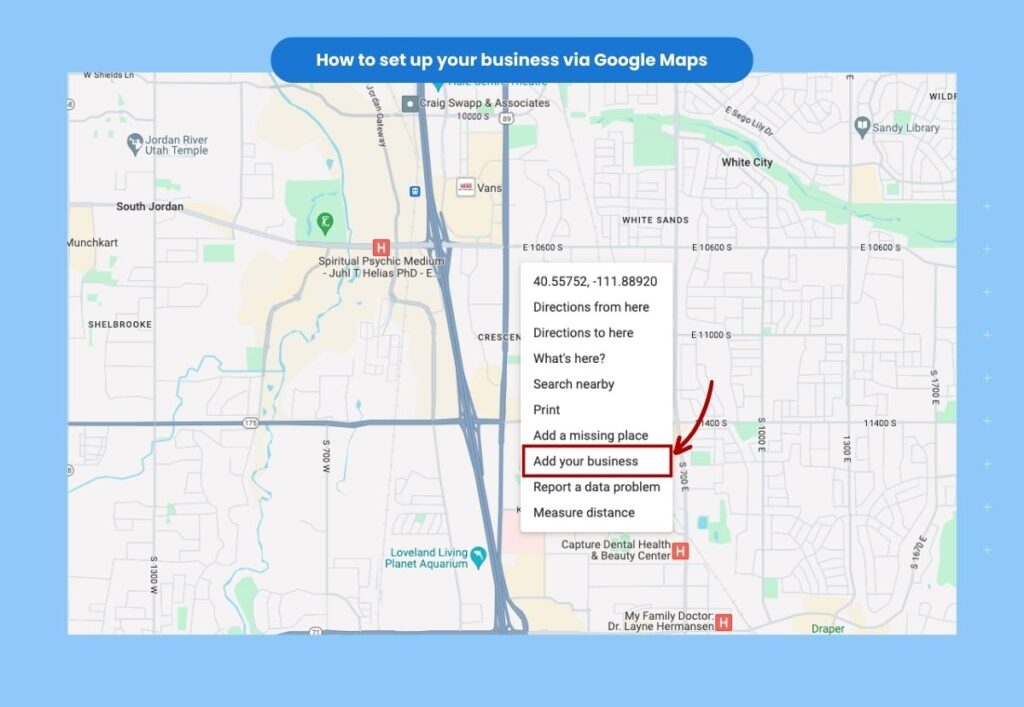
If you don’t find one, see our step-by-step guide on how to add your business to Google Maps.
Step 2: Create or claim the profile from Search or Maps
Google lets you add or claim a Business Profile directly from Google Search and Google Maps, not just inside a separate dashboard.
Step 3: Enter the “trust fields” carefully
Add your brand name, category, address (if customers visit), service area (if you travel to customers), phone, and website. These fields power where and when you appear for local intent searches.
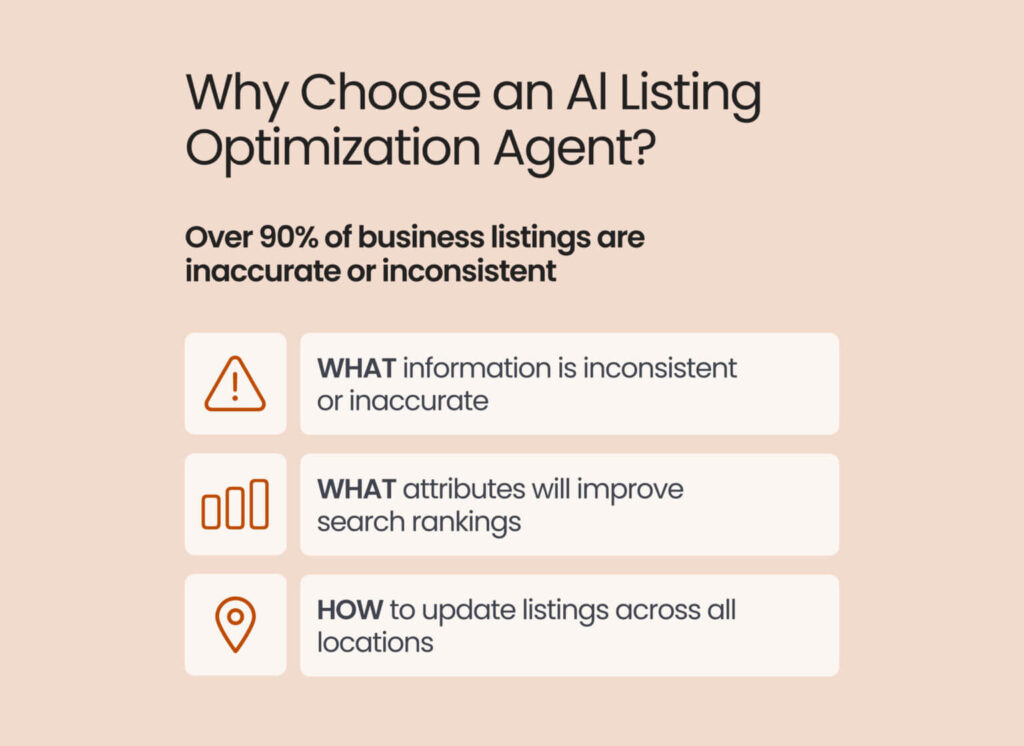
Note: Birdeye Listings AI helps multi-location brands manage verification by tracking each location’s setup status, keeping ownership and permissions organized, and keeping key profile details consistent. Also, the Birdeye Listings Optimization Agent continuously scans your profiles and competitor content across Google, Apple, Facebook, Yelp, and more, spotting gaps, errors, and missed opportunities the moment they appear. This reduces verification delays and helps every location stay accurate and customer-ready.
How can multi-location brands manage multiple profiles?
Multi-location brand GBP management works best when you treat Google Business Profile optimization like a system, not a set of one-off edits. Your goal is simple: keep every location accurate, governed, and easy to update, so Google Search and Maps can trust your data and customers can take action fast. Currently, this matters even more because AI for Google Business Profile can reuse your location details in local answers and recommendations.
Here’s the cleanest way to manage multiple Google My Business profile locations in one place.
Step 1: Create a business group for your brand
A business group (also called a business account) lets you organize locations under one umbrella in Business Profile Manager. It’s the starting point for permissions, bulk actions, and cleaner reporting.
Step 2: Set a simple ownership and permissions model
Pick one “primary owner” at corporate, then assign managers by region or function (reviews, listings, support). If an agency helps, use agency business group controls so access stays clean when people change roles.
Tip: Write down who can change the name, category, address, and hours. Lock those fields behind approvals. Those edits create the most chaos when teams move fast.
Step 3: Add locations the right way, based on your count
If you have 2 to 9 locations, add locations inside the group and keep naming conventions consistent. If you have 10 or more locations, use Google’s bulk location management and bulk verification options when eligible.
Step 4: Standardize “location truth” so every profile matches
Use one source of truth for name format, categories, service lists, attributes, and holiday hours. Then push updates from that source on a schedule, not only when someone complains.
Once you have this workflow in place, the next step is to make it easy to enforce it across every location without relying on manual checks or scattered logins, and that’s where Birdeye helps.
How Birdeye helps multi-location brands keep GBP consistent
Birdeye makes multi-location Google My Business profile management easier by keeping your locations organized, your listings accurate, and your responses on-brand.
- See what’s incomplete, fast: Teams can view setup status across locations in one place, so nothing slips through the cracks.
- Connect GBP at scale: Birdeye pulls in your GBP listings and helps you manage them from a centralized workflow.
- Spot issues the moment they show up: The Listings Optimization Agent scans your profiles and competitor content across Google, Apple, Facebook, Yelp, and more, then flags gaps and missed opportunities.
- Know what to fix first: It recommends the highest-impact updates, and your team can approve changes within brand guardrails.
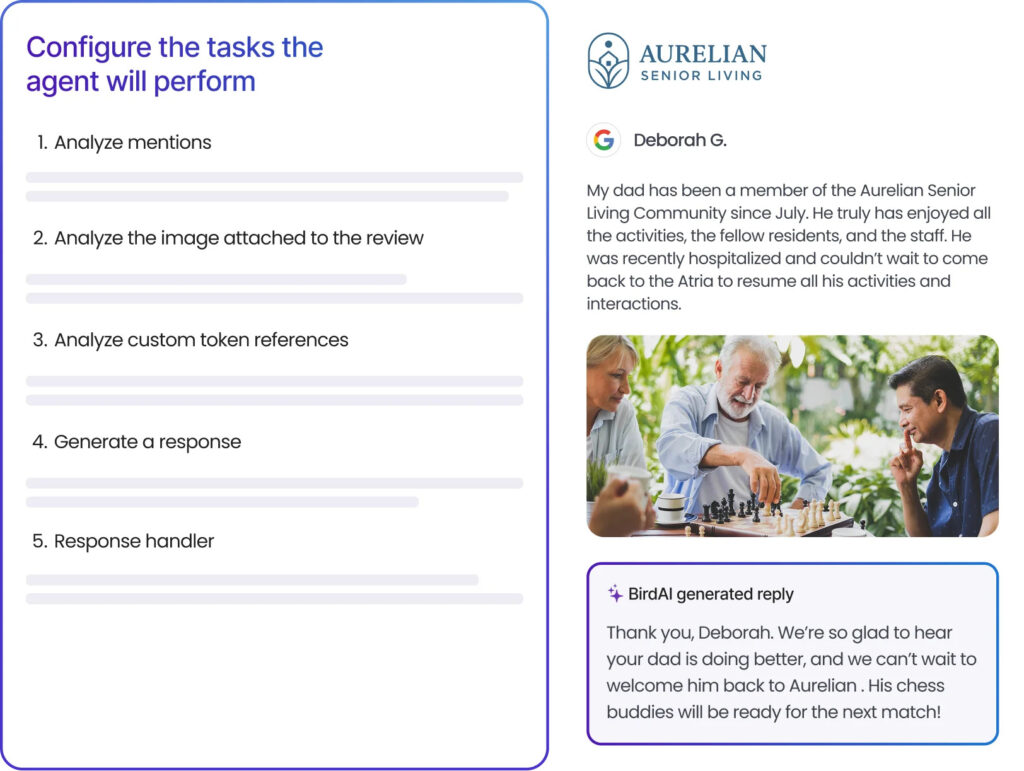
- Reply to reviews with the right tone: Birdeye Reviews Agents (Birdeye Review Response and Review Generation Agent) analyze photos, detect sentiment, and capture emotion to draft on-brand replies that show customers you’re listening.
How to optimize your Google Business Profile in 2026
Google Business Profile optimization is about making your Google My Business profile easy for both humans and AI systems to trust. Start by completing every core field, then keep your content fresh with photos, services, and steady reviews.
Birdeye State of Google Business Profiles shows that fully populated, verified profiles surface more often in search and drive more meaningful actions than incomplete listings. It states verified profiles surface 80% more often in search and can drive 4× more website visits, plus more calls and direction requests, versus incomplete or unverified listings.
Start with “trust fields” and keep them consistent
Treat these as non-negotiable because Google cross-checks them across the web:
- Name, address (or service area), phone, and hours
- Primary category plus a small set of accurate secondary categories
- Services, attributes, and business description
Quick tip: Google recommends using as few categories as possible while staying specific. Do not use categories as keyword stuffing.
Once your trust fields are consistent, use structured data on your website to help search engines interpret that information, and read: “How Local Business Schema can boost your company’s visibility online”.
Write a compelling description that earns clicks
Your description should explain what you do, who you serve, and why customers choose you. Keep it useful and specific. Google’s guidelines also matter here: do not add links, do not add promotional pricing language, and avoid low-quality text.
Example (before): “We are the best in town. Call now for discounts.”
Example (after): “BrightSmile Dental provides preventive care, cosmetic dentistry, and emergency appointments in Austin. Patients choose us for transparent treatment plans, modern equipment, and evening hours.”
Upgrade photos and videos because they drive actions
Add real, recent photos that prove you are legitimate and help customers feel confident. Prioritize exterior signage, interior, team, work samples, and products.
Google and Ipsos research shows profiles with strong visual content see higher engagement, including more direction requests and website clicks.
Quick tip: Aim for 15+ high-quality photos per location, then refresh the gallery regularly so your profile does not look stale.
How to claim an existing unverified Google listing
Many businesses already have a Google profile but have never claimed it. Before creating a new listing, check whether your business already appears in Search or Maps. If it does, claim that profile first.
Claiming an existing profile gives you control over business information, reviews, hours, and updates. It also lowers the risk of creating duplicate listings that split engagement and weaken trust signals.
You can claim a profile by opening the business listing in Google Search or Google Maps and following the prompts to manage the business.
How to request access if someone else manages the profile
Sometimes a current or former employee, agency, or teammate still controls the listing. In that case, request access instead of starting over.
Use one of these paths:
- Ask the current owner to transfer or grant access
- Submit an access request through Google if you cannot reach the current owner
- Escalate to Google support if the request is denied and you have proof of ownership
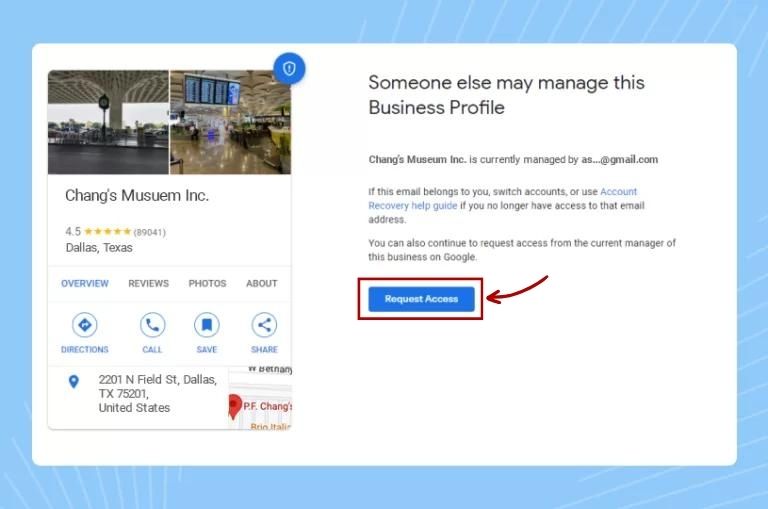
After you submit an access request, the current profile owner usually has three days to respond. If they do not respond, Google may let you move forward with access. If they deny the request, you can continue the recovery process through Google support.
How to request access through Google
Go to Google’s Business Profile flow and enter your business name. If Google finds an existing listing, select it. If someone else manages the profile, choose the “Request access” option. Then submit your contact details and wait for Google’s response.
Keep this process simple. Do not create a second listing while you wait. That usually creates more cleanup work later.
What new AI and agentic features impact GBP management in 2026?
In 2026, Google Business Profile does more than display your details; it can trigger actions and shape summaries. That shift matters because Google’s AI systems increasingly compress what they learn about your brand into quick answers. If your Google My Business profile details, reviews, and content are incomplete or inconsistent, AI can repeat those gaps at the exact moment a customer decides.
Here are the Google agentic AI business features and AI-driven updates that most directly change GBP management:
1) Google automated calls and text messages change how customers “shop” locally
Google can place automated calls on a customer’s behalf to ask about pricing, availability, or bookings, then summarize what it learns for the customer. This means your first impression may happen even if a person never calls you directly. You can manage these automated calls and messages in your Business Profile settings, including opting out after verification.
Quick tip: Train your team to treat “AI calls” like high-intent leads, not spam. Keep a simple pricing range and next-step script ready. Example: A customer taps “have AI check pricing” in Search, Google calls nearby providers, and your team’s answers influence the summary the customer sees.
2) AI-suggested business descriptions raise the bar for clarity and compliance
Google now allows AI to suggest a new Business Profile description based on your profile details and other sources, like your website. You can review and edit the AI suggestion before publishing. This helps speed up writing, but it also increases the risk of vague claims if you do not edit carefully.
You can also use the AI draft to get started, then rewrite it with specifics, services, service area, and differentiators you can prove.
3) AI-powered summaries in Google Maps make review themes more “visible” than ever
Google Maps can generate AI-powered summaries for places and reviews, which means customers can absorb your reputation in seconds. That creates a new reality: repeated themes win, even when individual reviews vary.
What to do about it:
- Push for detailed reviews, not just star ratings, because specific language fuels better summaries.
- Respond to reviews using the same “theme words” you want customers to remember, like wait time, cleanliness, outcome, or friendliness.
- Fix the root issue fast if a negative theme appears repeatedly, because AI will keep spotlighting patterns.
4) Stronger AI-driven trust and anti-spam systems reduce shortcuts
Google has shared how it uses Gemini and other AI systems to detect suspicious edits and policy-violating reviews, and to protect business information. For brands, that means consistency and guideline compliance matter more than “growth hacks.”
Pro tip: Avoid sudden name, category, or address changes unless they are real. Those edits can trigger friction and delays.
5) Post scheduling and multi-profile posting make GBP content more manageable
Google’s own support documentation now includes options to schedule posts and publish across multiple Business Profiles. This is useful because fresh updates signal activity, and they give customers a reason to take action without leaving Google.
Brands can use scheduled posts for holiday hours, limited-time offers, seasonal services, and event reminders. Set a simple cadence your team can maintain.
How Birdeye helps you grow Google Business Profile performance
Google Business Profile growth depends on accuracy, consistency, and fast action across locations. Birdeye leads the pack with a full-cycle Agentic Marketing Platform that unifies listings, review management, social posting, and more.
For Google Business Profile performance, Birdeye Listing Score gives teams a location-by-location view of listings accuracy, visibility, completeness, and overall profile health. It helps teams see which locations need attention first and where to focus next.
Birdeye Review Reporting Agent turns review activity into clear, location-specific insights. It helps teams spot trends, flag issues early, and respond with more focus.
When we look at the larger Google ecosystem, it can be quite difficult for individual businesses to navigate that entire ecosystem. And I think that’s why Birdeye plays such an important role in the middle. So it’s definitely one of the most integrated partners we have.
Uday Ghatikar, Field CTO and Google Cloud
Thousands of businesses use Birdeye to:
- Manage listings more easily with accurate, consistent business information across platforms
- Collect and manage Google reviews from one centralized dashboard
- Track profile health by location and identify where action is needed
- Analyze customer feedback to uncover service and operational trends
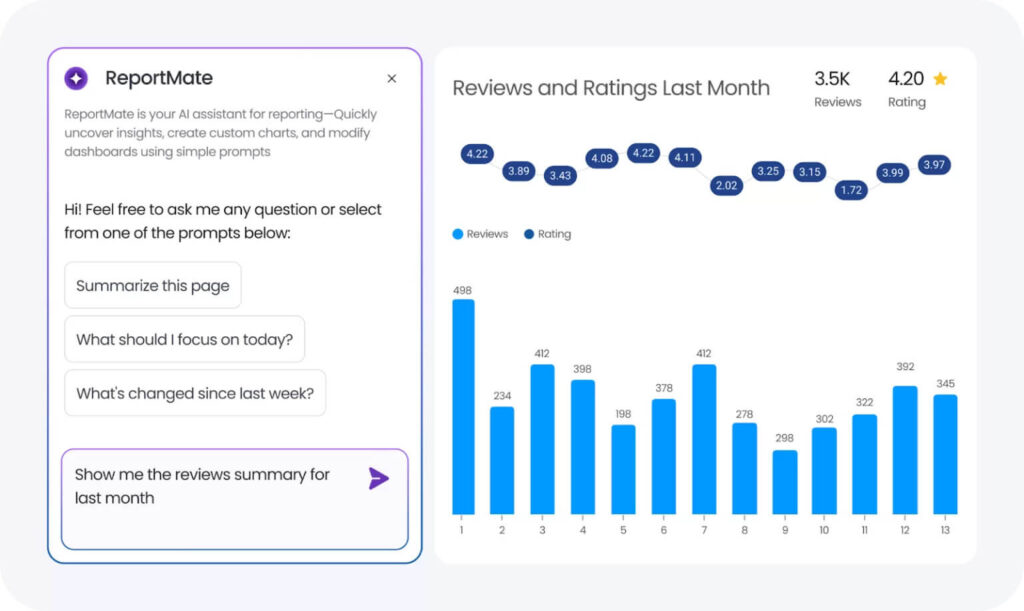
Together, these capabilities help teams spend less time chasing issues and more time improving visibility, trust, and performance across every location.
Key takeaways for Google Business Profile
In 2026, your Google My Business profile (Google Business Profile) influences Search, Maps, and AI-driven local answers. That raises the bar for accuracy, consistency, and location-level performance. The winning strategy this year is to run GBP like an operating system, not a one-time project.
- Lock down verification and ownership. Clean access and clear permissions prevent delays, duplicate edits, and location-by-location confusion.
- Refresh content with intent. Photos, services, and Q&A should reflect what customers can actually expect right now.
- Build a repeatable review rhythm. Request reviews after key customer moments and respond consistently so trust compounds across locations.
Birdeye reinforces this work with Listings AI Agents designed for multi-location visibility and GEO-ready discovery.
The agents identify the keywords that matter most by analyzing market trends and competitor profiles, then surface high-value recommendations for each location, including business descriptions, photos, and Q&A improvements.
Teams stay in control because updates only go live after approval, with guardrails that protect brand consistency across every location.
Birdeye’s Local Visibility Engine also acts like a local keyword planner, recommending the right keywords, directories, and citation sources based on your market, industry, and geography, so you know where to show up and what to fix to improve local discovery.
Frequently asked questions about Google Business Profile
In 2026, Google Business Profile matters even more because Google uses business data in Search, Maps, and AI-generated local answers. That means accuracy, completeness, and regular updates now affect not just visibility, but also how confidently Google recommends a business
To verify a Google Business Profile, sign in to the profile and complete the verification method Google assigns, such as video, phone, email, or live verification. The available options depend on the business category, profile history, and trust signals associated with the listing
A business usually does not appear in Google Maps because the profile is unverified, incomplete, duplicated, suspended, or inconsistent across listings. Fixing verification issues, removing duplicates, and updating core details like name, address, phone number, category, and hours often restores visibility.
Multi-location brands manage GBP at scale by standardizing profile data, assigning permissions clearly, tracking updates by location, and monitoring performance from one place. Birdeye helps teams do this more efficiently with centralized listing management, profile health tracking, and location-level visibility insights.
Google’s AI business features include AI-powered local answers and automated actions that can pull business information, such as services, hours, availability, and other profile details into customer journeys. This makes it even more important for businesses to keep every location accurate, complete, and up to date.
Reviews affect GBP visibility by strengthening trust, improving engagement, and sending quality signals to Google about business relevance and prominence. A steady flow of authentic reviews, paired with timely responses, can improve how often a business appears in local search and Maps results.
Request access from the current owner or use Google’s recovery steps for the owning account. After access is restored, secure ownership with strong permissions.
Conclusion
Google Business Profile rewards brands that keep information accurate, protect trust, and make it easy for customers to take action. The strongest profiles do more than exist. They help turn local searches into calls, visits, and bookings.
Birdeye helps multi-location brands manage that process with more clarity and consistency. It also gives teams a better way to spot issues early, stay aligned across locations, and keep local performance moving in the right direction.Ready to get more from Google Business Profile?
Book a demo with Birdeye to improve local visibility, strengthen your reputation, and drive better results across every location.
About the Author

Avtar Madan
Avtar Madan
Originally published