
Google My Business tools are software solutions such as Birdeye, Yext, etc. that help businesses manage, optimize, and monitor their Google Business Profile (formerly Google My Business) to improve local search visibility, maintain accurate listings, and engage customers across locations.
Summary
Managing a Google Business Profile is an ongoing effort, and for multi-location businesses, it only gets harder as profiles fall out of sync, reviews go unanswered, and rankings slip. The right Google My Business management software centralizes your operations and automates the work that would otherwise fall through the cracks. According to Birdeye's State of Online Reviews 2026, Google accounts for 79.4% of all online reviews, making your GBP the single platform where most customer decisions are made.
This blog covers what Google Business Profile management tools are, what to look for when choosing one, a full comparison of the 15 best tools available in 2026, and use-case breakdowns by business type.
What are Google Business Profile management tools?
Google Business Profile management tools are platforms that help businesses manage their Google Business Profile (formerly Google My Business, or GMB) from a single dashboard. They handle everything from syncing accurate business information and monitoring reviews to scheduling posts, tracking rankings, and analyzing performance data.
Unlike manual profile updates, a dedicated Google My Business management tool gives businesses a structured, scalable way to stay competitive in local search. This becomes even more important for multi-location businesses, where managing dozens or hundreds of profiles manually often leads to inconsistent NAP data (Name, Address, Phone number), missed customer reviews, duplicate listings, slower response times, and declining local rankings.
A strong seo tool for Google My Business goes beyond basic edits. It surfaces local keyword opportunities, tracks rankings on Google Search and Maps, flags competitor activity, and recommends profile improvements based on live data. Some platforms like Birdeye Listings AI take this further by using AI agents to continuously optimize your visibility without manual input.
In short, Google My Business management software exists to simplify local search management and give every location the control it needs to rank and convert effectively on Google.
How do Google Business Profile tools help?
A Google My Business management tool drives measurable improvements across local search rankings, customer engagement, reputation, and operational efficiency. Here is a closer look at how these tools make a real difference.
Local search engine optimization
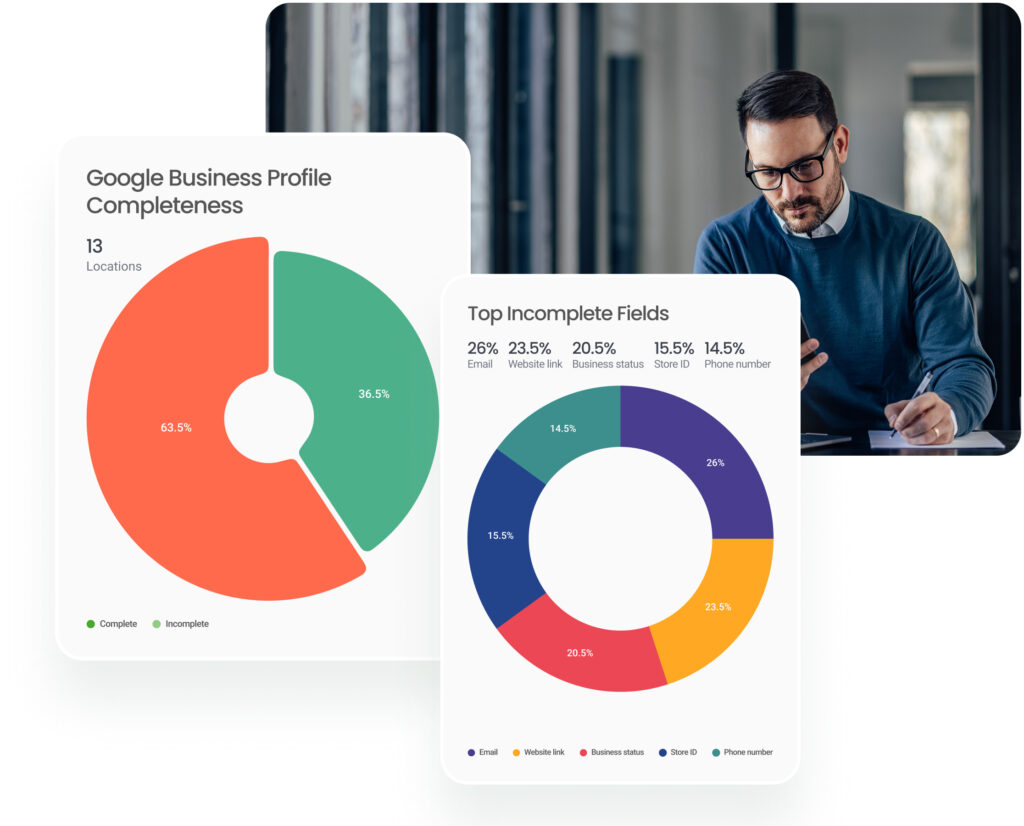
Ranking in local search requires more than just having a profile. A strong SEO tool for Google My Business helps you track local keywords, monitor rankings across locations, and identify gaps in your profile that are costing you visibility. According to Birdeye’s State of Google Business Profile 2026, 86% of GBP impressions come from category-based searches rather than branded queries. This means that profile accuracy, category selection, and keyword alignment determine whether customers find you at all. The right Google My Business SEO tools ensure every element of your profile is optimized to capture that demand.
Insights and analytics
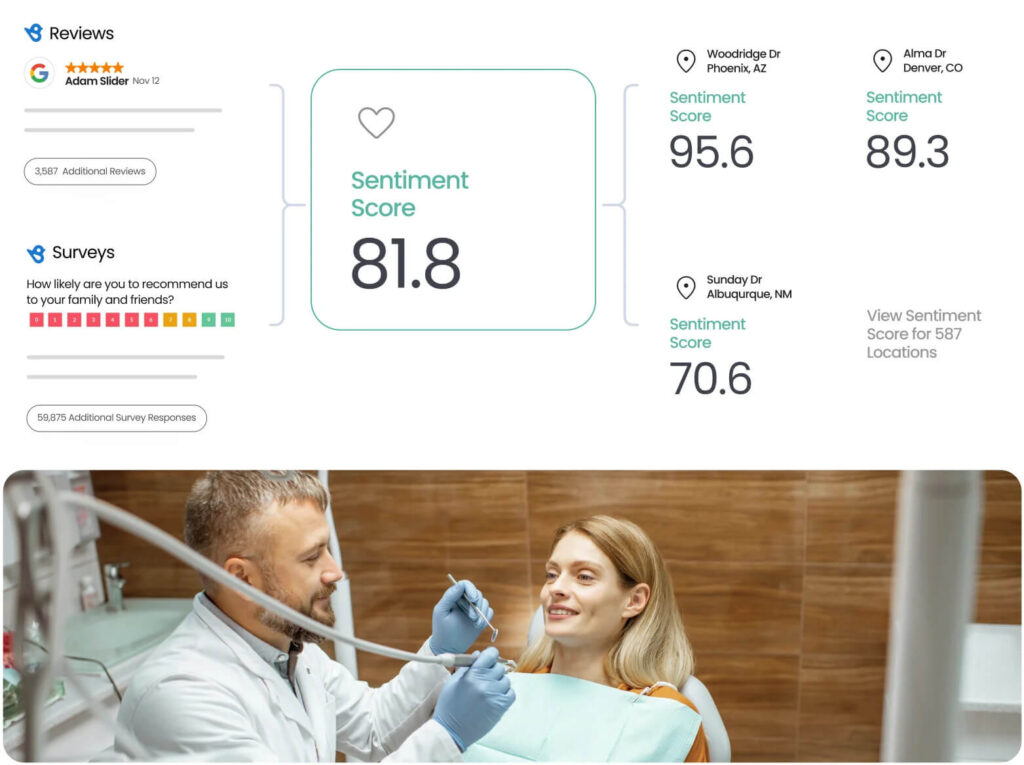
Data is only useful if you can act on it. Google Business Profile management tools surface insights into how customers interact with your profile, which searches triggered it, which actions they took, and how individual locations compare with each other. This helps marketing teams refine their local strategy, allocate budget more effectively, and spot underperforming locations before they fall too far behind. Tools like Birdeye Insights AI take this further by layering AI-driven sentiment analysis onto raw performance data.
Multi-location profile management
For businesses managing multiple locations, consistency is the biggest challenge. A centralized Google My Business management software eliminates the manual work of updating each profile individually. It synchronizes business information across all locations, flags inconsistencies, and ensures every profile meets the same standard. This consistency directly supports local rankings, since Google rewards profiles with accurate and complete information.
Online reputation building and monitoring
Reviews are a direct local ranking signal and a primary driver of consumer trust. Google business profile management tools help businesses monitor incoming reviews across all locations, respond promptly, and identify patterns in customer sentiment. Platforms like Birdeye Reviews AI automate review requests, generate AI-powered response suggestions, and provide location-level reputation summaries, enabling reputation management at scale without a large team.
Managing reputation effectively is only one part of the puzzle. Below, we explore the key features to look for in a Google Business Profile tool for long-term visibility, consistency, and scalable location management.
What to look for in a Google Business Profile tool?
Choosing the right Google My Business management tool comes down to more than features. The best platforms are the ones that fit your business size, workflow, and growth goals. Here are the key factors to evaluate before making a decision.
Centralized profile management
The core function of any Google Business Profile management tool is the ability to manage all your locations from a single dashboard. Look for platforms that let you update business information, hours, photos, and posts across all locations simultaneously.
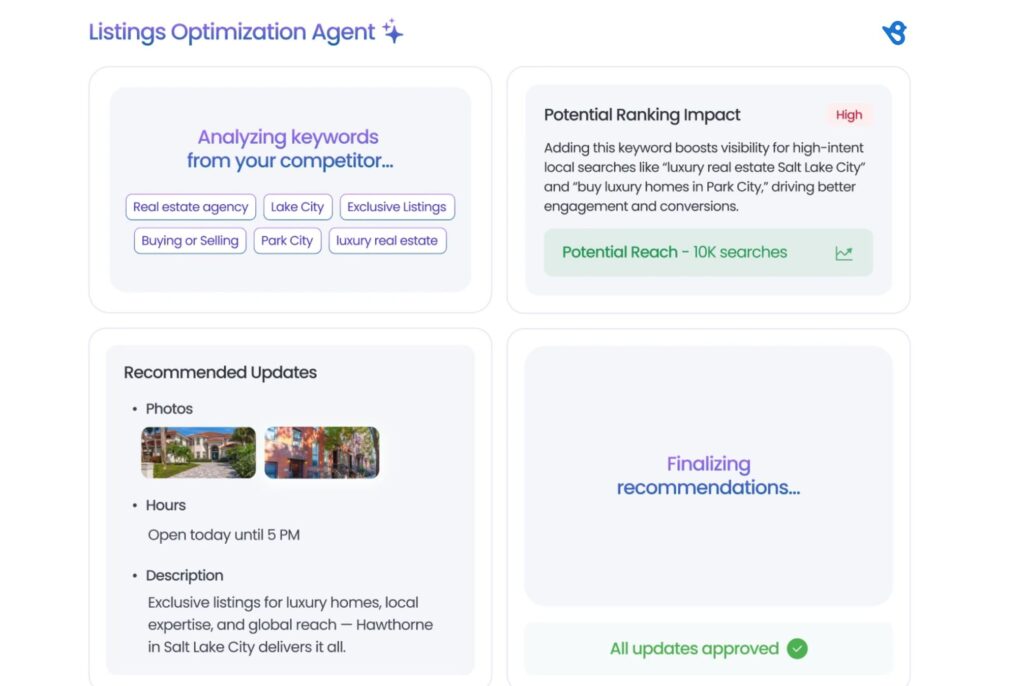
Google itself recommends keeping your Business Profile information accurate and complete to improve local search visibility. A tool that makes this effortless at scale is non-negotiable. Birdeye Listings Optimization agent simplifies this process by helping brands:
- Monitor profiles
- Identify inaccuracies
- Update listings centrally
- Optimize visibility across local and AI-driven search experiences
Review management and response capabilities
Reviews are one of the most influential factors in local rankings and consumer trust. Your Google My Business management software should allow you to monitor, respond to, and analyze reviews across every location from one place.
Automated response suggestions and sentiment tracking are strong indicators of a mature platform. Google’s guidelines on responding to reviews highlight that engagement with reviews signals credibility to both customers and the algorithm.
Local SEO and ranking tools
A capable seo tool for Google My Business will do more than surface data. It will track local keyword rankings, benchmark performance against competitors, and recommend profile improvements based on real search data. Look for platforms that track your visibility in the Google Local Pack and Google Maps, since these placements drive the most local traffic.
Google Maps itself is evolving rapidly. As per Google’s official announcement, Maps now features Gemini-powered AI updates that change how customers discover local businesses:
- Ask Maps lets users ask complex, conversational questions about locations and receive personalized recommendations, moving discovery from keyword searches to intent-based queries.
Immersive Navigation delivers redesigned, intuitive route guidance with real-time updates, making it easier for customers to act on directions from your profile.

AI capabilities
AI is no longer optional in this category. The best Google My Business SEO tools now use AI to automate review responses, generate post content, flag profile inconsistencies, and surface actionable insights without manual analysis.
Platforms with AI agents built into their workflow, such as Birdeye, save significant time while maintaining quality and consistency across locations. Beyond automation, AI also helps businesses identify trends in customer sentiment across thousands of locations before they escalate into reputation issues.
As Google continues to evolve its algorithm with AI at the center, using a Google My Business management tool with built-in AI capabilities puts you in a stronger position to adapt quickly.
Multi-location and enterprise readiness
If you manage multiple locations, your Google Business Profile management tools must be built to scale. This means role-based permissions, location grouping, bulk update functionality, and enterprise-grade reporting. Tools designed for single-location businesses often break down at scale, so it is important to verify that the platform you choose has documented enterprise use cases.
A platform built for enterprise should also support workflows across multiple teams, regions, and approval layers without creating bottlenecks. The ability to push bulk updates across all locations simultaneously is particularly critical during business-wide changes such as holiday hours, new services, or rebranding.
Pricing transparency and free trial availability
Pricing in this category varies significantly. Some platforms charge per location, others use a flat subscription model, and a few bundle GBP management into a broader reputation or local SEO suite. Always look for clear, published pricing and a free trial or demo option before committing.
Hidden costs associated with additional locations or features can become a major operational problem as your business grows. It is also worth checking whether the platform charges separately for AI features, reporting dashboards, or API access, as these add-ons can significantly increase the total cost. A transparent pricing structure is a strong indicator that a vendor can be trusted as a long-term partner.
Integration with your existing tech stack
Your Google My Business management tool should connect cleanly with the tools you already use, whether that is your CRM, marketing platform, or analytics stack. Native integrations with platforms such as Google Search Console and Google Analytics are particularly valuable for teams seeking to link local search performance to broader business outcomes.
The ability to push data between your GBP tool and your CRM also means customer interactions from local search can feed directly into your sales and retention workflows. Without strong integrations, your Google My Business management software risks becoming an isolated tool rather than a connected part of your local marketing stack.
Comparison table ( Quick glance at the 15 best GBP management tools)
Before diving into the full reviews, here is a quick overview of all 15 Google Business Profile management tools covered in this guide.
Let’s quickly scan this table to identify which tools align with your budget, use case, and scale.
| Tool | Best for | Starting price | G2 rating |
| Birdeye (Listings AI + Reviews AI) | Multi-location enterprise brands (100-10,000+ locations) | Custom, quote-based pricing for enterprise | 4.7/5 |
| Yext | Business listing management | From $199/year (SMB); Custom higher price for businesses | 4.4/5 |
| Semrush Local | All-in-one SEO + local management | Starts around $130–140/month | 4.5/5 |
| Moz Local | Simple listing management for SMBs | From $14-33/month/location | 4.2/5 |
| Synup | Growing brands | From $79/month plus ~$35/location for listings | 4.5/5 |
| Uberall | Location-based businesses | Custom pricing | 4.4/5 |
| Planable | GBP post planning and team collaboration | Free plan available; paid from $33/month | 4.6/5 |
| Podium | SMS-first review and communication | From about $249–$399/month, with multi‑location setups often higher | 4.6/5 |
| Reputation.com | Brand reputation management | Custom pricing | 4.6/5 |
| Chatmeter | Brand intelligence | Custom pricing | 4.5/5 |
| Whitespark | Citation building and local SEO | Software plans from about $10/month; managed services are much higher | 4.6/5 |
| Vendasta | Agencies reselling local marketing | From $99/month | 4.5/5 |
| Google Business Profile | Free GBP management baseline | Free | 4.6/5 |
| ReviewTrackers | SMBs focused on review management | From $89/month per location | 4.6/5 |
| GatherUp | Review generation for SMBs and agencies | From $99/month | 4.6/5 |
Disclaimer: Pricing is based on publicly available information as of May 2026. Many enterprise tools use custom, quote-based pricing. Always verify current pricing directly with the vendor before purchasing.
15 Best Google Business Profile management tools 2026
1. Birdeye (Listings AI + Reviews AI)
Best for: Multi-location enterprise brands
Description
Birdeye Listings AI and Reviews AI together make up one of the most comprehensive Google Business Profile management tools for multi-location and enterprise brands managing 100-10,000+ locations. It combines local visibility management, reputation monitoring, and AI-powered automation into one platform.
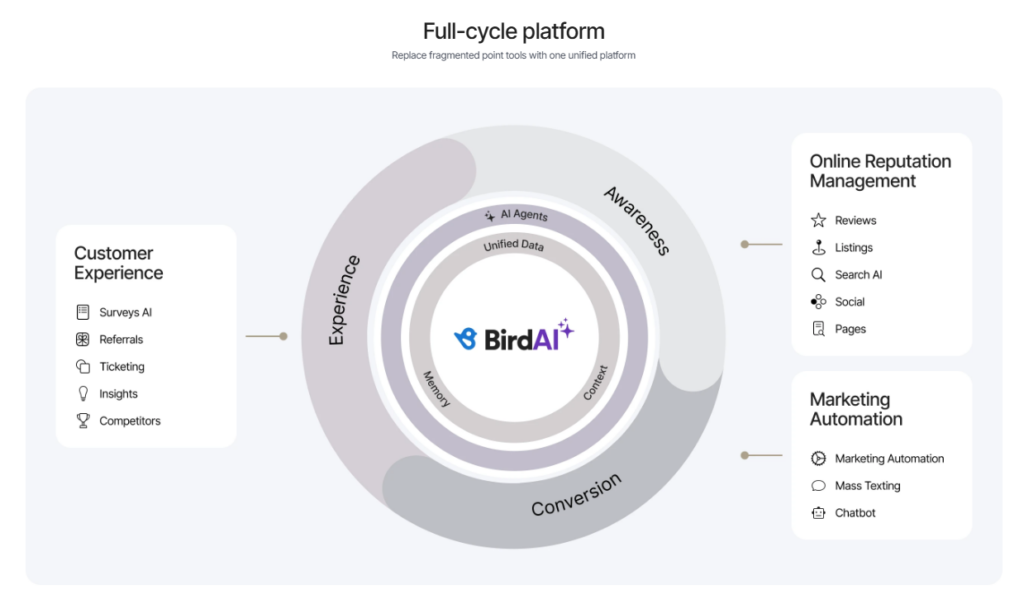
Full-cycle platform
Birdeye replaces fragmented tools with a unified platform that helps businesses manage customer-facing interactions and maintain consistency across locations.
- Centralizes reviews, messaging, social engagement, and customer feedback in one place
- Helps corporate teams maintain visibility while enabling location-level management
- Reduces reliance on disconnected tools for reputation and customer experience workflows
Local intelligence
Birdeye strengthens local search visibility by helping businesses manage accurate and optimized profiles across key directories.
- Birdeye Brand and Industry AI help maintain accurate, on-brand, and industry-aware content across locations
- Search AI tracks brand visibility across AI-driven discovery platforms like ChatGPT and other search experiences
- Helps maintain accurate business details such as hours, addresses, phone numbers, and service information
- Identifies visibility gaps and supports stronger local search performance across locations
Marketing agents
Birdeye uses AI-powered agents to automate repetitive tasks and help businesses maintain brand consistency.
- Listings AI continuously scans, updates, and optimizes business profiles across Google, Apple, Facebook, Yelp, and 100+ sites
- Automates review generation to help increase review volume across locations
- Creates personalized, on-brand review responses using AI
- Surfaces reputation trends and location-level insights for faster action and better monitoring
Birdeye secured the #1 enterprise position across 12 categories in G2’s Spring 2026 reports, driven by insights from 3,600+ verified customer reviews. The recognition reflects Birdeye’s strength in helping multi-location brands manage reputation, listings, social media, customer feedback, and engagement from a unified platform.
As Naveen Gupta, Co-founder and CEO, Birdeye states:
“The era of fragmented point tools is over. Multi-location brands are moving toward agentic platforms that don’t just show data, but drive real business outcomes. Our G2 recognition, including #1 enterprise rankings across more than ten categories and placement alongside the world’s leading AI companies, validates what our customers already know: Birdeye is the enterprise platform built for the AI era.”
It reflects why multi-location brands increasingly rely on connected platforms to manage listings, reviews, and customer engagement in one place. This helps improve discoverability, maintain consistency, and strengthen trust across every location.

recognition
Key Features
- Listings Optimization Agent continuously scans and updates profiles across Google, Apple, Yelp, and Facebook in real time
- AI-generated, SEO-friendly business descriptions tailored to Google’s algorithm
- Local Keyword Planner that identifies the exact keywords and citation sources that drive local discovery
- Listing Score with location-level keyword rankings and actionable AI-generated recommendations
- Duplicate listing detection and suppression across all major directories
- Centralized dashboard to manage 50+ business profile fields across all locations simultaneously
- Review Generation Agent that identifies the best review source, message, and timing automatically
- Review Response Agent that crafts personalized, on-brand replies using sentiment and image analysis
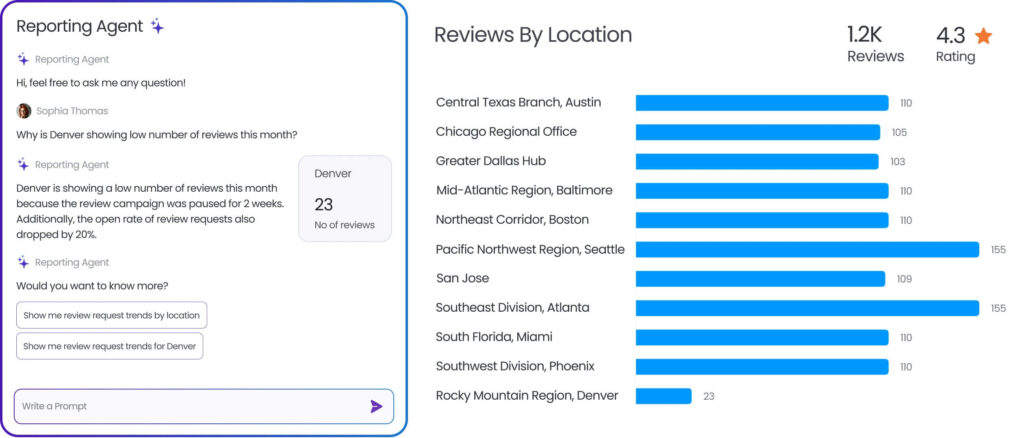
- Review Reporting Agent that surfaces trends, flags issues, and delivers location-level performance insights
- Monitoring across 200+ review sites from a single dashboard
- Competitive benchmarking to track and compare competitor reputation across all locations
- AI Review Widgets to showcase top reviews on your website
- Local Listings Analytics with real-time reports on traffic, call volume, and keyword rankings
insights
Pros
- Purpose-built for multi-location and enterprise use cases
- Combines listings management and review management in one unified platform
- AI agents help reduce manual work across thousands of locations
- Deep Google integration through a dedicated Google Partnership
- Strong governance and visibility for both central and local teams
- Integrates with 3,000+ apps for seamless tech stack connectivity
Cons
- Certain niche integrations may require custom implementation, though APIs and existing connectors usually help bridge those gaps.
- Given the platform’s broad feature set, teams may need time to fully adopt and operationalize it across multiple locations.
Pricing: Custom pricing for enterprise. Request a demo to get a personalized quote.
G2 Rating: 4.7/5 (based on 4000+ reviews)
2. Yext
Best for: Businesses looking for centralized listing management across directories

locations
Description
Yext is one of the most established Google My Business management software platforms for brands managing digital presence. It enables businesses to sync accurate information from a centralized content management system across hundreds of directories, with robust integrations with Google, Bing, Apple, and more.
Key Features
- Review monitoring, generation, and response from a single dashboard
- AI-powered search and local pages for enhanced brand visibility
- Pre-planned and location-specific content scheduling
- Analytics and competitive benchmarking
Pros
- Effective at centralizing multiple listings into one platform, eliminating the need for multiple vendors
- Pre-planned content scheduling across locations is a standout feature for teams
- Strong direct integrations with Google and other major directories ensure listing accuracy
Cons
- Steep learning curve and technical complexity during initial setup and integration
- Customer support response times can be slow, with tickets sometimes open for extended periods
- Pricing feels excessive for smaller businesses that do not need the full enterprise feature set
Pricing: From $199/year (SMB) and custom pricing
G2 Rating: 4.4/5 (based on 1,120+ reviews)
3. Semrush Local
Best for: Digital‑first businesses and agencies
search.
Description
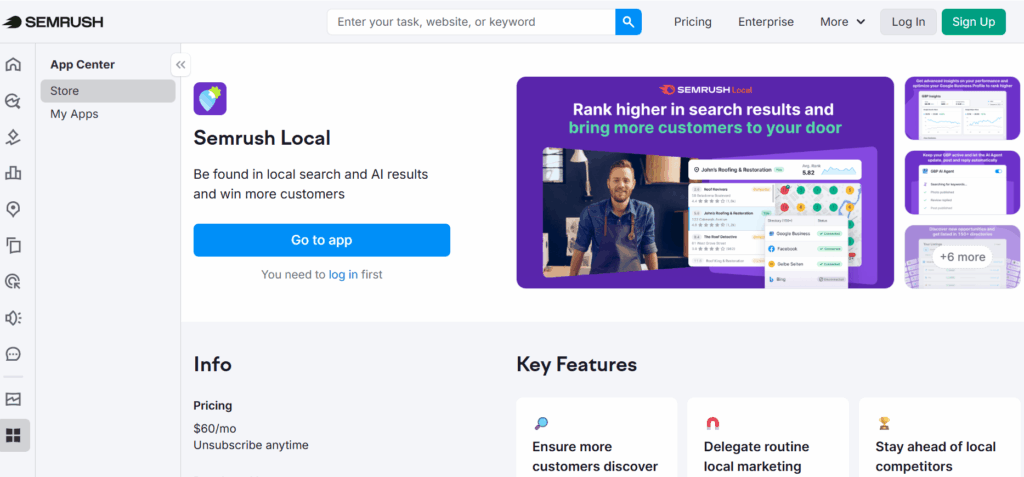
Semrush Local is a powerful seo tool for Google My Business that combines local listing management with Semrush’s broader SEO intelligence. It is well-suited for businesses and agencies that want local visibility alongside keyword research, competitor analysis, and site auditing in one platform.
Key Features
- Local listing management and distribution across major directories
- Google Business Profile optimization and post management
- Local keyword research and rank tracking
- Competitor local SEO analysis
Pros
- Combines local SEO with broader SEO tools in one platform, reducing the need for multiple subscriptions
- Keyword tracking and competitor comparison are consistently praised as among the best in the category
- AI tracker and integrations are easy to implement within existing workflows
Cons
- Expensive for small businesses and independent consultants who do not use the full feature set
- The interface can feel overwhelming for users without a strong SEO background
- Free plan has significant limitations, requiring upgrades to access essential features
Pricing: From $30/month per location (Local Base); broader Semrush subscription from $139.95/month
G2 Rating: 4.5/5 (based on 3,300+ reviews)
Optimize your local ranking on Google with Birdeye
Want to see the impact of Birdeye on your business? Watch the Free Demo Now.
4. Moz Local
Best for: SMBs looking for simple listing management
Description
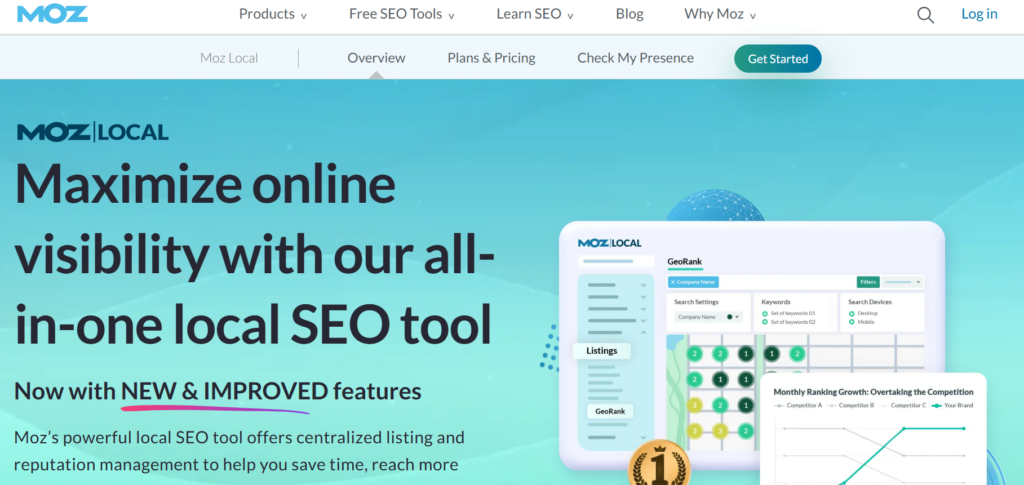
Moz Local is a straightforward Google Business Profile management tool built primarily for small and medium businesses. It focuses on keeping NAP data consistent across directories, monitoring reviews, and flagging listing inconsistencies, making it a reliable entry-level option for businesses new to local SEO.
Key Features
- Automated listing distribution and NAP consistency checks
- Review monitoring and alert notifications
- Google Business Profile management integration
- Duplicate listing detection
- Local search performance reporting
Pros
- Easy to use with a clean interface that suits non-technical users
- Affordable pricing makes it accessible for small businesses and agencies managing client portfolios
- Responsive support team that helps users through onboarding and issues
Cons
- Listing updates can take days or weeks to reflect across directories
- Customization options are more limited compared to enterprise-grade alternatives
- Not ideal for businesses outside the US, where directory coverage can be sparse
Pricing: From $14-33/month/location per location
G2 Rating: 4.2/5 (based on 470+ reviews)
5. Synup
Best for: Growing brands and agencies
Description
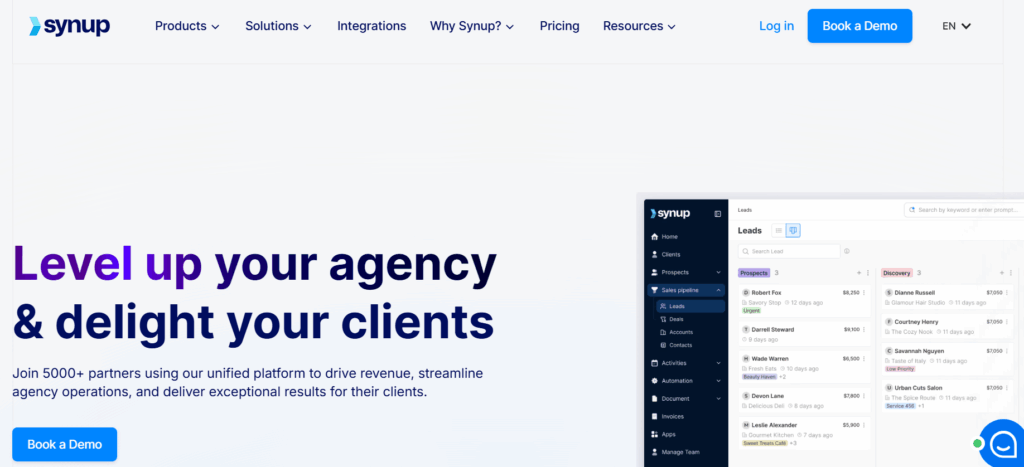
Synup is a Google My Business management tool built for agencies and growing businesses. It combines listings management, review monitoring, social media posting, and AI-powered response tools in one easy-to-use platform, making it a strong mid-market option for teams that want to consolidate their local marketing stack.
Key Features
- Real-time listing sync across major directories and platforms
- AI-powered review response and sentiment analysis
- Automated review generation campaigns
- Social media scheduling and GBP post management
- Local search performance analytics and reporting
Pros
- Intuitive platform that is easy to navigate, even for new team members
- Centralizes listings, reviews, and social into one dashboard, eliminating the need to juggle multiple tools
- Consistently praised for responsive customer support and smooth onboarding
Cons
- Customer support response times can be slower during peak periods
- Reporting depth may not satisfy larger enterprises needing advanced analytics
- Some users note the platform can feel basic for businesses requiring highly customized workflows
Pricing: From $79/month plus approximately $35/location for listings
G2 Rating: 4.5/5 (based on 310+ reviews)
6. Uberall
Best for: Location-based businesses
Description
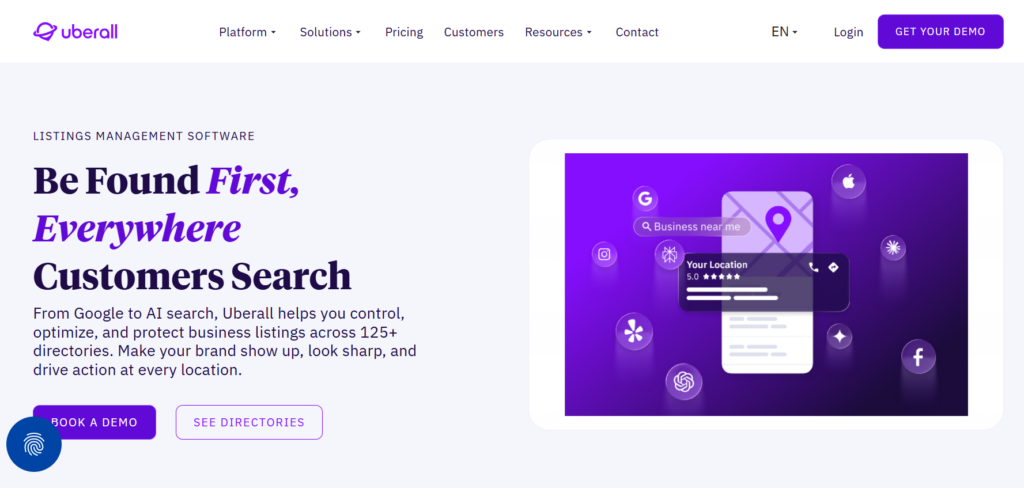
Uberall is a management tool that focuses on converting local search visibility into measurable revenue. It covers listing management, review management, local pages, and social media, all supported by analytics that connect digital presence to in-store performance.
Key Features
- Centralized listing management across 125+ directories
- Bulk update functionality for holiday hours, promotions, and business changes
- Local pages and store locator capabilities
- Analytics linking local search performance to foot traffic and revenue
Pros
- Easy-to-navigate interface that simplifies daily management tasks for location portfolios
- Bulk update feature is highly praised for saving time during business-wide changes
- Strong customer support and account management during setup and onboarding
Cons
- High pricing limits accessibility for mid-sized businesses
- Reporting tools lack flexibility, with limited region-level dashboard customization
- Occasional sync issues with certain profiles require manual refresh or support intervention
Pricing: Custom pricing
G2 Rating: 4.4/5 (based on 235+ reviews)
7. Planable
Best for: Marketing teams and agencies looking for GBP post planning and team collaboration
Description
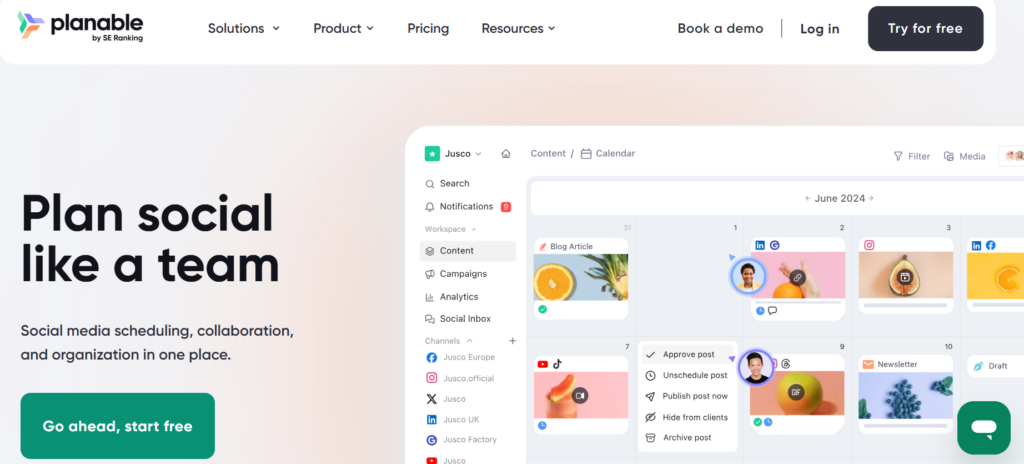
Planable is a content collaboration platform that supports Google Business Profile post scheduling alongside other social channels. It is best suited for marketing teams and agencies that need a visual, approval-based workflow for planning and publishing GBP content consistently across locations.
Key Features
- Visual content calendar with drag-and-drop scheduling
- Multi-platform publishing, including Google Business Profile
- Real-time collaboration with comments, suggestions, and approvals
- Content performance analytics and client-facing reports
Pros
- Highly intuitive interface that is easy for new team members to pick up quickly
- Approval workflow and collaboration features are consistently praised by agencies managing multiple clients
- Supports scheduling across GBP, Instagram, Facebook, LinkedIn, and TikTok from one place
Cons
- Focused primarily on content planning; lacks deeper GBP management features like review monitoring or listing optimization
- Analytics and reporting features are more limited compared to dedicated google my business seo tools
- Advanced analytics require a paid add-on, which some users find frustrating
Pricing: Free plan available; paid plans from $33/month
G2 Rating: 4.6/5 (based on 1,044+ reviews)
8. Podium
Best for: Local small and mid-sized businesses
Description
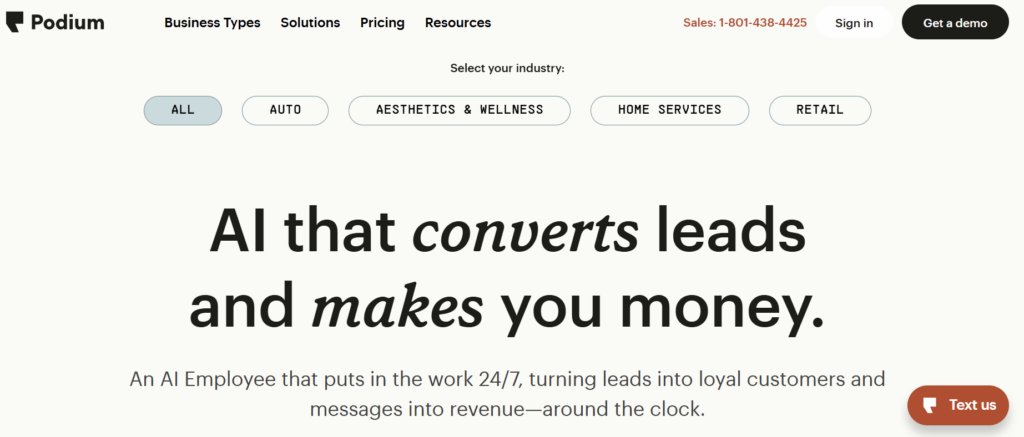
Podium is a customer communication and reputation management platform that centralizes text messaging, reviews, and customer feedback in one inbox. It is particularly popular with small and mid-sized businesses that rely heavily on SMS-based customer interactions alongside Google review management.
For a deeper side-by-side look, see our Birdeye vs. Podium comparison.
Key Features
- Unified inbox for SMS, reviews, and customer messages
- Automated review request campaigns via text
- AI-powered response suggestions for reviews and messages
- Webchat and payment collection integrations
- Reporting on review volume, response rates, and messaging activity
Pros
- Extremely easy to set up, with minimal training required for teams
- Centralizes customer communication and review management into one streamlined platform
- Automation for review requests ensures consistent follow-ups without manual effort
Cons
- Pricing is opaque and has been noted to change without clear communication to existing customers
- Advanced customization for automated message timing and templates is limited
- Some features can feel expensive relative to value for smaller businesses
Pricing: From approximately $249 to $399/month; multi-location setups are typically higher
G2 Rating: 4.6/5 (based on 2,095+ reviews)
9. Reputation
Best for: Business reputation management
Description
Reputation.com is a Google My Business management software that connects online reputation data to operational performance. It is built for organizations managing hundreds of locations, offering deep sentiment analysis, competitive benchmarking, and location-level reporting at scale.
Key Features
- Centralized review monitoring across 100+ review sites
- AI-powered sentiment analysis and location-level insights
- Google Business Profile management and listing optimization
- Integration with CRM and operational systems
Pros
- Powerful sentiment analysis tools surface trends across location portfolios
- Integrations connect reputation data to broader business intelligence systems
- Competitive benchmarking gives brands clear visibility into how they compare in local markets
Cons
- Pricing is custom and typically accessible only to larger enterprise budgets
- The platform can have a steeper learning curve for teams new to enterprise reputation tools
- Some users find the interface less intuitive compared to newer platforms in the category
Pricing: Custom pricing
G2 Rating: 4.6/5 (based on 2468+ reviews)
10. Chatmeter
Best for: Mid-sized and brands
Description
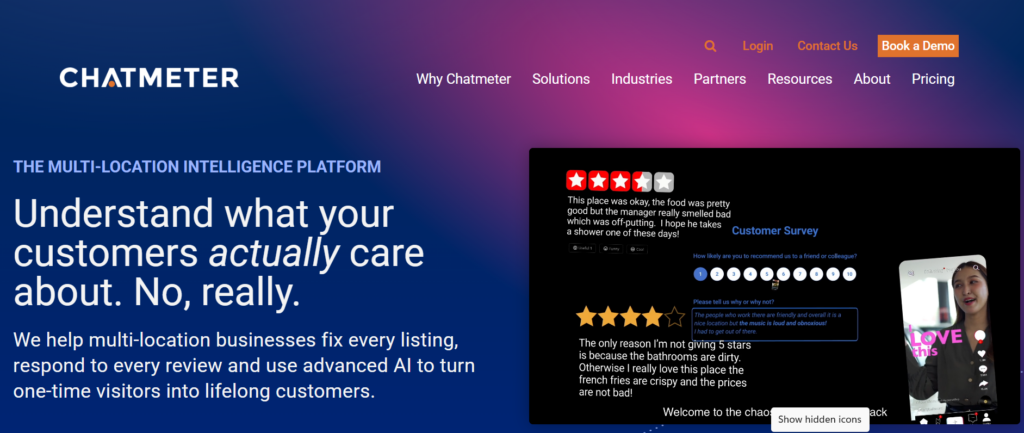
Chatmeter is a brand intelligence platform that combines local SEO, reputation management, and social media monitoring for businesses. Its Pulse AI sentiment tool and location-level analytics make it a strong choice for brands that prioritize data-driven local marketing decisions.
Key Features
- Listing management and GBP optimization across locations
- Pulse AI sentiment analysis for real-time review trend detection
- Review monitoring and response management
- Social media monitoring and posting across channels
Pros
- All-in-one platform covering reviews, social, listings, and sentiment in a single dashboard
- User-friendly interface that is easy to navigate for day-to-day reputation management tasks
- Weekly webinars and customer success resources are consistently praised for keeping users informed
Cons
- Pricing is not published publicly, which makes initial evaluation difficult
- AI sentiment tool does not allow manual modification of sentiment tags, limiting customization
- Some users report that support quality has declined over time as the platform has scaled
Pricing: Custom pricing
G2 Rating: 4.5/5 (based on 119+ reviews)
11. Whitespark
Best for: SEO-focused small and mid-sized businesses and agencies
widgets
Description
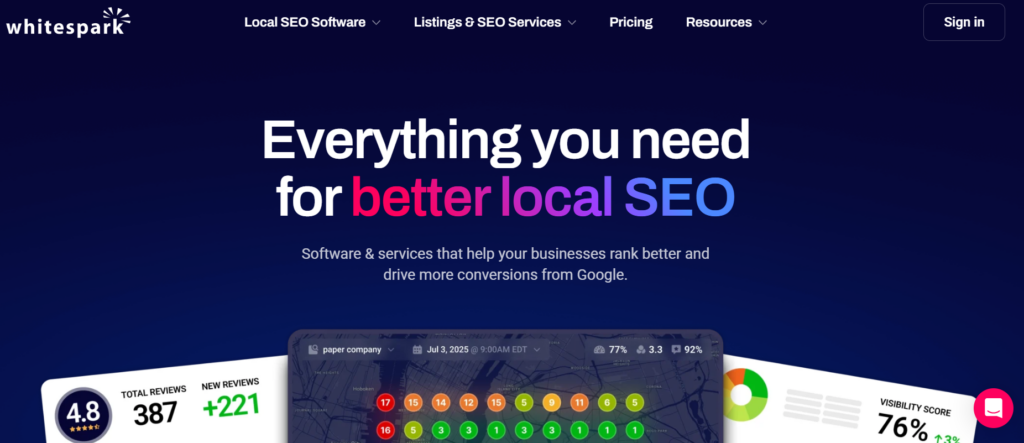
Whitespark is a specialist local SEO and citation management tool trusted by SEO practitioners and agencies. Rather than a full Google My Business management software suite, it focuses on finding citation opportunities, tracking local rankings, and auditing competitor citations to build a stronger local search foundation.
Key Features
- Local Citation Finder to identify and build citation sources
- Local Rank Tracker for monitoring Google Search, Maps, and Local Pack rankings
- Reputation Builder for review generation and monitoring
- Managed citation building services
Pros
- Flexible modular pricing means businesses only pay for the tools they actually need
- Citation discovery and competitor analysis tools are regarded as best-in-class by local SEO practitioners
- Automatic weekly reports make it easy to track progress and share results with clients
Cons
- Less intuitive interface compared to newer SaaS platforms in the category
- AI and broader marketing automation capabilities are limited compared to full-suite competitors
- Best suited for SEO-focused users; less useful as a standalone Google Business Profile management tool for non-technical teams
Pricing: Software plans from approximately $10/month; managed services are significantly higher
G2 Rating: 4.6/5 (based on 20+ reviews)
12. Vendasta
Best for: Agencies reselling local marketing
fulfillment.
Description
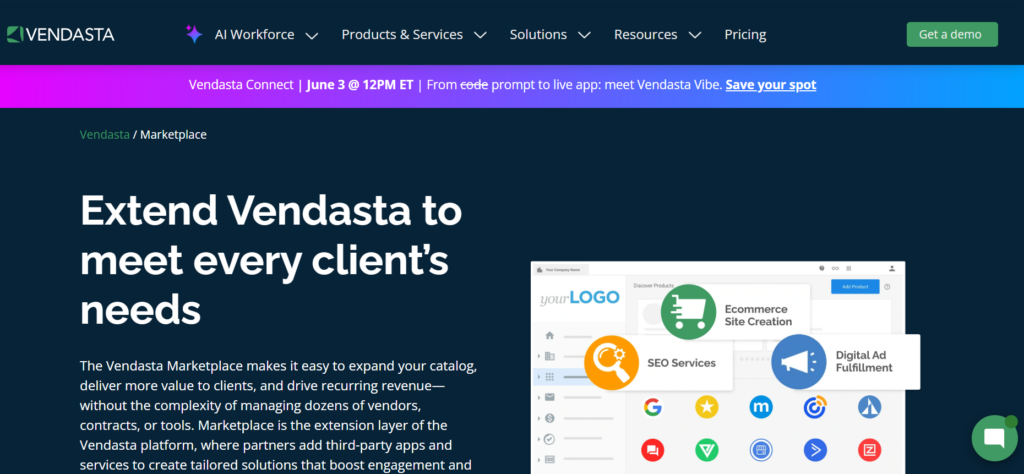
Vendasta is a white-label platform built for agencies, media companies, and B2B sellers that want to offer local marketing services to SMB clients. It includes a marketplace of 250+ resellable products, a CRM, reputation management, and local SEO tools, making it one of the most comprehensive platforms for delivering agency-side Google My Business management tools.
Key Features
- White-label dashboard for delivering services under your own brand
- Reputation management and review monitoring across major platforms
- Local listing management and GBP optimization
- CRM, sales pipeline, and marketing automation tools
Pros
- Highly flexible platform with a wide range of integrations that adapt to various agency needs
- Excellent customer support and dedicated partner development managers praised across reviews
- Allows agencies to package and resell products easily, creating new revenue streams
Cons
- Platform can experience performance and loading issues that delay work and affect client delivery
- Steep learning curve due to the breadth of features and frequent platform updates
- High pricing relative to what smaller agencies actually use from the full platform
Pricing: From $99/month
G2 Rating: 4.5/5 (based on 524+ reviews)
13. Google Business Profile
Best for: Any local business of any size that needs a free Google baseline presence

Description
Google Business Profile (formerly Google My Business, or GMB) is Google’s own free tool for managing how your business appears on Google Search and Maps. While it lacks the automation, and analytics depth of dedicated Google Business Profile management tools, it is the essential foundation every local business must have in place.
Key Features
- Business information management, including hours, address, and contact details
- Photo and video uploads
- Google Posts for updates, offers, and events
- Performance insights, including search queries, views, and customer actions
- Q&A management and product/service listings
Pros
- Completely free with no subscription or per-location fees
- Direct integration with Google Search and Maps helps updates appear faster
- Essential baseline tool for managing business visibility, reviews, and local presence on Google
Cons
- No multi-location bulk management; each profile must be managed individually
- Limited analytics compared to third-party google my business seo tools
- No automation, AI capabilities, or cross-platform listing management
Pricing: Free
G2 Rating: 4.6/5 (based on 390+ reviews)
14. ReviewTrackers
Best for: Small to mid-sized businesses focused on review management
Description
ReviewTrackers is a review management and customer feedback platform trusted by over 175,000 business locations. It consolidates reviews from 100+ sites, including Google, into one dashboard, making it a practical Google My Business management tool. Can be a choice for small businesses and growing brands.
Key Features
- Review monitoring and aggregation across 100+ review sites, including Google
- Automated review request campaigns via email and SMS
- Sentiment analysis and trend tracking across locations
- Competitor review benchmarking
- CRM and marketing platform integrations
- Mobile app for managing reviews on the go
Pros
- Centralizes all online reviews into one place, eliminating the need to log into multiple platforms daily
- Mobile app makes it easy to monitor and respond to reviews consistently without being desk-bound
- Free trial available, making it accessible to evaluate before committing to a paid plan
Cons
- Review notifications can be erratic, with some users reporting inconsistent alert delivery
- Review source coverage could be broader, with limited webcrawling of niche or industry-specific platforms
- Support is limited to ticketing only, with no phone option available for urgent issues
Pricing: From $89/month per location
G2 Rating: 4.6/5 (based on 160+ reviews)
15. GatherUp
Best for: Review generation for SMBs and agencies
Description
GatherUp is a review-generation and reputation-management platform built for small businesses and agencies. It focuses on automating the customer feedback loop, collecting first-party feedback, generating third-party reviews, and surfacing actionable insights. It makes GatherUp a focused alternative to broader Google My Business management software platforms.
Key Features
- Automated review request campaigns via SMS and email
- First-party feedback collection and NPS surveys
- Review widgets for embedding reviews on your website
- Dashboard for agencies managing multiple clients
Pros
- Effortless to set up, manage, and deploy across client accounts, with highly praised onboarding
- Excellent for agencies looking to offer review management as a productized service
- Captures private feedback before it becomes a public reputation issue
Cons
- User interface feels dated and less intuitive compared to newer platforms
- Reporting tools are basic, lacking the advanced analytics that larger businesses require
- Customer support responsiveness has declined, according to recent reviews from long-term users
Pricing: From $99/monthG2 Rating: 4.5/5 (based on 48+ reviews)
FAQs about Google My Business tools
Yes. Google rebranded Google My Business (GMB) to Google Business Profile (GBP) in 2021. The underlying platform is the same, controlling how your business appears on Google Search and Maps. Most Google My Business tools and Google Business Profile management tools fall into the same software category, regardless of the name used.
Yes, but not efficiently through Google’s native interface. Managing multiple locations directly through Google requires updating each profile individually, which becomes unmanageable at scale. Dedicated Google My Business management software like Birdeye, Yext, or Uberall lets you manage all locations from a single dashboard, push bulk updates, and monitor performance across your entire portfolio simultaneously.
Yes, directly. A good SEO tool for Google My Business helps you optimize profile completeness, identify local keywords, and track rankings in Google Search and Maps. Google’s local ranking algorithm factors in relevance, distance, and prominence, all three of which are influenced by how well your profile is maintained and optimized.
Your listings do not disappear, but they stop being actively managed. Over time, profiles fall out of sync, NAP inconsistencies creep in, and reviews go unanswered. For multi-location businesses, the compounding effect of unmanaged listings leads to measurable drops in local search visibility and customer trust.
AI is shifting GBP management from reactive to autonomous. Rather than manually updating profiles or responding to reviews, AI-powered Google Business Profile management tools now use agents that continuously monitor profiles, generate on-brand responses, and execute updates within predefined guardrails. Platforms like Birdeye Listings AI are built entirely around this agentic model, reducing manual intervention at scale.
Google Business Profile itself is free and gives you direct control over your listing on Google Search and Maps. However, it lacks automation, multi-location management, and depth in analytics. Free trials offered by platforms like Birdeye, Semrush Local, Synup, and ReviewTrackers are a good way to evaluate paid options before committing.
A listing management tool keeps business information accurate across directories, while a reputation management tool focuses on reviews, customer sentiment, and brand perception. Many modern Google My Business tools combine both, but the depth of each capability varies. If one matters more to your business, evaluate how well each platform supports it before deciding.
The right tool changes everything
The right Google My Business management tool depends on where your business is today and how fast you need to scale. There are solid options in this list for every budget and business size, and the comparison table above is a good place to start narrowing down your choices.
That said, for multi-location brands, basic listing updates are not enough. Birdeye Listings AI and Reviews AI is built for exactly that scale. AI agents handle your listings, reputation, and insights automatically. Your team focuses on decisions, not data chasing. It is the only Google My Business management software that combines listings and reputation into one full-cycle platform.
Making it the most complete Google Business Profile management tool for enterprise brands. See it in action. Request a free Birdeye demo today.

About the Author

Avtar Madan
Avtar Madan
Originally published