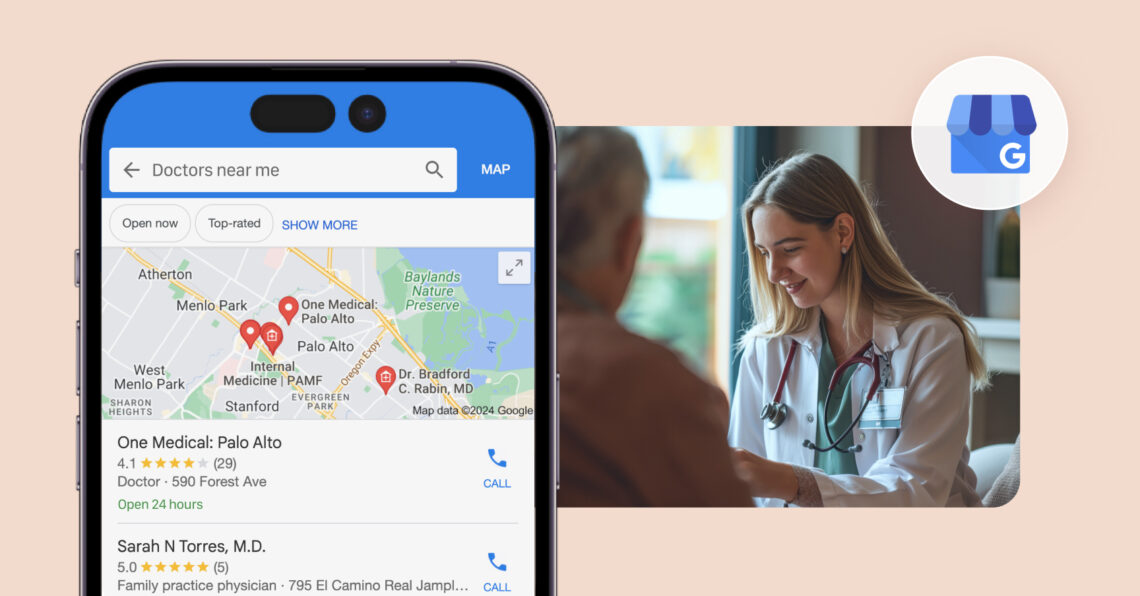
Google My Business for doctors (now called Google Business Profile) is your digital front desk on Google Search and Maps, helping patients find your practice, understand your services, and book appointments.
Summary
An online presence is as essential to a medical practice as a stethoscope. While your front desk welcomes patients in person, Google My Business for doctors helps them discover you online, verify details, and decide if they trust you. A strong profile improves local search visibility for “doctors near me,” builds credibility with accurate information and reviews, and supports patient engagement through updates, Q&A, and review responses. It can also make booking easier, highlight accessibility features, and share urgent updates when needed. Birdeye helps healthcare teams keep listings accurate and manage reviews consistently across locations, so your profile stays trusted and up to date.
This blog covers why Google My Business for doctors matters for visibility, trust, and patient conversion. It also walks through how to set up and optimize your profile so patients can find and choose your practice faster.
Table of contents
- Why doctors need a Google Business Profile
- How to set up Google Business Profile for doctors
- What are the Google Business Profile categories for doctors
- What are the best practices for healthcare practices?
- How Birdeye helps doctors and multi-location healthcare brands
- FAQs about Google Business Profile for doctors
- Strengthen discovery and patient trust through GBP
What is Google Business Profile (GBP)?

Google Business Profile is a free tool for businesses to manage their online presence across Google's services, including Search and Maps. For doctors and medical practices, GBP serves as a virtual storefront, providing potential patients with essential information about their practice at a glance.
Why doctors need a Google Business Profile
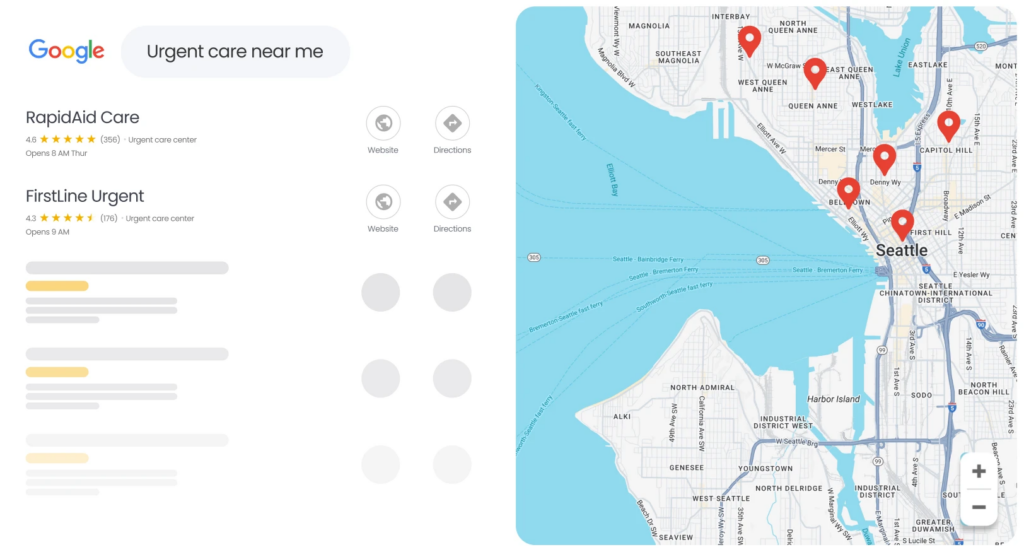
Most patients looking for a healthcare provider never start with a doctor’s website. Instead, they search terms like “pediatrician near me,” “dentist near me,” or “dermatologist open now” and choose from the top local results displayed on Google Search and Maps.
A Google Business Profile (GBP) helps doctors appear in these high-visibility search results, making it one of the most important tools for attracting new patients and managing an online presence.
Here are the key reasons every doctor should have a claimed and optimized Google Business Profile:
Improve visibility in local search results
Patients searching for healthcare services often have an immediate intent to schedule an appointment. A Google Business Profile increases your chances of appearing in Google’s Local Pack and Google Maps results when patients search for providers in your area.
Without a verified profile, your practice may miss opportunities to connect with patients actively looking for care nearby.
Additionally, many Google searches are now “zero-click” searches, where users find information such as phone numbers, addresses, office hours, and directions directly from search results without visiting a website. Your Google Business Profile ensures this information is accurate and readily available.
Build trust through patient reviews
Online reviews play a major role in healthcare decisions. Before booking an appointment, many patients compare providers based on ratings and patient feedback.
A Google Business Profile serves as the primary destination for collecting and showcasing reviews, helping practices:
- Build credibility with prospective patients
- Highlight positive patient experiences
- Demonstrate responsiveness through professional review management
- Strengthen their online reputation over time
Consistently earning and responding to reviews can significantly influence a patient’s decision to choose your practice.
Make it easier for patients to book appointments
A Google Business Profile reduces the steps between discovery and scheduling.
Patients can quickly:
- Call your office
- Visit your website
- Get directions
- Access appointment booking links directly from your profile
When integrated with scheduling platforms, patients can often book appointments without leaving Google, creating a more convenient experience and increasing conversion rates.
Strengthen your presence in AI-powered search experiences
Google increasingly uses AI-generated search results to answer healthcare-related queries. These AI-powered experiences rely heavily on trusted and structured business information.
An optimized Google Business Profile provides Google with accurate details about your practice, including:
- Specialty and services
- Location information
- Business hours
- Reviews and ratings
- Contact details
This helps improve your chances of appearing in both traditional local search results and emerging AI-driven search experiences.
Support both practice and physician visibility
Google allows healthcare organizations to create separate profiles for medical practices and individual practitioners.
This gives doctors an opportunity to:
- Build visibility for the overall practice
- Showcase individual physicians and specialties
- Collect provider-specific reviews
- Appear in searches for specific doctors or subspecialties
For example, a patient searching for an orthopedic hand surgeon may find an individual physician profile, while someone searching for an orthopedic clinic may discover the practice profile.
Maintain accurate information across Google
Even if you never create a Google Business Profile, Google may automatically generate a listing using information collected from various online sources.
Claiming your profile allows you to control critical details such as:
- Practice name
- Phone number
- Address
- Office hours
- Website URL
- Services offered
This reduces the risk of outdated or incorrect information being displayed to patients and helps ensure a consistent patient experience across Google Search and Maps.
How to set up Google Business Profile for doctors
A complete Google Business Profile helps patients find your practice, learn about your services, and contact your office with confidence.
Follow these steps to create an accurate profile that supports local visibility and patient acquisition.
1. Create or claim your listing
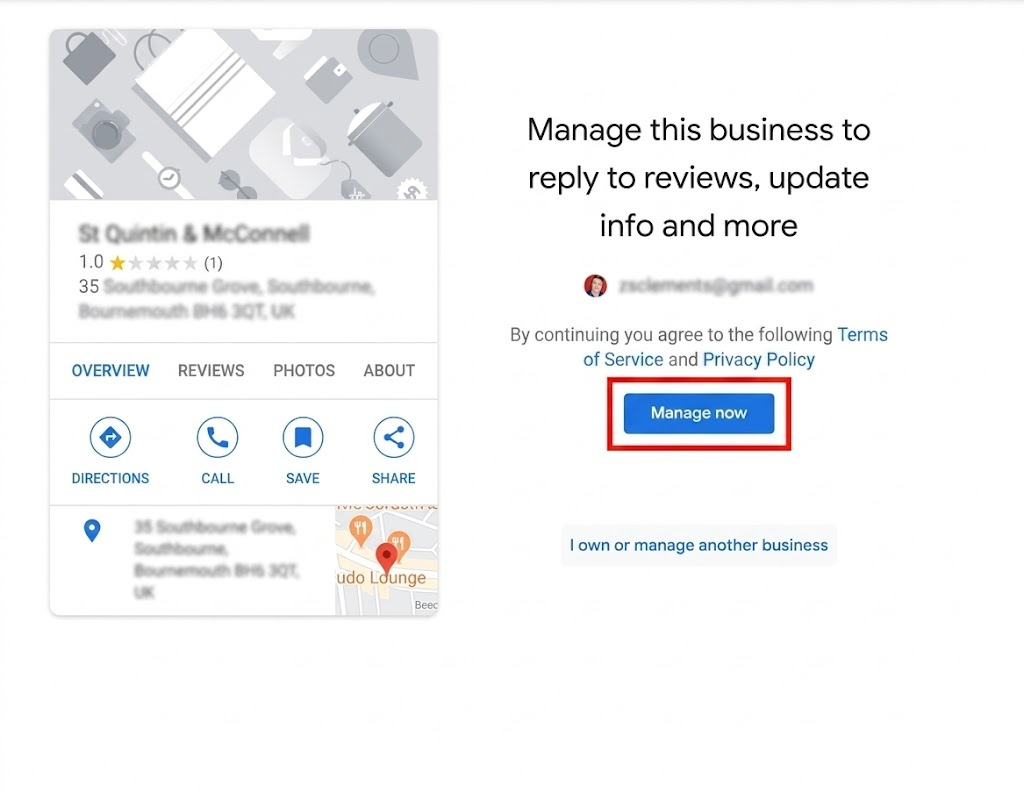
Start by signing in to your Google account and searching for your practice on Google Business Profile. If a listing already exists, claim ownership. If not, create a new profile and enter your business details.
2. Verify your business
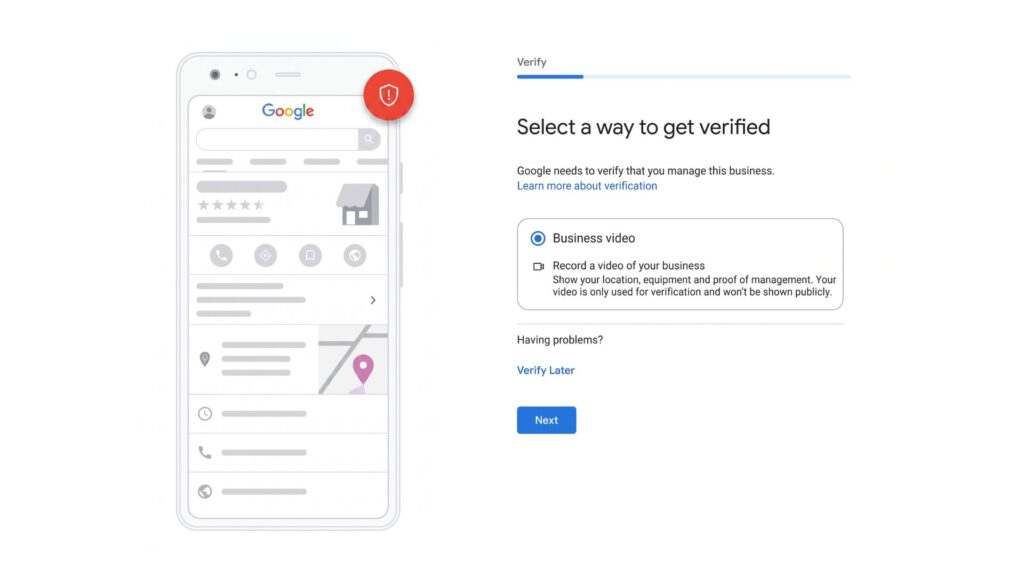
Google requires verification before you can fully manage your profile. Depending on your practice and location, verification options may include video, phone, email, or postcard verification. Complete this step as soon as possible to access all profile features.
3. Choose the right primary category
Select the GBP category that most accurately describes your practice. For example, a family physician should choose “Family Practice Physician,” while a dentist should select “Dentist.” The right category helps Google show your practice for relevant local searches.
4. Complete your profile information
Fill out every available section of your profile, including:
- Practice name
- Address
- Phone number
- Website URL
- Business hours
- Services and specialties
- Accessibility attributes
- Patient-friendly business description
Make sure your name, address, and phone number (NAP) are consistent across your website and online directories.
5. Add high-quality photos
Photos help patients feel more comfortable before their visit to your office. Upload clear, professional images of:
- The building exterior
- Reception and waiting areas
- Treatment rooms
- Healthcare providers and staff
- Equipment and facilities
Use authentic photos rather than stock images whenever possible.
6. Add services, specialties, and appointment information
Help patients understand exactly what your practice offers by completing all relevant service fields. Include specialties, treatments, accepted insurance plans where applicable, and appointment details. A complete profile makes it easier for patients to determine whether your practice meets their needs.
7. Add appointment booking links
Make scheduling as simple as possible by adding appointment booking links directly to your profile. If you use online scheduling software, connect patients to the correct booking page. Also, verify that your phone number, website, and contact information are accurate and up to date.
8. Publish Google Posts regularly
Google Posts allow you to share timely updates directly on your profile. Consider posting:
- Weekly health tips
- Preventive care reminders
- Seasonal health information
- New services or treatments
- Provider announcements
- Practice updates and events
Regular posting keeps your profile active and provides useful information for prospective patients.
9. Build a HIPAA-compliant review request workflow
Create a consistent process for requesting patient reviews after appointments. Review requests should be voluntary, easy to complete, and compliant with HIPAA regulations. When responding to reviews, never confirm a patient relationship or disclose protected health information.
10. Monitor Performance Insights and optimize your profile
Review your Google Business Profile performance data regularly to understand how patients interact with your listing. Track metrics such as:
- Phone call clicks
- Website visits
- Direction requests
- Appointment bookings
- Search visibility
Use these insights to identify opportunities for improvement and keep your profile aligned with patient needs.
Setting up your Google Business Profile correctly helps patients find accurate information and connect with your practice more easily. Regular updates, complete profile details, and ongoing monitoring can improve visibility and support practice growth.
What are the Google Business Profile categories for doctors
Choosing the right Google Business Profile category is one of the most important local SEO decisions for healthcare providers. Your primary category helps Google understand your specialty and determines which searches your practice can appear for in Google Search and Google Maps.
Always choose the category that best matches your core service. If your practice offers multiple specialties, use additional categories to represent secondary services without diluting your primary focus.
| Google Business Profile category | When to choose it |
| Family Practice Physician | For primary care practices that treat patients of all ages. |
| General Practitioner | For physicians providing broad, non-specialized medical care. |
| Internal Medicine Physician | For practices focused on adult medicine and chronic disease management. |
| Pediatrician | For doctors who specialize in children’s healthcare. |
| Geriatrician | For physicians serving older adults and senior health needs. |
| Obstetrician-Gynecologist (OB-GYN) | For practices providing women’s health, pregnancy, and reproductive care. |
| Fertility Physician | For clinics specializing in fertility treatments and reproductive medicine. |
| Endocrinologist | For specialists treating hormone-related conditions such as diabetes and thyroid disorders. |
| Cardiologist | For heart and cardiovascular care practices. |
| Gastroenterologist | For digestive system and gastrointestinal specialists. |
| Pulmonologist | For practices treating lung and respiratory conditions. |
| Nephrologist | For kidney care specialists. |
| Neurologist | For physicians treating brain, spine, and nervous system disorders. |
| Rheumatologist | For specialists treating arthritis and autoimmune conditions. |
| Oncologist | For cancer diagnosis and treatment providers. |
| Hematologist | For specialists treating blood disorders and diseases. |
| Dermatologist | For skin, hair, and nail care practices. |
| Allergist | For physicians specializing in allergy and immunology treatments. |
| Otolaryngologist | For ear, nose, and throat (ENT) specialists. |
| Ophthalmologist | For medical and surgical eye care providers. |
| Optometrist | For vision exams, corrective lenses, and routine eye care. |
| Orthopedic Surgeon | For practices focused on bones, joints, muscles, and sports injuries. |
| Sports Medicine Physician | For physicians treating athletic injuries and performance-related conditions. |
| Pain Management Physician | For specialists helping patients manage chronic pain conditions. |
| Psychiatrist | For medical doctors providing mental health diagnosis and treatment. |
| Psychologist | For behavioral health and counseling practices. |
| Plastic Surgeon | For cosmetic and reconstructive surgical services. |
| Urologist | For specialists treating urinary tract and male reproductive conditions. |
| Dentist | For general dental practices. |
| Oral Surgeon | For dental surgery, extractions, implants, and related procedures. |
How to choose the best category
A good rule of thumb is to select the category that reflects the service generating the majority of your appointments. For example:
- A pediatric clinic should choose a pediatrician, not a family practice Physician.
- A cardiology group should choose a cardiologist, even if it also offers general wellness services.
- A dental office should choose a dentist rather than a broader healthcare category.
The more accurately your primary category matches your core service, the more likely your Google Business Profile is to appear in relevant local search results.
Google Business Profile for Doctors: 2026 Setup Guide
Want to see the impact of Birdeye on your business? Watch the Free Demo Now.
What are the best practices for healthcare practices?
Healthcare organizations face stricter compliance requirements and higher trust expectations than most local businesses. These Google Business Profile best practices help healthcare providers improve visibility, build credibility, and create a better patient experience.
Here are the best practices for healthcare practices:
Showcase credentials, board certifications, and specializations
Healthcare decisions often depend on trust and expertise. Highlight physician credentials, board certifications, fellowships, and specialties throughout your Google Business Profile to help patients evaluate providers and understand your areas of expertise before scheduling an appointment.
Use plain-English service language
Patients search differently from healthcare professionals. Instead of relying solely on clinical terminology, describe services using language patients actually use, such as “heart disease treatment,” “back pain care,” or “ear, nose, and throat care.” This approach helps your profile align with patient search behavior and improves relevance for local healthcare searches.
Treat the profile as a living asset, not a one-time setup
Your Google Business Profile should evolve alongside your practice. Regularly update services, provider information, office hours, photos, appointment links, reviews, and Google Posts to keep your profile accurate and useful for prospective patients.
Multi-doctor offices
Google allows healthcare organizations to maintain a practice listing alongside separate practitioner listings for eligible providers. This structure helps patients find both the healthcare organization and individual physicians while giving each provider an opportunity to appear in specialty-specific searches.
Multi-location healthcare brands
Large healthcare organizations should establish clear governance for Google Business Profiles across all locations. Standardized categories, naming conventions, profile ownership, approval workflows, and bulk management processes help maintain consistency and prevent conflicting business information across the organization.
The most successful healthcare practices treat Google Business Profile management as an ongoing patient acquisition strategy rather than a directory listing. Accurate information, physician expertise, and consistent profile management help patients find, evaluate, and choose your practice.
What are the common Google Business Profile mistakes doctors make (and how to avoid them)

Choose the wrong primary category and lose visibility in relevant local searches.

Share clinical advice in review responses, creating HIPAA compliance risks.

Miss holiday or special-hour updates and frustrate patients.

Use stock photos instead of real practice images, which reduces patient trust.

Ignore Google's suggested edits and risk inaccurate business information.

Leave negative reviews unanswered, and they will damage your online reputation.

Create duplicate listings and confuse patients and search engines.

Use inconsistent NAP information and weaken local SEO performance.

Skip appointment booking links and lose potential patient conversions.

Treat your profile as a one-time setup and let information become outdated.
How Birdeye helps doctors and multi-location healthcare brands
Birdeye provides AI coworkers at every location for multi-location healthcare organizations. Instead of relying on disconnected tools and manual processes, healthcare brands can use Birdeye’s agents to consolidate data, reason with context, and act to improve visibility, reputation, patient engagement, and growth. As a HIPAA-compliant platform, Birdeye helps healthcare organizations with 100-10,000+ locations to deliver consistent patient experiences across every location.
Manage Google Business Profiles across every location
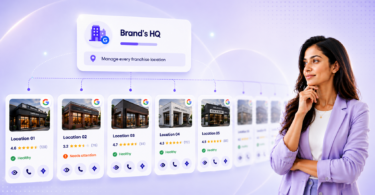
Jay, marketing AI coworker, employs the Listings Optimization Agent to monitor Google Business Profiles for missing information, duplicate listings, incorrect categories, and inconsistent clinic details. Healthcare organizations keep profile information accurate and complete across hundreds or thousands of locations without manual oversight.
Generate more patient reviews automatically
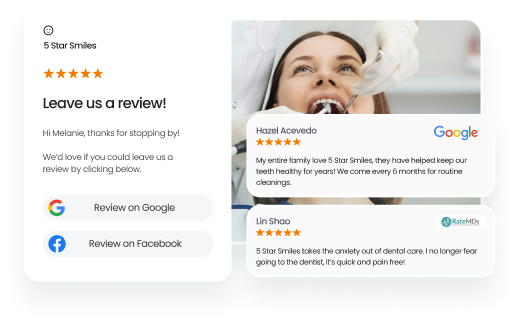
Review Generation Agent sends review requests through SMS or email after appointments. Healthcare organizations collect a steady stream of patient feedback and strengthen their online reputation without adding work for front-desk teams.
Respond to patient feedback with guided workflows
Review Response Agent generates professional responses that follow approved brand and communication guidelines. Teams can automate routine responses while routing sensitive patient feedback through review and approval processes when necessary.
Publish localized healthcare content across locations
Social Publishing Agent schedules and publishes Google Posts, clinic updates, health awareness campaigns, and location-specific content from a centralized dashboard. Healthcare organizations maintain active profiles and engage local audiences without managing each location separately.
Connect patient interactions with healthcare systems
Birdeye integrates with healthcare platforms such as Epic, Athenahealth, and eClinicalWorks to automate workflows in response to patient activity. Organizations connect appointments, feedback, and communications while maintaining consistent processes across locations.
Improve visibility in AI search results
Birdeye Search AI helps healthcare organizations understand how their locations appear in AI-generated answers across platforms such as ChatGPT, Gemini, and Perplexity. Teams can identify which clinics AI engines recommend, monitor visibility trends, and strengthen the listings, reviews, and content that influence AI search results.
Maintain compliance and brand governance
Birdeye enables healthcare organizations to set role-based permissions, establish approval workflows, and manage communications from a centralized platform. Teams maintain brand consistency, reduce operational risk, and support compliance requirements across all locations.
Track performance across clinics and regions
Reporting Agent monitors profile views, patient actions, review trends, and engagement metrics across every location. Healthcare leaders identify performance gaps, measure local marketing efforts, and make informed decisions using location-level insights.
By helping healthcare organizations manage listings, reviews, patient communications, AI search visibility, and reporting from a single platform, Birdeye improves local visibility, attracts more patients, and supports consistent experiences across all locations.
FAQs about Google Business Profile for doctors
Include your practice’s name, address, phone number, website, hours of operation, services offered, and a compelling description of your practice.
Use relevant keywords in your profile’s business name, description, and services. Encourage patients to leave reviews and respond to them promptly.
Indicate that you offer telehealth services in your GBP profile. You can also share information about your telehealth options using Google Posts.
Claim or create your Google Business Profile, verify ownership, complete your practice details, choose the correct category, add photos, and publish regular updates.
Patients primarily use Google Search and Google Maps to find doctors, while healthcare directories like Healthgrades, Zocdoc, and WebMD also surface provider information and reviews.
Strengthen discovery and patient trust through GBP
A strong Google Business Profile helps doctors attract patients, build trust, and stay visible in local search results. When optimized correctly, it becomes a key touchpoint for discovery, reviews, and appointment booking.
Birdeye helps healthcare organizations manage listings, reviews, patient communication, and AI search visibility from a single platform, ensuring consistent patient experiences across every location.
Watch a free Birdeye demo to see how healthcare teams improve visibility, reputation, and patient acquisition.

About the Author

Vanjana Sharma
Originally published