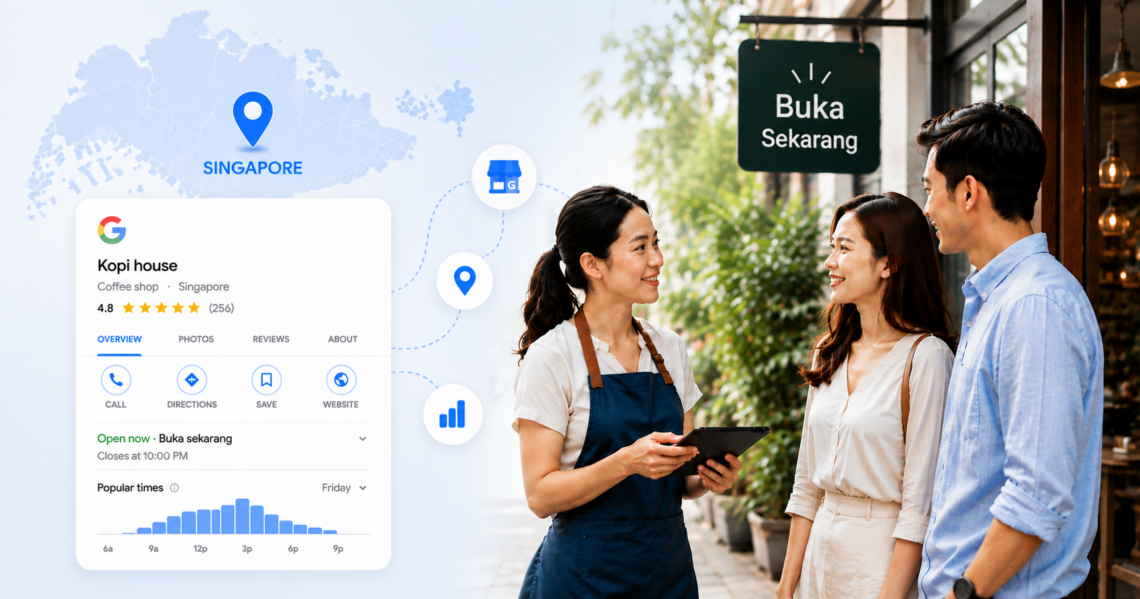
What is Google My Business Singapore? Google My Business Singapore refers to Google Business Profile, Google's free platform for managing how your business appears on Google Search and Google Maps. It's available to eligible businesses in Singapore and helps customers discover your business, contact you, read reviews and get directions.
Every day, people across Singapore search for businesses using phrases like “dentist near me”, “best café in Bugis” or “physio Orchard”. Before they visit your website, they usually compare the businesses that appear on Google Search and Maps. Your Google Business Profile often decides whether they call your business, request directions or choose a competitor instead.
That’s why creating a profile isn’t enough. To stay visible, your listing needs accurate information, fresh reviews, relevant categories and regular updates that signal your business is active and trustworthy.
This guide walks you through every stage of managing a Google Business Profile in Singapore. You’ll learn how to create and verify your listing, optimise it for local search, improve your visibility on Google Maps, manage reviews effectively, and scale profile management as your business expands to multiple locations.
Table of contents
- What is Google My Business (now Google Business Profile)?
- Why is Google Business Profile important for businesses in Singapore?
- How do you set up Google My Business in Singapore?
- How can you optimise your Google Business Profile to rank higher in Singapore?
- How do you manage Google Business Profiles across multiple locations in Singapore?
- What are the most common Google Business Profile mistakes in Singapore?
- FAQs about Google Business Profile in Singapore
- Manage your Singapore Google Business Profiles smartly with Birdeye
What is Google My Business (now Google Business Profile)?
Google My Business, now called Google Business Profile (GBP), is Google’s free business listing platform. It displays your contact details, location, opening hours, reviews, photos and other business information across Google Search and Google Maps. Keeping every detail accurate helps customers find and trust your business more easily.
The Google My Business to Google Business Profile rebrand explained
If you’ve searched for Google My Business Singapore, you’ve probably noticed another name appearing in Google’s documentation: Google Business Profile.
That’s because Google officially renamed Google My Business to Google Business Profile in 2021. The platform’s core features remain the same, but managing your business listing is now simpler and more integrated with Google Search and Google Maps.
You’ll still hear people use Google My Business, Google Business listing Singapore and Google Business Profile Singapore interchangeably. They all refer to the same business listing platform.
Who can create a Google Business Profile?
| Eligible | Not eligible |
| Retail stores | Online-only e-commerce stores |
| Restaurants | Rental or for-sale properties, such as vacant apartments or model homes |
| Dental clinics | Lead generation companies |
| Tuition centres | Businesses without customer interaction |
| Service-area businesses | Virtual offices without staffed locations |
In short, only businesses that interact with customers in person qualify, while online-only businesses are not eligible for Google Business Profile listings.
What appears when your business is listed on Google?
A complete Google Business Profile creates a business listing that can appear whenever customers search for your business or relevant local services.
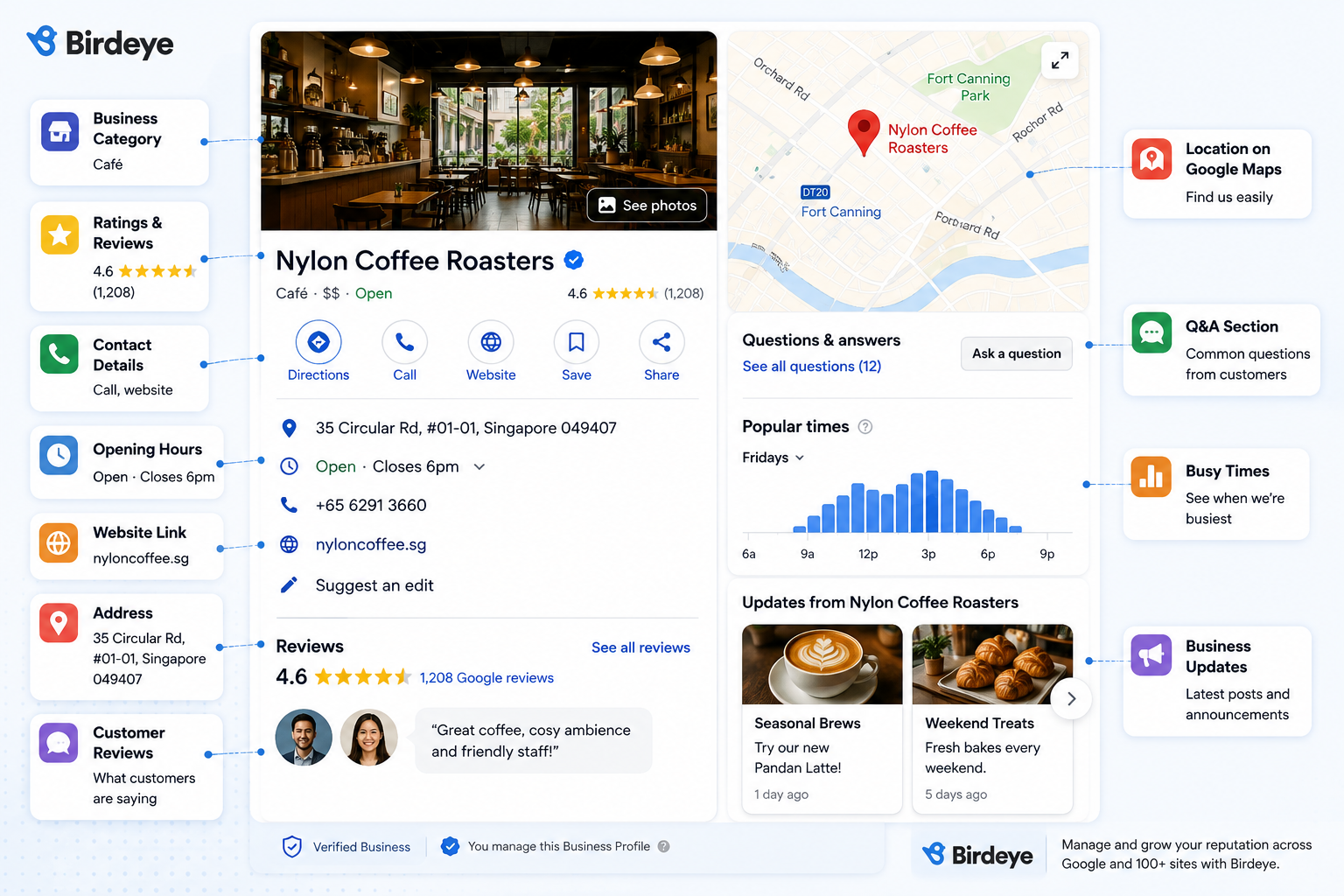
Your profile may include:
- Business name
- Business category
- Address or service area
- Phone number
- Website
- Opening hours
- Public holiday hours
- Customer reviews and ratings
- Photos and videos
- Products or services
- Directions through Google Maps
For many customers, this listing becomes their first impression of your business before they visit your website.
Who can create a Google Business Profile in Singapore?
Most Singapore businesses that interact with customers in person can create a Google Business Profile listing, especially if they operate a physical shop or have an in-person service presence, provided they meet Google’s eligibility requirements.
This includes:
- Retail shops
- Restaurants and cafés
- Medical and dental clinics
- Beauty salons
- Tuition centres
- Hotels
- Professional services
- Home service businesses
- Service-area businesses
- Businesses operating from commercial buildings or HDB shop units
Online-only businesses that do not meet customers in person are not eligible.
Businesses that serve customers at the customer’s location can hide their street address and define a service area instead. This works well for plumbers, electricians, cleaning companies and mobile service providers operating across Singapore.
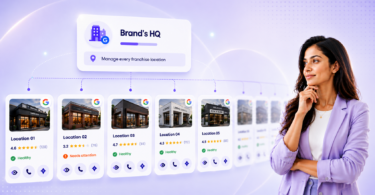
If your business has multiple branches, each location should have its own Google Business Profile. This helps customers find the nearest outlet and gives each location a chance to appear in local search results.
Why is Google Business Profile important for businesses in Singapore?
For many businesses in Singapore, Google Business Profile is the first place customers interact with their brand. As a free tool, it helps businesses online presence, strengthen local visibility, and attract more customers on Google Search and Maps. A complete, well-managed profile helps you build credibility and make a better first impression.
Customers today expect quick, reliable information before making a decision. If they can’t confirm your opening hours, find your location or see recent reviews, they’ll often move on to another business within seconds.
A well-maintained Google Business Profile listing in Singapore helps remove that uncertainty. It gives customers confidence that your business is active, trustworthy and ready to serve them, and stronger visibility on Google Search and Maps can also lead to new customers and better brand visibility.
How does Google Business Profile improve your visibility?
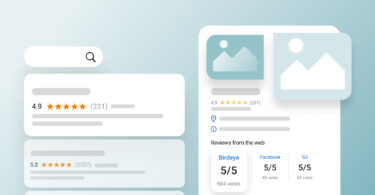
When Google believes your business matches a customer’s search, it may display your profile in the Google local pack. These are the prominent business listings shown above many organic search results.
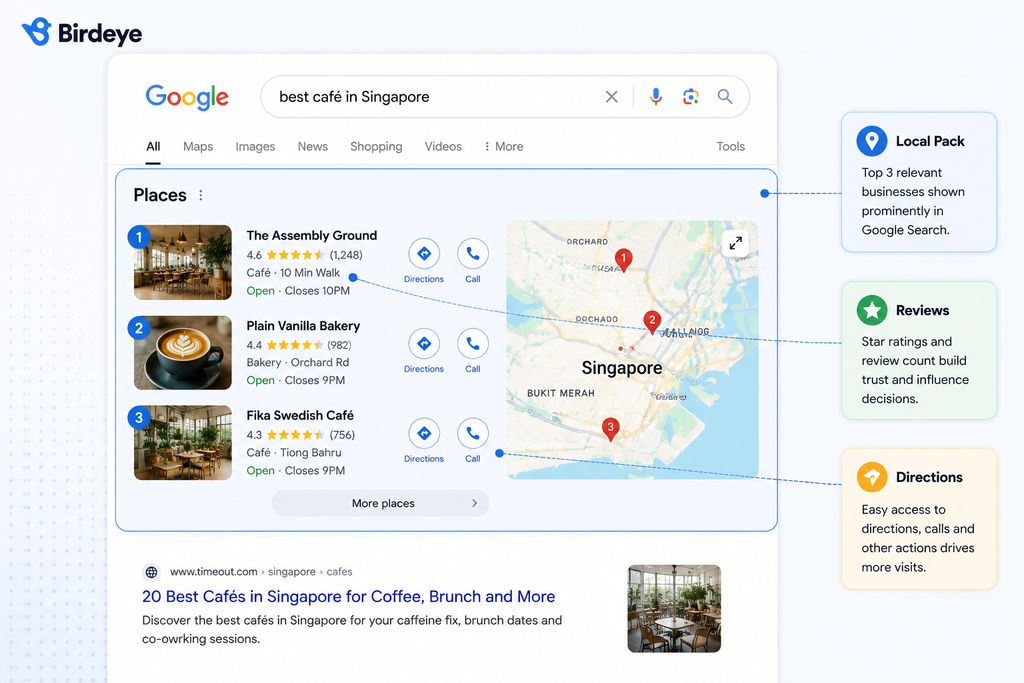
Each listing highlights important information, including:
- Business name
- Star rating
- Number of Google reviews
- Opening hours
- Address
- Directions
- Call button
Appearing here gives your business more opportunities to earn clicks, calls and visits before customers even reach your website.
Why do local searches matter in Singapore?
Local searches connect businesses with customers who are ready to take action. Unlike broad searches, they usually happen when someone is looking for a nearby business to visit, call or book. Appearing in these search results gives your business a better chance of attracting customers with strong purchase intent.
People across Singapore use Google to solve immediate needs throughout the day. They might be looking for a café before work, a dentist during lunch or a restaurant after leaving the office. Instead of browsing multiple websites, they often compare the businesses that appear first on Google Search or Google Maps.
Common searches include:
- Best café in Tiong Bahru
- GP near me
- Physiotherapist Orchard
- Tuition centre Tampines
- Hair salon Jurong East
- Restaurant open now
A complete Google Business Profile Singapore listing helps Google understand where your business operates and what services you offer. This makes it easier to match your business to relevant searches and support stronger local search ranking.
How do Google reviews influence customer decisions?
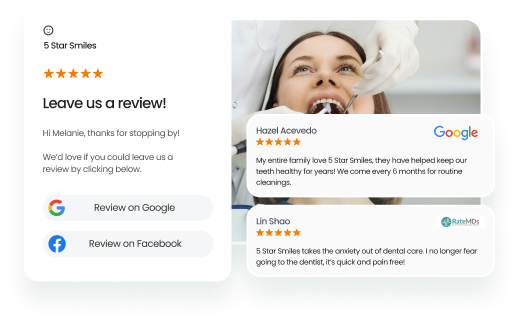
Reviews are one of the strongest trust signals on a Google Business Profile. They help customers understand what others experienced before deciding.
Many people compare review ratings, read recent comments and check how businesses respond to reviews. A thoughtful response shows that your business values customer experience.
Focus on building:
- A steady flow of genuine reviews
- Recent customer feedback
- Helpful responses to both positive and negative reviews
- Consistent ratings across all locations
For multi-location businesses, maintaining review quality across every branch helps create a more consistent brand experience.
How many Google reviews should a Singapore business aim for?

There isn’t an official target. Google says local results depend on relevance, distance and prominence, and reviews can contribute to prominence, but it doesn’t publish a review count that guarantees a ranking. Rather than chasing a number, collect Google Business reviews steadily. A sudden spike followed by silence can look unnatural to customers, and recent reviews tell them the business is still active.
How do you set up Google My Business in Singapore?
Setting up a Google Business Profile in Singapore takes only a few minutes, but getting the details right from the beginning can save you time later. When you start Google Business Profile setup, use a business email so long-term ownership stays with the company rather than an individual employee.
Unlike a website, your Google Business Profile is directly connected to Google’s understanding of your business. Every piece of information you add helps Google answer three questions:
- Who are you?
- Where do you operate?
- What services do you offer?
If any of those answers are incomplete or inconsistent, Google may struggle to understand when your business is relevant for local searches.
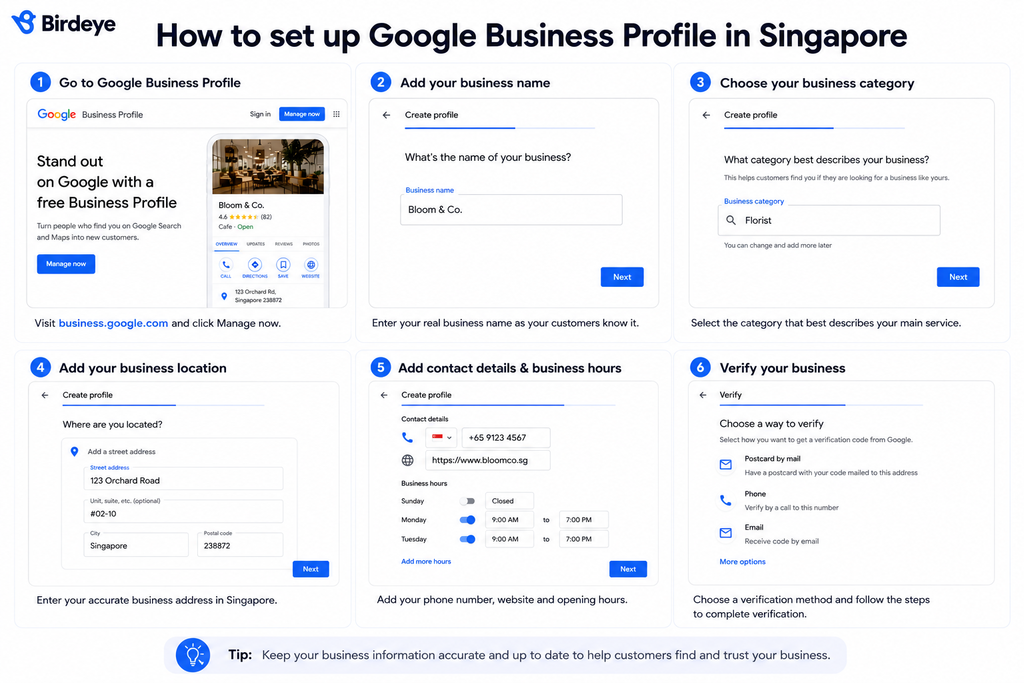
Let’s walk through the Google Business Profile setup step by step.
Step 1: Check whether your business already has a listing
Before creating a new profile, search for your business on Google Search and Google Maps.
Many businesses in Singapore already have a listing created from publicly available information or previous ownership. Creating another profile instead of claiming the existing one can lead to duplicate listings, split reviews and inconsistent business information.
Check for:
- Existing business listings
- Old business names
- Previous addresses
- Duplicate locations
- Former owner profiles
Duplicate listings can confuse customers and make it harder for Google to determine which profile should appear in search results. If you find an existing profile, claim it rather than creating a new one.
Step 2: Enter your business name
Use your real-world business name exactly as customers recognise it.
For businesses registered in Singapore, it’s good practice to keep your Google Business Profile consistent with your ACRA-registered name, while still reflecting your customer-facing brand where appropriate.
For example:
| ✓ Good | ✗ Avoid |
| ABC Dental Clinic | Best Dental Clinic Singapore |
| Green Leaf Florist | Green Leaf Florist Cheap Flowers Orchard |
Use the name customers see on your signage, website and stationery, consistent with your ACRA registration. Google Business Profile guidelines ask for your real-world business name, so adding promotional keywords like “best dentist Singapore” or “#1 car workshop” can trigger a manual review or suspension.
Step 3: Choose the right business category
Your primary business category is one of the strongest signals Google uses to understand your business.
The more accurately your categories reflect your business, the more relevant your profile becomes for local searches. Think of it as telling Google, “This is what we primarily do.”
For example, a physiotherapy practice may also offer sports massage and rehabilitation services. If physiotherapy is the core service, the physiotherapist should usually be the primary category. Other services can often be reflected through secondary categories, services or your business description.
When choosing categories:
- Select the category that best describes your primary service.
- Add relevant secondary categories only where they reflect genuine services.
- Don’t choose categories simply because they have higher search volume.
Secondary categories help provide additional context, but they shouldn’t replace your primary business focus.
Review your categories occasionally, especially if your services evolve over time. Category choices influence which relevant searches trigger your profile and can affect local SEO performance.
Step 4: Add your business address
If customers visit your premises, enter your address exactly as it appears in Singapore, and make sure the business location matches official records exactly.
Include:
- Block number
- Street name
- Unit number, where applicable
- Postal code
For example:
10 Anson Road, #15-08, Singapore 079903
If you operate as a service-area business, such as an air-conditioning servicing company or mobile locksmith, you can choose not to display your street address publicly. Instead, define the areas you serve, as Google may ask for the city or postal code.
Step 5: Add your contact details and business hours
Your contact information should make it easy for customers to reach you.
Include:
- Local phone number
- Website URL
- Business hours
- Special holiday hours where applicable
Adding a website URL can improve credibility and help drive website visits.
One detail many businesses overlook is updating opening hours before Singapore’s public holidays. Customers frequently check Google before travelling, and outdated hours can lead to unnecessary frustration.
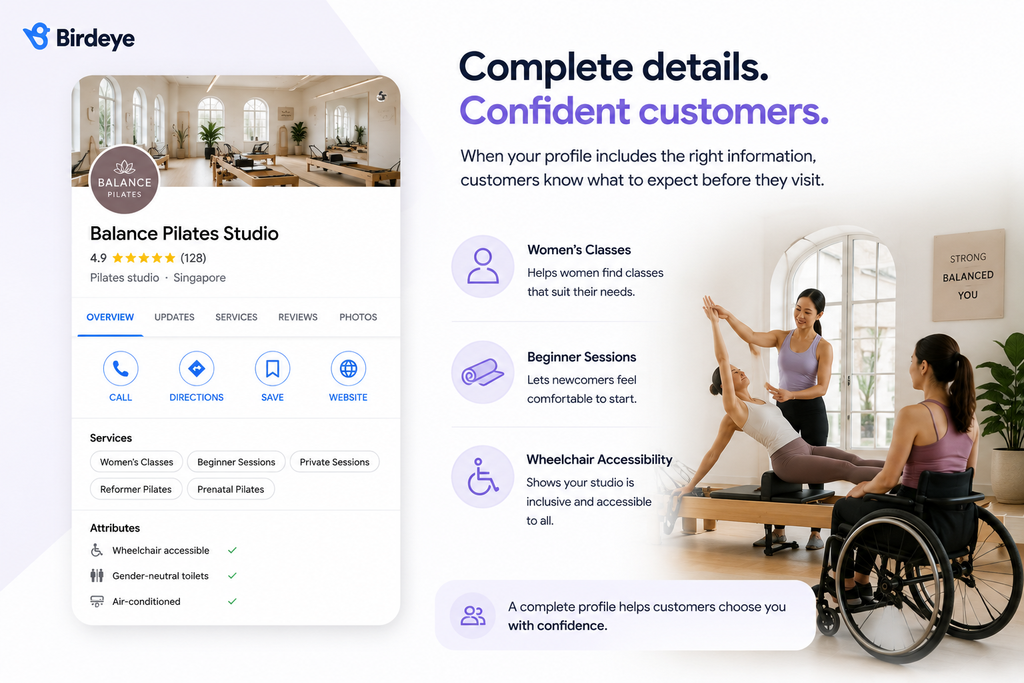
Google also allows businesses to add attributes such as accessibility, payment options, amenities like free Wi-Fi, or details such as wheelchair accessibility. These details help customers decide whether your business meets their needs before they visit.
Step 6: Verify your business
Google’s verification confirms that you own or manage the business. Google decides which methods you’re offered, based on your business type, public information, region and opening hours, and you can’t choose between them. Options may include a code by phone or text, email, a recorded video, a live video call with Google support or a postcard.
Timing depends on the method. Phone, text and email codes usually take minutes. After you submit, Google’s review can take up to five business days. Postcard codes usually arrive within 14 days and expire after 30 days.
If a postcard is on its way, don’t edit your business name, address or category, and don’t request a new code. Either can stop the code from working.
If you manage 10 or more locations of the same brand, you can apply for bulk verification instead of verifying each profile one by one.
How can you optimise your Google Business Profile to rank higher in Singapore?
Creating your Google Business Profile is only the first step. To improve your visibility in Singapore, you need to keep your profile complete, accurate and active. Google looks at many signals when deciding which businesses to show in local search results, including profile completeness, relevance, reviews and customer engagement.
Optimisation isn’t about trying to outsmart Google’s algorithm. It’s about making it easier for both Google and potential customers to understand your business.
The following best practices can help strengthen your local presence over time.
Complete every section of your profile
A complete profile gives Google more context about your business and helps customers make faster decisions. The more useful information you provide, the fewer questions customers need to ask.
For example, if you run a Pilates studio, adding details such as women’s classes, beginner sessions and wheelchair accessibility gives customers a clearer picture of what to expect before they visit.
Write your business description
Your business description should explain what your business does, who you serve and what makes you different. You have up to 750 characters, but you don’t need to use them all. Many people see only the first 250 characters or so before tapping to read more, so put the most important information first.
Include:
- Your core service and what sets you apart, such as years operating or credentials you can verify
- The neighbourhoods you serve (“Ang Mo Kio, Bishan, Toa Payoh”)
- Practical details, such as opening hours or languages spoken
Leave out links, prices, discounts and promotions. Google doesn’t allow them in this field, so put offers in Google posts instead. Write naturally and don’t repeat keywords, because Google doesn’t list the description as a ranking factor.
Good example: "Our dental clinic in Bishan and Ang Mo Kio offers general, cosmetic and emergency dental care. Open weekdays till 8pm. MediSave accepted for eligible procedures. Call to make an appointment."

Bad example: "Best dental clinic Singapore! Cheapest dentist Bishan Ang Mo Kio emergency cosmetic teeth whitening!"
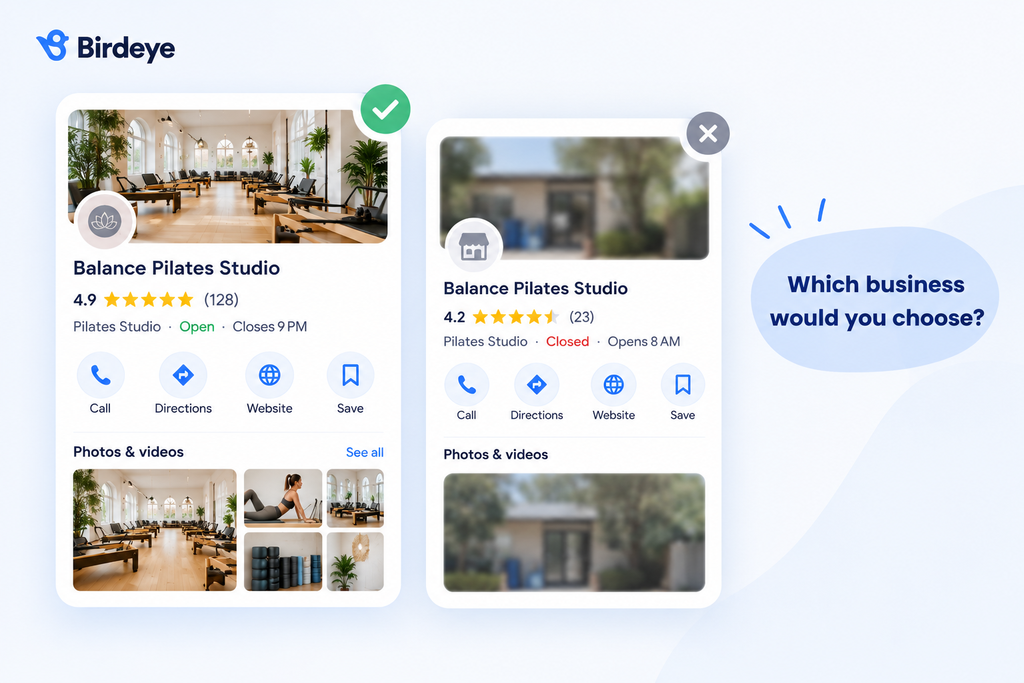
Use high-quality photos
Photos help customers visualise your business before they visit. They also make your profile more engaging and trustworthy.
Include a mix of images, such as:
- Shopfront or building exterior
- Interior spaces
- Team members
- Products or services
- Recent projects or completed work
For service businesses, before-and-after photos or examples of completed work can help customers understand the quality of your services.
Respond to negative reviews while respecting PDPA?
Respond to every negative review professionally, but never disclose personal information. Watch for fake reviews, and if a post is clearly spam or fraudulent, report it to Google while still replying calmly where appropriate. Under Singapore’s Personal Data Protection Act (PDPA), businesses should avoid sharing customer details in public replies. A thoughtful response shows accountability while protecting customer privacy.
Healthcare providers have extra rules. Clinics shouldn’t confirm that a reviewer is a patient or mention treatment details in a public reply. Clinics and doctors are also bound by MOH’s advertising rules and the SMC Ethical Code, which restrict how patient reviews and testimonials can be used in marketing. Check your approach with your compliance team.
When responding to negative reviews:
- Acknowledge the customer’s experience without becoming defensive.
- Avoid confirming names, appointments or transaction details publicly.
- Invite the customer to continue the conversation by phone or email.
- Explain how you’ll investigate the issue.
- Thank them for bringing the matter to your attention.
Example: "Thank you for sharing your feedback. We're sorry your experience didn't meet expectations. We'd like to understand what happened and make things right. Please contact our team directly so we can assist you further."
A complete Google Business Profile improves Ask Maps results
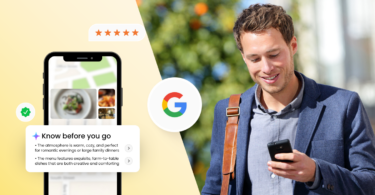
Ask Maps uses information from your Google Business Profile, website and customer reviews to generate AI-powered answers. The more complete and consistent your business information is, the easier it is for Google to provide accurate responses when customers search for businesses like yours.
Ask Maps is now available in Singapore. Built into Google Maps, it lets people ask questions in natural language, such as which restaurants are open late near them. Customers don’t always click through multiple websites any more, and AI search is already part of how Singaporeans discover brands: one 2026 survey of 1,000 Singapore consumers found that 64% had discovered a new brand through AI search in the previous six months (Dotdigital).
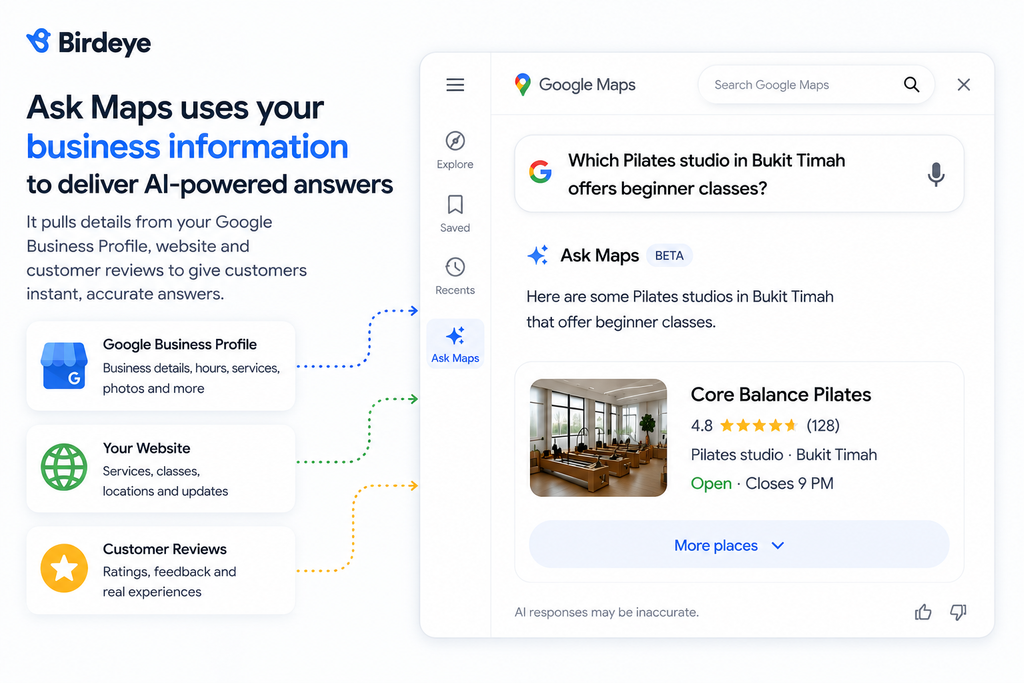
For example, someone might ask:
- Which Pilates studio in Bukit Timah offers beginner classes?
- Which florist in Toa Payoh is open on Sundays?
- Which accounting firm near City Hall has wheelchair access?
Ask Maps may not appear for every business category, so check how yours appears in the Google Maps app. Rather than relying on a single source, Ask Maps pulls together information from several places, including your:
- Google Business Profile
- Business website
- Customer reviews
- Business attributes
- Opening hours
- Photos
If your website says one thing but your Google Business Profile says another, Google has less confidence in the information it presents. As AI-powered search continues to evolve, maintaining an accurate Google Business Profile isn’t just about appearing on Google Maps. It’s about giving Google enough reliable information to confidently recommend your business when customers need it most.
Why does listing management become difficult at scale?
| Challenge | Why it matters |
| Inconsistent opening hours | Customers may visit closed branches. |
| Duplicate listings | They confuse customers and split visibility. |
| Holiday updates | Every location may operate differently during Singapore public holidays. |
| Multiple profile managers | Inconsistent edits create brand confusion. |
| Brand consistency | Customers expect the same experience at every location. |
How do you manage Google Business Profiles across multiple locations in Singapore?
Managing multiple Google Business Profiles requires a consistent process, not just regular updates. For Singapore businesses, keeping every location aligned is also part of effective local SEO strategies. Every location should follow the same standards for business information, reviews and profile maintenance while still allowing branches to reflect local differences.
Here are six practices that help keep every profile accurate and customer-ready.
1. Standardise your business information
Create one source of truth for details such as your business name, categories, contact information and website (NAP)
Every location should follow the same brand standards while keeping location-specific details like opening hours and services accurate.
2. Create a schedule for profile maintenance
Google Business Profiles shouldn’t only be updated when something changes. Instead, establish a recurring review process.
For example:
| Frequency | What to review |
| Weekly | New reviews and profile suggestions |
| Monthly | Photos, business description, services and attributes |
| Quarterly | Categories, contact details, website links, any links to external websites used in updates or offers, overall profile accuracy, and what Ask Maps says about each location |
| Before public holidays | Opening hours and temporary closures |
To check Ask Maps, open each location in the Google Maps app and ask the questions customers usually ask, such as opening hours, parking, accessibility and services. Note any answer that is wrong or missing, then fix the profile or website that feeds it.
Regular maintenance helps prevent outdated information from accumulating over time.
3. Keep location-specific information up to date
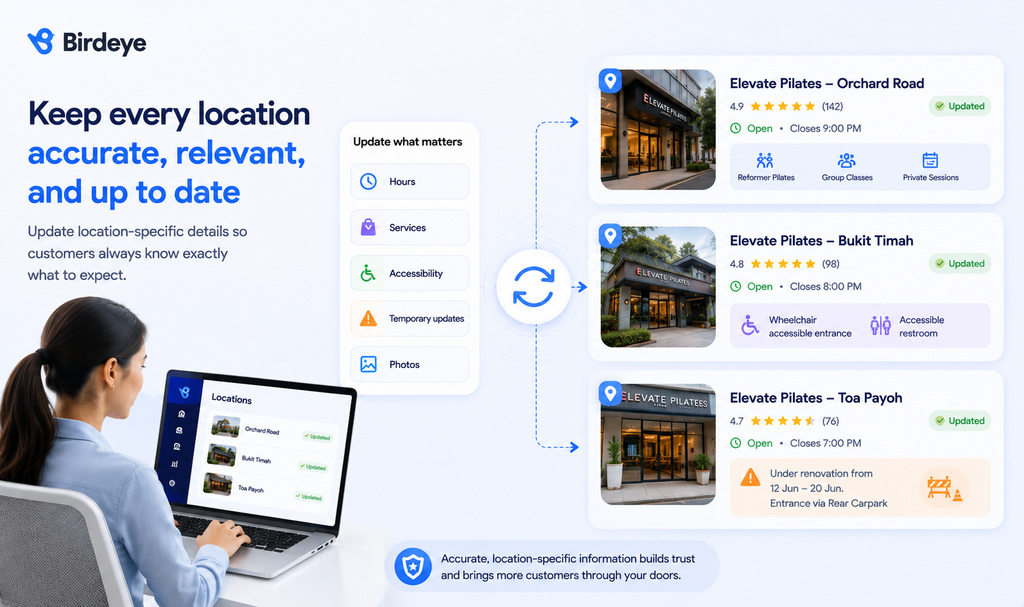
No two branches are exactly alike.
Update each profile with location-specific information such as local services, accessibility features or temporary changes. This helps customers know exactly what to expect before they visit.
4. Manage reviews consistently across every location
One of the biggest challenges is responding to reviews consistently.
Create response guidelines so every location follows the same tone and service standards.
Respond promptly, personalise replies and escalate sensitive issues when necessary. Consistent review management strengthens customer trust across every location.
5. Monitor profile performance across locations
Managing profiles also means understanding how they’re performing. Rather than looking at locations individually, compare performance across your network.
Track metrics such as:
- Profile views
- Website clicks
- Phone calls
- Direction requests
- Review volume
- Average rating
6. Prevent duplicate or outdated listings
Review your listings regularly to identify duplicate, outdated or unclaimed profiles.
These issues often appear after relocations, ownership changes or new branch openings and can affect both customer trust and local visibility.
What are the most common Google Business Profile mistakes in Singapore?
| Mistake | Why it hurts | How to fix it |
| Wrong category | Google misunderstands your business | Choose the closest primary category |
| Inconsistent NAP | Confuses Google and customers | Keep details identical everywhere |
| Duplicate listings | Splits reviews and visibility | Claim or merge duplicates |
| Outdated hours | Customers arrive when you’re closed | Update before holidays |
| Low-quality photos | Reduces trust | Upload recent high-quality images |
Why does Google Business Profile management become more difficult as you grow?
Growth doesn’t simply increase the number of Google Business Profiles you manage. It multiplies the number of updates, approvals and customer interactions that need attention. Without a structured process, even small changes can become time-consuming and inconsistent across locations.
| As your business grows | The challenge becomes |
| More branches | More listings to update and monitor |
| More staff | Different people making inconsistent changes |
| More customer reviews | Harder to maintain response quality |
| More public holidays | Different opening hours across locations |
| More marketing campaigns | Updating photos, offers and information for every branch |
| Franchise model | Balancing corporate brand standards with local flexibility |
This is especially important for franchise businesses in Singapore. While headquarters is responsible for maintaining a consistent brand, individual franchisees often manage day-to-day customer interactions. Without clear governance, business information can quickly become inconsistent across locations, affecting both customer trust and local search visibility.
What should enterprise businesses look for in a listing management solution?
Enterprise businesses need more than a tool to edit business details. They need a platform that helps maintain accuracy, governance and visibility across every location.
Look for capabilities such as:
- Centralised management for every location
- Bulk updates to business information
- Continuous listing monitoring
- Duplicate listing detection
- Performance reporting across locations
- Role-based access for corporate and local teams
These capabilities reduce manual work while helping every location maintain accurate, trustworthy information for customers.
How does Birdeye help multi-location brands manage Google Business Profiles?
As your business expands, listing management becomes more than keeping addresses and opening hours up to date. Every location needs accurate business information, consistent branding, timely updates and ongoing optimisation to stay visible.
Birdeye builds AI coworkers for multi-location brands. An agent carries out an action, but a coworker holds a job. Your team manages three Birdeye coworkers (Jay, Myna and Robin) instead of dozens of agents, and each coworker orchestrates the agents underneath it. Jay owns marketing, Myna owns operations, and Robin owns customer experience.
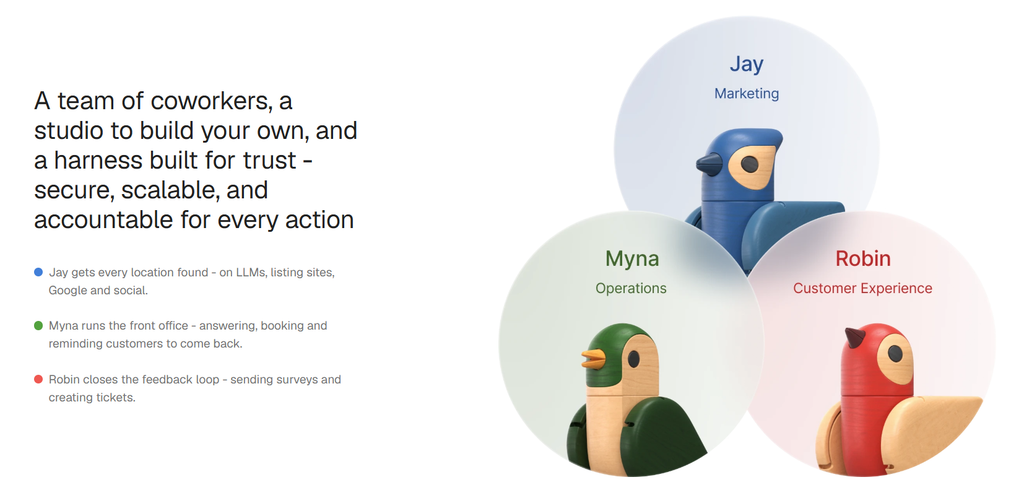
All three run on BirdAI, the Agent OS built on 13 years of multi-location data infrastructure and 3,000+ integrations. BirdAI consolidates signals from every location, reasons with your industry, brand and location context, then acts either autonomously or with a human in the loop. You choose which for each workflow.
| Coworker | Product | How it helps manage Google Business Profiles |
|---|---|---|
| Jay (Marketing) | Listings | Continuously monitors business information, identifies incomplete or inconsistent listings, and helps keep location details accurate across Google Business Profile and other online directories. |
| Reviews | Generates review requests, monitors new reviews, drafts contextual replies and helps teams manage feedback across every location from one platform. | |
| AI Search | Monitors how each location appears in AI-powered and local search, and tracks performance for every location individually. | |
| Social | Helps create, schedule and manage location-specific social content while keeping branding consistent across branches. | |
| Pages | Helps keep location pages consistent with the information on each profile. | |
| Chatbot | Answers customer questions on your website, so visitors get quick answers before they call or visit. | |
| Marketing Automation | Automates marketing follow-up across locations. | |
| Myna (Operations) | Frontdesk, Appointments | Answers calls from the profile’s call button, handles booking and rescheduling, and turns local search demand into confirmed appointments. |
| Reminders, Waitlist | Sends appointment reminders and fills open slots from the waitlist. | |
| Insurance Verification | Verifies insurance ahead of appointments for healthcare and dental locations. | |
| Multi-Modal: Voice, Email, Text | Handles customer conversations across voice, email and text, so local teams respond faster while keeping the brand experience consistent. | |
| Robin (Customer Experience) | Surveys | Captures richer, more timely customer feedback across key moments in the customer journey. |
| Insights | Consolidates customer signals to show which locations and issues need attention, and highlights underperforming branches. | |
| Competitors | Benchmarks each location against nearby competitors on ratings and reputation. | |
| Ticketing | Turns customer feedback into owned work, with priorities and escalation rules. | |
| Reporting | Shows how each location performs, with roll-ups for regional and brand-level analysis. |
For enterprise teams, Birdeye supports SSO, audit logging, role-based access, tiered approvals and location-level reporting. Corporate teams keep control, while local teams act within brand guardrails.
As your business grows from 10 locations to 100 or even 1,000, managing listings manually becomes increasingly difficult. A centralised approach helps ensure every location presents accurate information wherever customers search.
FAQs about Google Business Profile in Singapore
Birdeye helps multi-location brands manage Google Business Profiles from one platform. Jay, the AI marketing coworker, monitors listing accuracy, flags inconsistencies, helps manage reviews and tracks AI search visibility. Myna, the AI operations coworker, handles the calls and bookings that profiles generate. Robin, the AI customer experience coworker, benchmarks locations and turns feedback into action. This reduces manual work while keeping the brand consistent across locations.
Yes. Birdeye is built for multi-location brands that need to manage listings, reviews, social media, customer conversations and customer experience across hundreds or thousands of locations. Its AI coworkers help marketing, operations and customer experience teams execute these tasks more efficiently at scale, and connect to your existing systems through 3,000+ integrations.
Yes, Google Business Profile is free for eligible businesses in Singapore. You can create a business listing, manage your profile, respond to reviews, upload photos and appear on Google Search and Google Maps without paying Google. Optional paid tools can help manage multiple locations more efficiently.
Review your profile at least once a month and update it whenever your business information changes. This includes opening hours, contact details, services, photos and holiday schedules. Regular updates help customers find accurate information and maintain trust.
Manage your Singapore Google Business Profiles smartly with Birdeye
Public holidays, new branches, relocations and a steady stream of reviews all land on your Google Business Profiles at once, and the workload grows with every location you add. The brands that stay ahead of it don’t ask local teams for more manual updates. They hand the routine to AI coworkers and keep their people on the decisions.
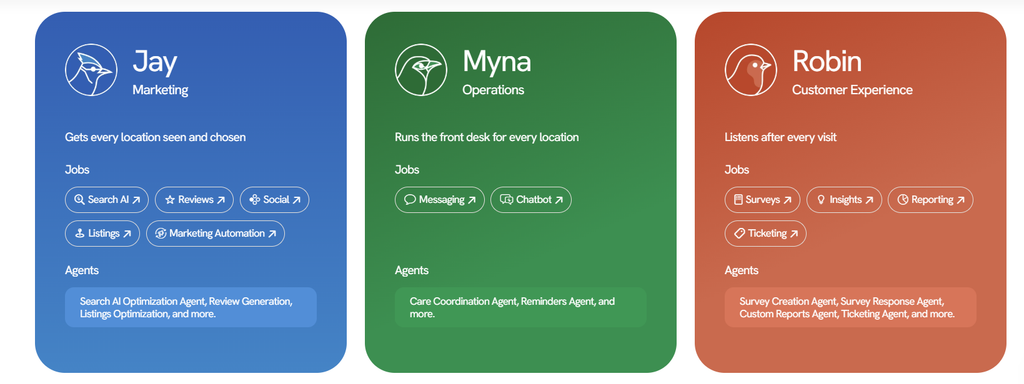
Birdeye gives you three coworkers for that routine: Jay, Myna and Robin. Each takes a different part of the work around your profiles, so nothing depends on one stretched team remembering to check. Your people review what matters and approve what you want approved.
| AI coworker | Where it fits in your profile routine | What your team gets back |
|---|---|---|
| Jay | The weekly and pre-holiday checks: new reviews, opening hours, duplicate or inconsistent listings, and how each location shows up in Ask Maps and other AI search. | Fewer manual checks and faster fixes, with review replies and local posts drafted for your approval. |
| Myna | What happens after a customer taps call or message on your profile. | Calls and messages answered and appointments booked, including outside opening hours, so staff can focus on customers in front of them. |
| Robin | What customers say after they visit: survey responses, feedback trends and how nearby competitors compare. | A clear view of which locations are falling behind, with issues routed to the right owner to act on. |
Because the three use the same location data, a wrong holiday hour, a run of complaints at one branch, or a competitor pulling ahead surfaces where your team can act. To see how it would work across your locations, book a Birdeye demo.
About the Author

Shruti Dugar
Birdeye
Originally published