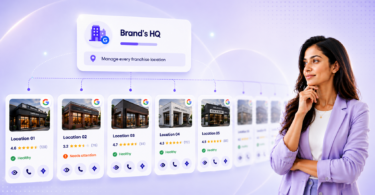
Google reviews in 2026 do more than boost your Google Business Profile. They shape whether you show up in Search and Maps and get recommended in AI-powered search results that summarize the “best” businesses nearby. Reviews work like digital word-of-mouth, giving search engines and AI systems the trust signals they need to rank and recommend your business.
Summary
In 2026, a steady flow of authentic reviews signals to Google and AI systems that your business remains relevant, active, and worth choosing, while thoughtful, timely responses demonstrate that you listen and resolve issues. For large multi-location brands, the goal is to build a repeatable review engine that consistently collects feedback, protects brand credibility, and turns customer comments into clear signals to improve customer experience. Birdeye is the #1 Agentic Marketing Platform that helps multi-location brands manage reviews. The AI agents automate requests, analyze feedback, and draft on-brand responses across hundreds of sites, enabling teams to respond efficiently with minimal manual effort.
In this comprehensive blog, you’ll learn how to earn more reviews consistently, how to respond the right way, and how Birdeye helps multi-location brands manage it all without adding manual work.
Table of contents
- What are Google reviews?
- Why do Google reviews matter for rankings, revenue, and AI visibility in 2026?
- How can customers leave, edit, or delete a Google Review? Step-by-step process
- How to get more Google Reviews: Best practices and strategies
- How should businesses respond to Google reviews to build trust?
- How Window Nation turned customer feedback into a growth system with Birdeye
- Frequently asked questions about Google reviews
- Grow on Google with Birdeye
More reviews
More revenue
Want to see the impact of Birdeye on your business? Watch the Free Demo Now.
What are Google reviews?
Google reviews are online reviews or public feedback that customers leave on your Google Business Profile about their experiences with your business. When someone looks up your business on Google Search or Maps, they can see the legitimate reviews and ratings your existing customers have left for your business.
Google also remains the top channel for customer feedback. Birdeye’s 2025 State of Online reviews data shows Google’s share of total reviews grew from 79.47% in 2023 to 80.9% in 2024, reinforcing its dominance as the go-to review platform.

Where do customers see Google reviews?
Potential customers can read reviews on:
- The Google Knowledge panel
- Google Maps listings, and
- The Google Local Maps pack

Why do Google reviews matter for rankings, revenue, and AI visibility in 2026?
Birdeye survey on impact of online reviews showed that 92% of respondents read two or more online reviews before forming an opinion about a business. Moreover, 50% of respondents mention reading five or more reviews. According to the same survey, 67% of customers research a business’s reputation before purchasing.
Here are a few ways Google reviews play an instrumental role in building a strong online reputation:
Google reviews help improve your search ranking
Experts say Google accounts for 91% of searches for local businesses. Therefore, building a stronger Google presence via online reviews spurs growth and improves local search ranking.
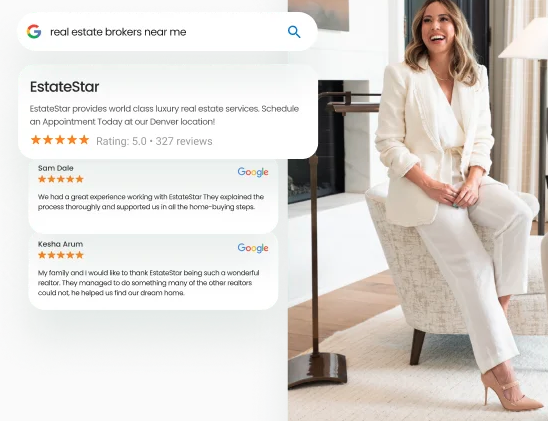
Google uses reviews to gauge your local business’s relevance for search results. By showcasing what sets you apart, reviews drive higher rankings in local search results. More reviews mean greater visibility.
Some of your best reviews may even show up directly in search as Google local justifications.
For example, if your reviews constantly mention “easy payment options”, “great customer experience”, Google is more likely to choose your business over others that don’t. In fact, about 81% of reviews in 2024 included written comments in Birdeye’s dataset, giving Google richer context about what customers actually value (service, speed, pricing, staff, and outcomes).
Want to connect Google reviews to real SEO wins?
Read our detailed guide on Google reviews and SEO.
Google reviews increase trust and credibility
Many people trust Google, so when they see your business has positive reviews on Google, that transfer of trust allows them to believe in your credibility more easily. The more Google reviews you have, the easier it is for other customers to understand that others support and trust your business.
Strengthens AI search visibility and recommendations
The Birdeye Google Business Profile report 2025, notes that Google’s AI Overviews pull live information directly from Google Business Profiles, which raises the stakes on keeping GBP info structured and current.
AI tools summarize “best options near me” using public proof. Your star rating helps you clear the trust bar, while recent, detailed review text gives AI the language it needs to describe what you do best. When your reviews consistently mention specific strengths (speed, pricing, staff, outcomes), you are more likely to show up in shortlist-style recommendations.

Gives you customer insights you can act on
Honest customer feedback in the form of reviews can be a great source of actionable business insights via customer feedback. Insights like what customers liked or didn’t like about your business, obtained from Google business reviews, can help inform business decisions and fuel growth.
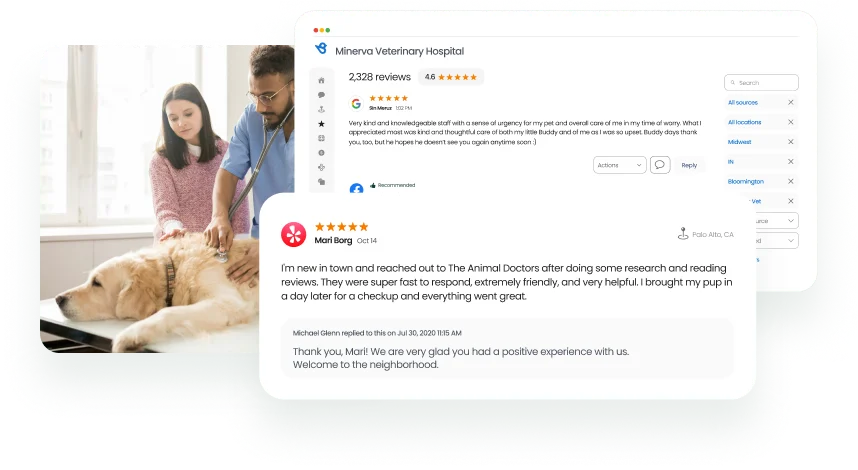
Google reviews influence purchase decisions
Birdeye’s study on impact of online reviews showed that 73% of respondents mentioned they searched for local restaurants in the last 12 months, while 47% of consumers looked for local retailers or healthcare providers. Also, 65% of respondents chose search engines like Google to be the place for local business recommendations. This makes Google reviews an important lead generation tool for businesses.
A higher volume of reviews on Google with higher star ratings positions your business as the most desirable choice, leading customers to pick you over your competitors.
Improves click-through rates on local search results and paid ads
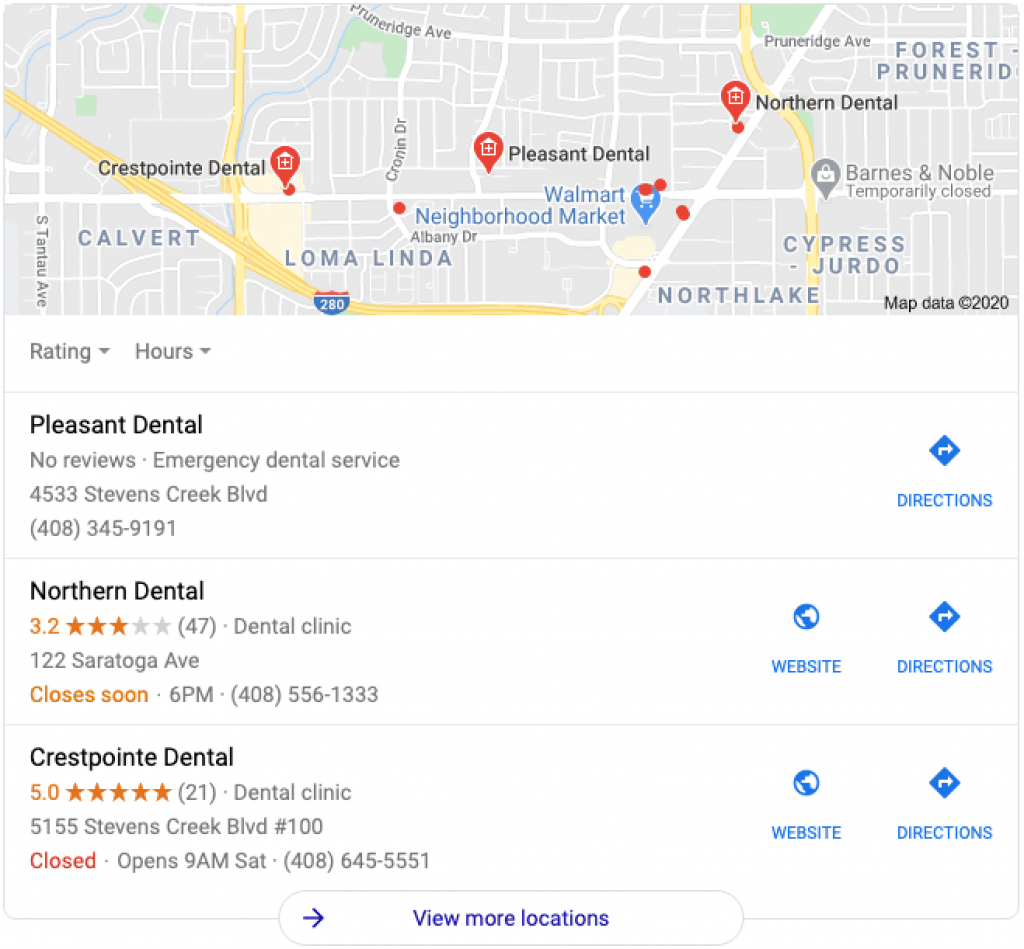
Google reviews can lift click-through rates in both local search and paid ads. Higher star ratings help your listing stand out in the Local Map 3-Pack, which can drive more clicks and website visits. You can also show star ratings in Google Ads through Seller Ratings, helping ads earn more attention by adding instant trust.
“We have seen an uptick in SERP placement for clients who increase their review solicitation by more than 25%, and Birdeye gives our clients a simpler way to manage their online reputation, empowering them to shape and enhance it.”
Sean Collier, COO, Etna Interactive
How can customers leave, edit, or delete a Google Review? Step-by-step process
Customers can leave a review from Search, Google Maps, a direct review link, or a QR code. They can also edit or delete their own reviews through Google Maps under “Your contributions.” Businesses cannot directly delete reviews, but they can report reviews that violate Google’s content policies for potential removal.
How to leave a Google business review across search and Google Maps
Share this simple process with your customers to help them leave a Google review for your business from a website browser:
Step 1: Look for the business name on Google Search or Maps. Make sure you are logged into your Google account.
Step 2: Go to the ‘Reviews’ section and click ‘Write a review.’
Step 3: A pop-up with the star rating will open. Click on the number of stars you want to give the business, along with a comment on the customer experience.
Step 4: Click ‘Post’ to submit the review.
How to write a Google review from a desktop
Search your business name on Google or open it in Google Maps (logged into Google)
Step 1: Click Reviews
Step 2: Click Write a review
Step 3: Choose a star rating and add comments
Step 4: Click Post
How to write a Google review from mobile
Customers can leave a Google review from mobile with the following methods:
Step 1: Use a web browser to access the business listing and leave a review.
Step 2: Use the Google Maps application to find the business and leave a review.
Step 3: Go to the reviews page directly using the link sent via SMS or email.
Step 4: Scan a QR code to access the reviews section directly.
How to edit a Google review
Customers can change what their review says with the following steps:
Step 1: Access the relevant Google review “Your contributions” section on Google Maps.
Step 2: Click the three dots next to the review and choose “More”.
Step 3: Click “Edit review” from the dropdown menu.
Step 4: Modify the contents of your review and click “Post”.
How to delete Google reviews
Businesses want to handle negative reviews before anything else. While the first instinct is to delete them, businesses can’t directly delete Google reviews. However, here is how you can remove a fake or unfavoring Google business review :
- Select the review on Google My Business dashboard and report it with an appropriate reason if it is fake, spam, or inappropriate.
- Resolve the issue highlighted in the negative review and request the customer to delete the Google review.
If your customers agree to delete the review, here is the simple process to do so:
Customers can go to their Google activity dashboard or “Your contributions” section on Google Maps to select the review, and click “Delete”.
Note: There’s no guarantee that Google will actually delete the review. So, if you see a review you believe is fake, we recommend leaving a strong but polite response so your prospects who read the review can understand both sides of the story.
For example, here’s a polite way of calling out a fake review:
Hey “John Smith,” did you leave your review for the right business? None of our team members remembers doing business with you. Please reach out to me at “phone number.” I’d be happy to clear up any confusion.
How to get more Google Reviews: Best practices and strategies
Google is the largest search engine and handles the majority of local business searches. Hence, getting more Google reviews is critical for your online reputation management. Here are a few ways to significantly increase your review volume:
- Set up and optimize your Google Business Profile
- Use the customized Google reviews link
- Send review requests at the right time
- Simplify the process of leaving Google reviews
- Empower your employees to consistently collect more Google reviews
- Use a Google review management software built for multi-location brands
Sounds simple enough, right? Let us explore these steps in detail to know more.
Set up and optimize your Google Business Profile
A complete and verified Google Business Profile paves the way for getting consistent reviews for your business.
If a customer is looking for your business information and an incomplete or unverified profile shows up, it might deter them from leaving a review. Verifying your Business Profile also allows you to respond to customer reviews and report fake reviews.
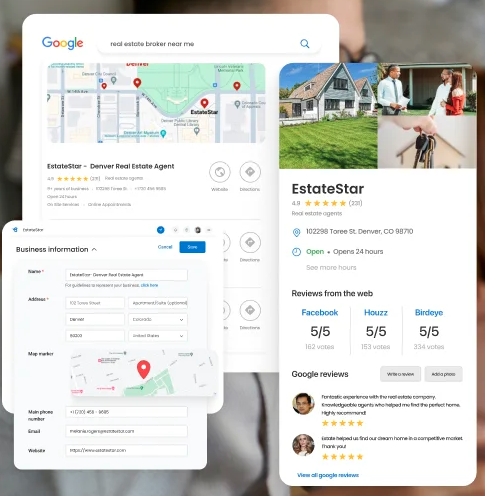
Creating and verifying your business allows you to control how customers see your business by deciding which information is displayed.
Use the customized Google reviews link
Google allows business accounts to create a short and easy-to-send Google review request link from their business account. A custom, short URL simplifies the review generation process and makes it easy for customers to leave Google reviews.
Click the “Promote” tab on the dashboard, choose “Ask for reviews,” and copy the generated URL. It should look like this: https://g.page/r/Cc6PXI89JDtvEBM/review. You can use a link shortener to make it easier to use across the website, marketing materials, and promotion campaigns.

Looking to simplify this further? Work with Birdeye Reviews AI. We can reduce these steps for your customers by using deep-linking, which will take your customers right to the reviews section, so you get more reviews automatically.
Send review requests at the right time
Ensure you send review requests to all your customers on the same day they purchase. The longer you wait, the more the memory fades, and your customers will be less likely to leave reviews.
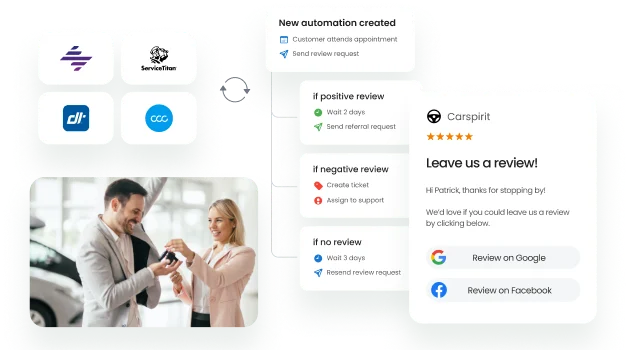
A fail-safe way of doing this is to connect your review generation tool with your CRM so that every customer instantly receives a review link after every transaction.
How to automate review collection?
Manually requesting reviews is slow and inconsistent, which often leads to missed feedback opportunities and fewer reviews on platforms like Google Business Profile. For brands managing multiple locations, manual processes make it even harder to scale review generation.

Birdeye simplifies review collection through Reviews AI agents that automatically identify the best time, channel, and message to request feedback after a customer interaction. The platform integrates with 3000+ apps, including Salesforce, HubSpot, and QuickBooks Online, so review requests can be triggered automatically without manual effort.

Key features include:
Automated review requests via text and email sent immediately after customer interactions.
Optimized messaging and timing through continuous testing to improve review conversion.
Customizable templates that maintain a consistent brand voice.
Bulk campaigns and reminders to increase response rates.
Integration with 200+ review sites, including Google and Facebook.
Centralized dashboard to monitor and respond to reviews across locations.
Review insights and reporting that highlight trends in customer feedback.

With Birdeye, brands generate more reviews, improve visibility, and build stronger customer trust.
Simplify the process of leaving Google reviews
Customers lead busy lives, and easy processes ensure they follow their promise of writing a Google review. The fastest way to help them follow through is to make the ask simple and specific. For example, you can prompt them with one quick question like, “What service did we help you with?” or “What made the experience easy?” This leads to more detailed reviews that can boost relevance in local search.
To reduce the number of steps, ensure you send a digital review request even after asking for it in person. Ensure you add the shortened Google business review link across SMS, emails, social media conversations, etc. You can also share explainer videos with your customers to help them understand the process.
In 2023, Avondale Toyota improved their review volume with Birdeye’s QR code. Giving customers a quick and efficient way to leave reviews turned out to be a huge success. On an average, the QR code saw 180 scans a month and tremendously increased the business’s review volume.
“By implementing Birdeye’s QR codes, customers can now easily leave their feedback by scanning the codes we’ve placed around the dealership, and the results have been amazing. It’s a simple yet highly effective way to strengthen our online reputation and connect with our satisfied customers.”
Kamal Charef, General Manager, Avondale Toyota
Empower your employees to collect Google reviews
If your employees spend face-to-face time with customers, allow them to send review requests via text and email. Customers with a personal relationship with the employee may be more inclined to leave a Google review.
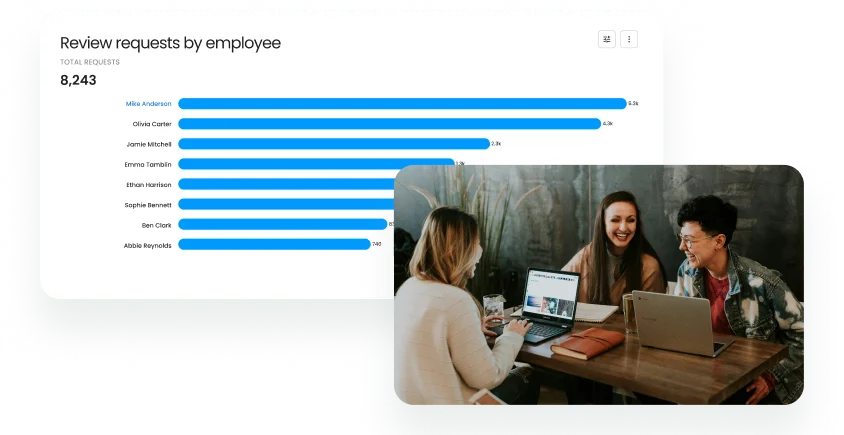
Business owners can incentivize this by tracking reviews generated by employees and rewarding the top performers.
Avoid shortcuts: Don’t incentivize customers for reviews and don’t use fake or AI-generated reviews. These can trigger removals, ranking penalties, and compliance risk.
Use a review management platform built for multi-location brands
Review management tools help you track, respond to, and promote your reviews on Google from a central dashboard. Birdeye is one of the most popular reputation management review tools that helps you collect and manage reviews seamlessly.
With Birdeye, you can manage hundreds of reviews across locations from a centralized dashboard, automate Google review generation, manage negative reviews, flag fake reviews, share positive reviews to social media, and use AI agents to respond to reviews across languages with a single click. Birdeye is also one of the few companies integrated directly with Google’s private API, vastly improving the collection process and review load times.
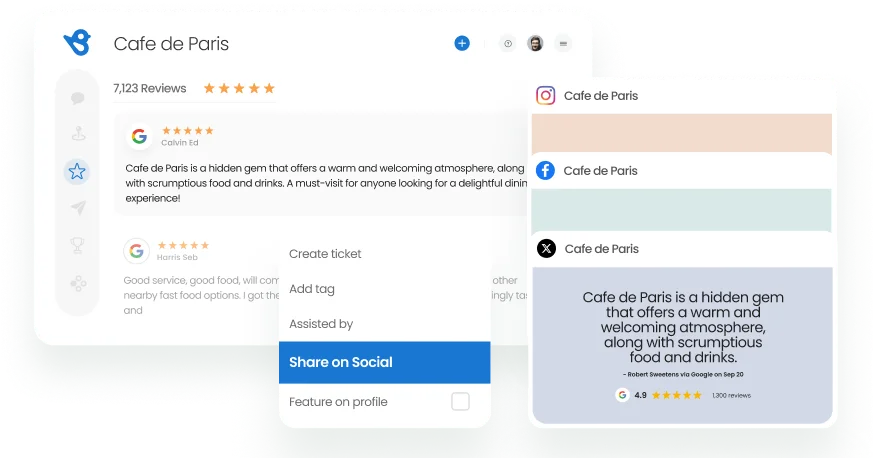
Birdeye customers on average, see an increase of 195% Google reviews in their very first year itself. This helps our customers get 2x higher conversion from review requests.
Why is my google review not showing?
Missing Google reviews can result from policy violations, as the platform regularly removes spam, fake, and inappropriate content. If your review isn’t showing, it could also be because the related Google Business Profile is suspended.
For businesses, missing reviews might be due to customers deleting them or Google’s removal for content violations.
Google reviews not showing up? Know how to fix it with our detailed guide.
How should businesses respond to Google reviews to build trust?
Businesses should respond to Google reviews quickly, politely, and with specifics that show you listened. Responses signal two things: you value customers, and you run a business that pays attention.
For multi-location brands, speed and consistency matter most. And customers now expect that responsiveness as a baseline. Birdeye’s benchmark shows the average review response rate rose from ~63% in 2023 to ~73% in 2024. In 2026, fast, consistent replies aren’t “nice to have”, they’re part of how brands signal reliability.
How to respond to Google reviews
Here’s a step-by-step process of how to respond to Google reviews:
Step 1: Sign in to your Google My Business account to view the dashboard.
Step 2: Click on the tab labeled ‘Customers.’
Step 3: Select ‘Reviews’ from the available options and scroll to the review you want to reply to.
Step 4: Click the blue button at the bottom left of the review to open the reply box.
Step 5: Now type your reply and submit.
How to respond to positive Google reviews
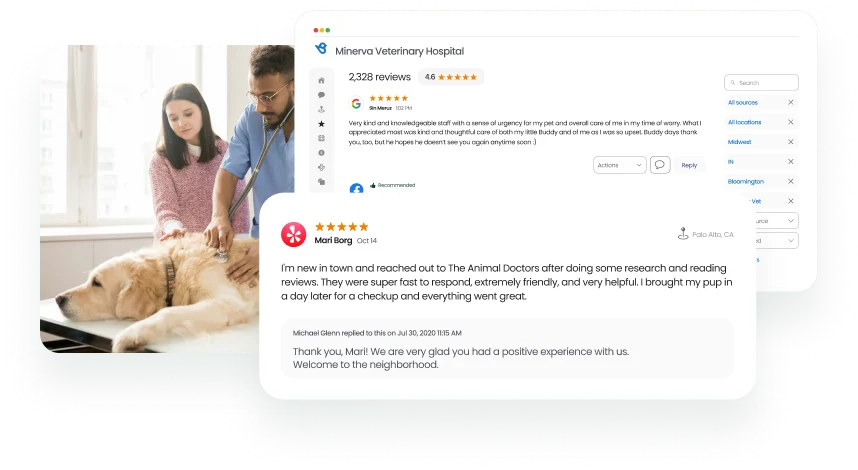
Here are a few tips for responding to Google reviews from happy customers.
- Thank the customer for leaving feedback
- Encourage the customer to return
- Keep your response short and warm
How to respond to negative reviews on Google
Responding to negative reviews is slightly trickier than thanking someone for leaving positive feedback. Still, a genuine, well-crafted, considerate response can motivate these customers to edit or delete their original reviews.
- Pause before replying, then stay factual
- Respond within 24 hours when possible
- Move resolution offline (phone or email)
- Close the loop publicly once resolved (without oversharing)
The 2026 challenge isn’t knowing reviews matter; it’s operationalizing them. With request volumes rising and engagement getting harder to earn, multi-location brands need a system that keeps review generation consistent, response times fast, and insights centralized. That’s where Birdeye Reviews AI steps in.
Manage Google reviews with the Birdeye Reviews AI, powered by AI agents
Birdeye helps global multi-location brands grow by turning Google reviews into a repeatable system: generating more reviews, responding faster, and learning from feedback across 100-10,000+locations. Instead of juggling tools, teams use a single Agentic Marketing Platform in which AI agents execute work while leaders maintain governance.
Birdeye Reviews AI includes:
- Review generation agent that acts as your review growth engine. It identifies the best review source and message, then sends review requests at the perfect time so your review volume stays steady without manual follow-up.
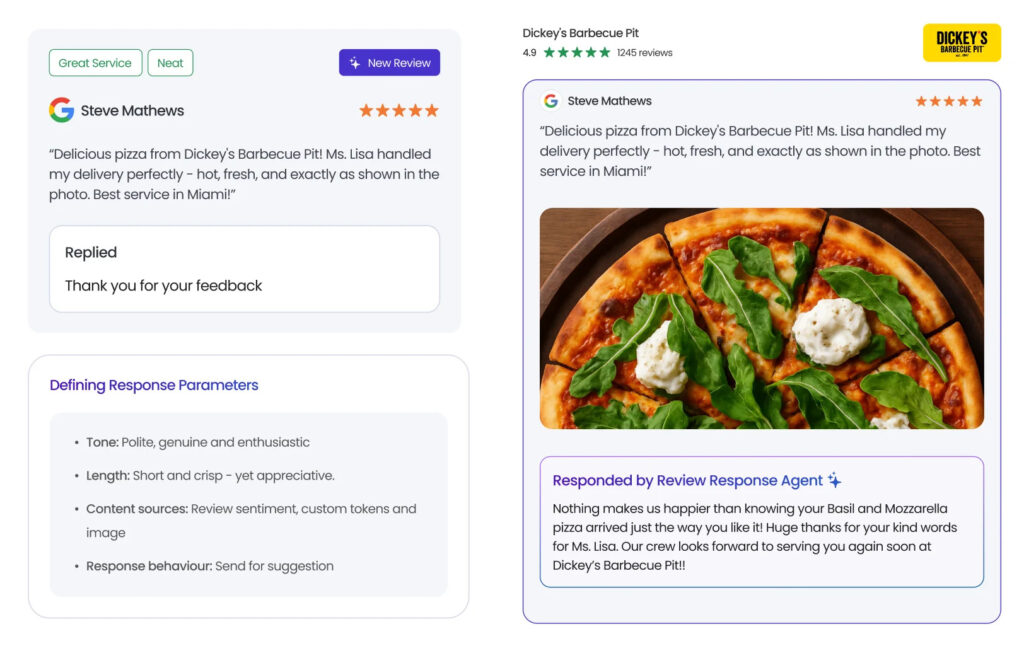
- Review response agent that writes personalized replies that match your tone and brand voice. It uses sentiment, urgency, and even images to draft smarter responses.
- Review reporting agent that highlights trends, flags issues, and surfaces what’s working (and what’s not) across locations. Your team gets clear performance answers quickly, without digging through noise.
- Review monitoring that helps monitor 200+ review sites from a single dashboard. This keeps you from missing feedback where customers actually search and compare.
- Competitive benchmarking that uses AI to track competitor reviews across locations and see how you stack up. Then act on the gaps with insights that point to specific improvements.
Birdeye integrates with 3,000+ apps, including Salesforce, HubSpot, and QuickBooks, so your CRM can trigger review requests as soon as a customer interaction is logged.
Together, these capabilities turn Google reviews from a daily chore into a repeatable system that improves trust, visibility, and performance across every location.
How Window Nation turned customer feedback into a growth system with Birdeye
Window Nation operates across 32 markets nationwide, with 22 showrooms across the U.S. As the brand expanded, the team needed a simpler way to manage reviews, listings, and customer conversations across locations.
The challenge
Before Birdeye, Window Nation used Reputation.com for review management, but it lacked deeper reporting and location-level insight. Their team also had to jump between multiple platforms daily to manage reviews, listings, and messaging, which slowed response times and made it harder to spot trends.
The solution
Birdeye gave Window Nation one platform to manage reviews, listings, messaging, and insights from a single dashboard. This helped them respond to reviews in under 24 hours, capture more feedback through automated and in-person requests, and engage customers quickly with an average message response time of 33 minutes.
The outcome
Window Nation scaled review volume and improved performance across markets, including:
- 40,200 new reviews across all platforms
- 21,800 new Google reviews, raising their Google rating to 4.8 stars
- Over 80% of 21,500 review requests were converted into published reviews
“Prior to Birdeye, we had to go into multiple platforms on a daily basis to manage our reviews, listings, and messaging. With Birdeye, everything pulls into a single platform.”
Jenna Norton, Digital Customer Specialist, Window Natio
Frequently asked questions about Google reviews
It is said that businesses need at least 5 reviews to show up on search; however, we’ve seen businesses with just 1-2 reviews show up on search too.
Birdeye is the top Google review automation tool, trusted by global brands. The tool is rated 4.9/5 on Google and #1 on G2. Birdeye automates review requests, monitoring, and GenAI-powered responses, helping multi-location businesses save time, boost visibility, and improve customer trust.
Yes, when you get a great Google review, you can promote it through Google’s Marketing Kit. This is a service that Google offers that allows you to print great reviews into stickers and posters.
Yes. Google encourages businesses to solicit reviews from all customers to help businesses get honest and reliable feedback from their customers.
No. According to the Federal Trade Commission (FTC) Consumer Review Fairness Act, it is illegal to buy reviews for your business. Paying for Google reviews or giving incentives for writing reviews is against Google’s policy.
No. Trying to stop your customers from writing reviews is considered “review gating” Remember, a few negative reviews can not hurt your business, as they prove that all your reviews are authentic.
Yes. You can share your Google reviews on your website and social media. Since these reviews are already publicly-posted, you don’t need to ask the reviewer for permission.
Birdeye is the best tool to manage Google reviews. As a Certified Google Partner, Birdeye offers the deepest Google integration, AI-powered review management, and all-in-one tools for businesses to increase their Google review volume, average star rating, and local map ranks.
No. There’s no way that you can trace a Google review. If you feel that you’re dealing with a fake review, consider flagging the review for Google to address.
No. It’s no longer possible to write a Google review without a Google account.
Google has made it mandatory for the reviewer to have a Google account to ensure that the reviews posted on its platform represent actual customer experiences.
Yes. Google reviews are automatically processed so that they can remove inappropriate content like fake reviews or spam.
For more information, check out our article, “Are Google reviews reliable?“
There is no rule on how many Google reviews a business needs. But, the more reviews you have, the better it is for your online reputation and local SEO efforts.
Birdeye is the best review reply software as it drafts instant personalized and branded AI responses to reviews from over 200+ sites. Businesses can also set up review response automation, monitor responses from a unified dashboard, and flag concerns with review sentiment analysis.
Grow on Google with Birdeye
To achieve business growth with Google reviews, you need an efficient system for sending requests, responding to reviews, and managing them across multiple channels. Birdeye automates these processes, allowing you to send review requests, handle responses, and drive growth through a single dashboard.
With Birdeye, you can go beyond Google reviews to manage your online presence across various review sites, turning reviews into valuable marketing assets.
Book a demo to see how Birdeye Reviews AI handles feedback for every location, turning customer signals into your next growth milestone.

About the Author

Avtar Madan
Avtar Madan
Originally published